If you're running a marketing agency in Melbourne like I am, you know the whole game of PPC management is about building systems that get clients consistent, profitable results. But I’ve learned the hard way that the process doesn't start in a Google Ads account. It starts way before the first campaign ever goes live, with a rock-solid onboarding and discovery phase.
This is where you sync up with your client’s actual business goals, not just the vanity metrics they think they should care about. From my experience, getting this part right is the difference between a long-term, profitable partnership and just another short-term contract.
Building a Foundation for Agency PPC Success
When I first started my agency here in Melbourne, I made the classic mistake of being way too eager to launch. A new e-commerce client would sign on, and my team and I would race to get campaigns up, getting lost in keywords and ad copy. We learned pretty quickly that this approach almost always leads to mismatched expectations and a whole lot of wasted ad spend.
The real secret to great agency PPC management isn't just about being a whiz in the ad platforms; it's about mastering the client discovery process.
This is the phase where we stop being a vendor and start becoming a strategic partner. It’s not just about asking for access to their Google Ads account. It's about digging deep to understand the why behind their need for paid ads. What business problem are they actually trying to solve? Are they trying to boost sales for a new product line on their Shopify store, or are they desperate to liquidate old stock to free up cash? The strategy for each of those goals is completely different, whether you're a seasoned Shopify developer or a PPC pro.
Uncovering True Business Objectives
That first conversation really sets the tone for the entire relationship. We’ve learned to move past generic questions like "What are your goals?" and ask pointed questions that tie directly back to the health of their e-commerce business.
- What's your average customer lifetime value (LTV)? This tells us what a sane Cost Per Acquisition (CPA) actually looks like.
- Which of your products have the best profit margins? We want to aim the initial budget at campaigns that will generate the most profit, securing those crucial early wins.
- What’s the current conversion rate on your key product pages? This helps us set realistic expectations for Return On Ad Spend (ROAS) from day one.
- Who is your ideal customer, and just as importantly, who is not? Defining negative personas is a game-changer for targeting.
Nailing this stuff down upfront prevents so many headaches later. It guarantees that the Key Performance Indicators (KPIs) we agree on are metrics the business owner genuinely cares about—like profit and customer acquisition cost, not just clicks and impressions.
To make sure we don't miss anything, we run through a checklist for every new client. It's a simple but effective way to ensure all our strategic decisions are grounded in the client's actual business reality.
The Essential Client Discovery Checklist
Before you build a single campaign, you need data. This checklist covers the non-negotiable questions and data points to gather during onboarding. It's the foundation for a strategy that aligns with real-world business objectives, not just surface-level ad metrics.
| Category | Key Questions & Data Points | Why It Matters |
|---|---|---|
| Business Goals | What is the primary business objective? (e.g., increase sales, generate leads, liquidate stock) | Defines the "why" behind the ad spend and sets the overarching campaign goal. |
| Financials | What are your product/service profit margins? What is the average customer LTV? | Determines a profitable target CPA/ROAS and helps prioritise high-margin offerings. |
| Target Audience | Who is your ideal customer? (demographics, interests) Who is not your customer? (negative personas) | Ensures ad spend is focused on the most valuable audiences and avoids wastage. |
| Website Performance | What is your average website conversion rate? What are your top-performing landing pages? | Sets realistic performance expectations and identifies strong pages to send traffic to. |
| Competitive Landscape | Who are your top 3 competitors in the paid search space? What makes you different from them? | Informs keyword strategy, ad copy angles, and helps define your unique selling proposition (USP). |
| Account History | Do you have a previous Google Ads account? If so, can we get access for analysis? | Provides historical data on what has (and hasn't) worked, saving time and money. |
Walking a client through this list does more than just give you data; it shows them you're thinking like a business partner, not just a campaign manager. It builds immediate trust and positions your agency as a strategic asset from the get-go.
Setting the Stage for Partnership
This deep-dive approach is also crucial for managing client expectations right from the start. A lot of small business owners in Australia are new to paid ads. The Aussie SMB PPC market has grown like crazy, with 65% of small and medium-sized businesses now running paid campaigns. But the shocking part is that a staggering 61% of that budget is often wasted on poor targeting and the wrong keywords.
By explaining this reality, we position our agency as the expert guide they need to navigate the complexity. You can find more details in these insights about PPC trends in Australia.
We frame the first 90 days not as an instant profit machine, but as a critical data acquisition phase. We are spending their money to buy data that will inform our long-term strategy. This simple reframing shifts their mindset from expecting immediate results to understanding the value of a methodical, data-driven process.
Designing PPC Account Structures That Scale
Few things will hamstring an agency's growth faster than a messy, inconsistent PPC account structure. When we first started our digital marketing agency in Melbourne, we inherited some absolute nightmares—accounts with no logical naming conventions and ad groups stuffed with hundreds of unrelated keywords. It made optimisation a painful, time-consuming mess and reporting nearly impossible.
A clean account structure is the foundation of efficient PPC management. It’s what lets different team members jump into an account and instantly understand what’s going on, and it’s what makes it possible to scale campaigns without creating chaos.
This hierarchy shows how we view the foundation of client success; it all starts with understanding their goals, KPIs, and customers before any structural decisions are made.
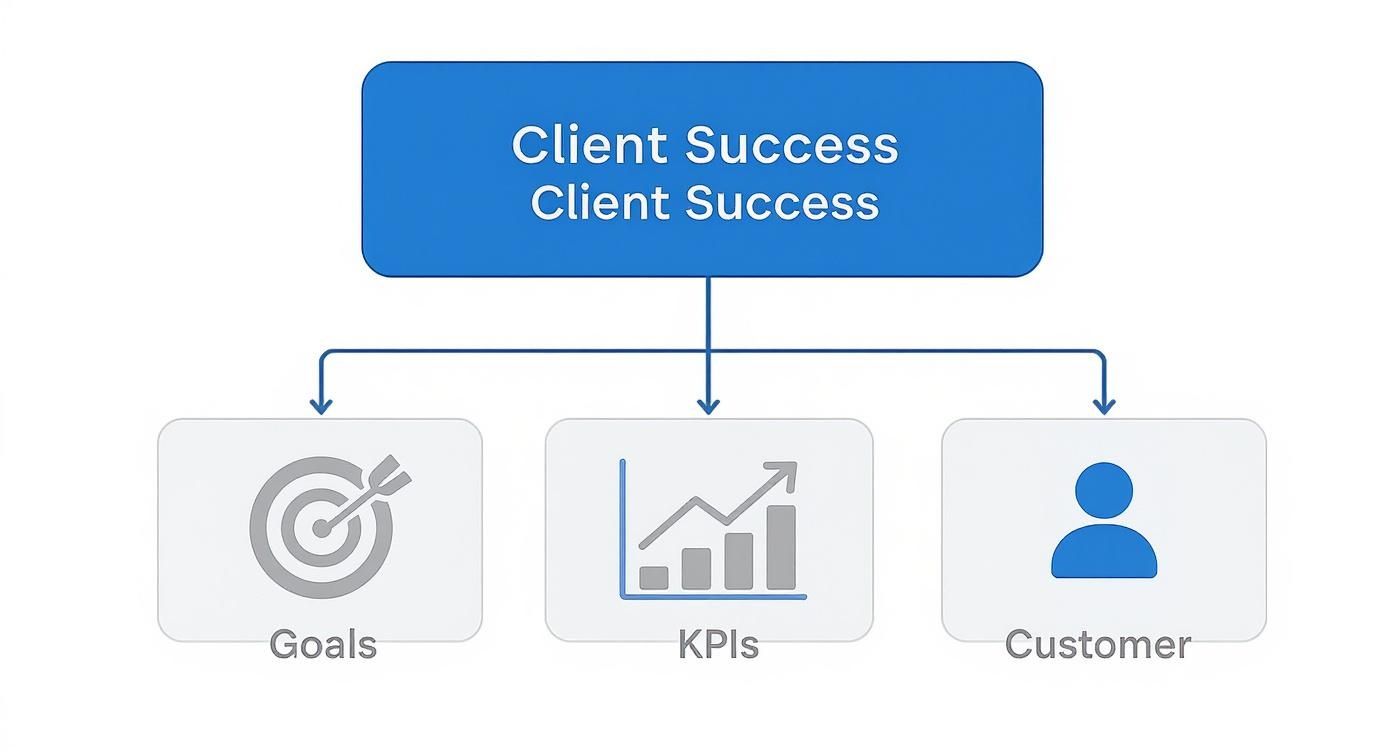
This underscores a key point: a successful account structure isn't just a technical exercise; it's a direct reflection of the client's core business objectives.
Moving Beyond Outdated Structures
Years ago, the gold standard was SKAGs (Single Keyword Ad Groups). The idea was simple: create one ad group for every single keyword to achieve perfect ad-to-keyword relevance. While the theory was sound, it created bloated, unmanageable accounts with thousands of ad groups. It became a nightmare with the rise of automated bidding and responsive search ads.
Today, we use a much more streamlined, theme-based approach. We group keywords by user intent and product category, which works far better with Google's machine learning. This approach gives the algorithm more data to work with at the ad group level, leading to better performance and much easier management.
For e-commerce clients, a crucial element is implementing a well-thought-out Amazon PPC campaign structure when applicable, as the principles of thematic grouping and clear naming carry over across platforms.
Our Agency Naming Convention Blueprint
Consistency is everything. A standardised naming convention means anyone on our team can look at a campaign name and know exactly what it is, who it's for, and what its goal is. It eliminates guesswork and saves countless hours.
Here’s a simplified version of the template we use:
- Campaign: [Funnel Stage] – [Network] – [Targeting Type] – [Goal]
- Example: TOF – Search – Brand Keywords – Sales
- Example: MOF – Shopping – PMax – ROAS
- Ad Group: [Product Category] – [Keyword Theme] – [Match Type]
- Example: Womens Shoes – Running Sneakers – Broad
- Example: Mens Apparel – Winter Jackets – Phrase
- Ad Creative: [Ad Type] – [Angle/Hook] – [Date]
- Example: RSA – Free Shipping Offer – Nov23
- Example: ImageAd – Lifestyle Shot – Nov23
Adopting a strict naming convention is one of the highest-leverage activities a PPC agency can implement. It's not glamorous, but it pays dividends in efficiency, scalability, and reduced human error every single day.
This systematic approach transforms a potentially chaotic account into a logical, easy-to-navigate system. It makes pulling data for reports faster, simplifies A/B testing, and ensures a seamless handover process if an account manager changes. It’s a foundational piece of successful PPC management for agencies that want to grow without being buried in disorganisation. By building this logical framework from day one, you set yourself, your team, and your client up for scalable success.
Executing Campaigns for E-commerce Clients
Running PPC for an e-commerce brand is a completely different ball game than generating leads for a service business. As a digital marketing agency in Melbourne that lives and breathes e-commerce, I’ve seen firsthand that success isn't just about clicks and traffic; it's about driving profitable sales, day in and day out. Every dollar has to be tracked back to actual revenue.
The whole strategy pivots from capturing a lead to closing a sale. This means your campaign structure, ad types, and tracking setup need to be laser-focused on product-level performance and, most importantly, Return On Ad Spend (ROAS).
Crafting High-Intent Search Campaigns
While Google Shopping often steals the spotlight in e-commerce, traditional Search campaigns are still incredibly valuable for grabbing high-intent buyers. We build these campaigns around specific product categories and brand-plus-product searches.
For instance, a client selling running shoes might get separate campaigns for "men's trail running shoes" and "women's marathon shoes." This segmentation lets us tailor ad copy and landing pages directly to what the user is looking for, which dramatically lifts relevance and conversion rates. We also build out huge negative keyword lists to filter out informational queries like "how to clean running shoes," making sure the budget is spent only on people ready to buy.
Mastering Google Shopping and PMax
For most of our e-commerce clients, Google Shopping is the engine room. Honestly, getting the product feed right is 80% of the battle. A clean, optimised feed with high-quality images, descriptive titles, and accurate pricing isn't just nice to have—it's non-negotiable.
Here’s a visual from Google that shows how it all connects, from your product feed in the Merchant Center to the ads people see.
It all starts with the product data. That’s why we spend so much time making sure the feed is perfect before anything else.
Once the feed is solid, it's time to think about structure. A big question we always get is PMax vs Google Shopping. For clients with a large catalogue and a good amount of conversion history, Performance Max can be an absolute powerhouse, reaching customers across Google's entire network. But for newer accounts or those where we need more granular control, we’ll often kick things off with Standard Shopping campaigns.
We frequently use a tiered campaign structure with different campaign priorities (High, Medium, Low) to funnel traffic. For instance, a high-priority campaign might target specific, high-margin product SKUs with low bids, while a lower-priority catch-all campaign targets the rest of the catalogue with higher bids. This gives us precise control over which products get the most visibility.
For dropshipping clients, we’re ruthless with performance, quickly culling any products that don't perform to avoid wasting a single dollar. For businesses with their own inventory, we might structure campaigns around stock levels or upcoming seasonal collections.
The Non-Negotiable Tracking Setup
Let’s be clear: you can't optimise what you can't measure. A bulletproof tracking setup is the very first thing we implement for any e-commerce client, long before a single campaign goes live.
Here’s our standard toolkit:
- Google Tag Manager (GTM): We run everything through GTM. It acts as our central hub for all tracking tags—Google Ads, Analytics, Meta—and means we don't have to constantly bother a WordPress developer to mess with website code.
- Enhanced E-commerce Tracking: Standard conversion tracking just doesn't cut it. We set up Enhanced E-commerce via GTM to capture rich data like product views, add-to-carts, and purchase value. This gives us the full picture of the customer journey.
- Meta Conversions API (CAPI): With all the iOS updates impacting browser-based tracking, the Conversions API is now essential. It creates a direct, server-to-server link between the client's website and Meta, giving us much more reliable data for Facebook and Instagram ads.
This robust tracking framework is the foundation. It ensures we can accurately attribute revenue back to our campaigns and make smart, data-driven decisions to scale profitably. It’s what separates guessing from growing.
Applying Smart Bidding and Budget Pacing Strategies
"So, how much should we spend?"
It’s the question every client asks, and it's where an agency truly proves its worth. Budgeting and bidding aren't just about plugging numbers into Google Ads; it’s a strategic game of art and science, especially for e-commerce clients where every dollar has to work for its living.
As a marketing agency in Melbourne, we've seen firsthand how demystifying this process builds incredible trust. We shift the conversation from "how much does it cost?" to "what investment is needed to hit our revenue goals?" This means getting deep into bidding strategies and being completely transparent about budget allocation.
One of the first big decisions is whether to go with automated or manual bidding. Manual CPC gives you total control, which can have its place for brand-new accounts with zero conversion data. For most e-commerce clients, though, we lean heavily on Google's Smart Bidding. It’s just smarter.
Choosing the Right Bidding Strategy
Smart Bidding strategies like Target CPA and Target ROAS use machine learning to get you the best result for your money in every single auction. For an e-commerce store with hundreds of products and constantly shifting customer behaviour, that's something no human can replicate in real-time.
Here’s our typical thought process:
- Target CPA (Cost Per Acquisition): This is your best bet when a client has a fixed cost they're willing to pay for a sale, regardless of the order value. It works really well for businesses selling products with similar price points.
- Target ROAS (Return On Ad Spend): This is our go-to for most e-commerce clients. It’s all about maximising revenue for every dollar you put in, which means it will automatically bid higher for users who look like they’re about to make a big purchase.
- Manual CPC: We keep this in our back pocket for very specific scenarios. Think of a hyper-targeted brand campaign where we need to guarantee top-of-page visibility, or when an account is so new it doesn’t have the conversion history to feed the algorithm.
A solid grasp of optimizing for Cost Per Acquisition (CPA) is non-negotiable here. It's the metric that connects your ad spend directly to what it costs to get a new customer, which is vital for setting realistic targets and maximising profitability.
Practical Budget Allocation and Pacing
Once the bidding strategy is locked in, we move on to allocating the budget. We never just split it evenly. We treat the client's budget like an investment portfolio, backing the winners and giving less to the experiments.
Campaigns that are already crushing it—like a brand search campaign or a top-selling Shopping campaign—get the lion's share of the budget. Newer or more experimental campaigns get a smaller, controlled budget until they prove they can deliver. This approach lets us double down on what’s working while keeping any risk contained.
We always advise e-commerce clients to set a Google or Meta Ads budget that allows for at least 50-100 conversions per month. This gives the algorithms enough data to exit the dreaded 'learning phase' quickly and start making smart decisions. Anything less, and you're just guessing.
Troubleshooting Common Budget Issues
One of the most frustrating things we run into is a high-performing Google Shopping campaign that just… stops. The budget is there, the ads are approved, the bids are fine, but delivery flatlines. It can be maddening.
Nine times out of ten, the culprit is a sneaky little issue hiding in the product feed inside the Google Merchant Center.
Our Go-To Fix:
- Check for Disapprovals: First, we jump straight into the Merchant Center to see if any new product disapprovals have popped up. Even a minor policy violation can bring a whole campaign to a screeching halt.
- Review Feed Rules: Next, we check the feed rules. A recent change might have accidentally created a problem that’s stopping products from being eligible to show.
- The "Re-Fetch" Trick: If nothing obvious is wrong, we navigate to the product feed settings and manually trigger a "re-fetch." This forces Google to re-process the entire feed. It sounds too simple, but you’d be surprised how often this kickstarts a stalled campaign within a few hours.
Mastering these bidding and budget techniques is a cornerstone of effective PPC management for agencies. It turns you from a campaign manager into a strategic partner who can confidently answer that big money question and actually deliver a profitable return.
Crafting Client Reports That Demonstrate Real Value
Let's be honest, most client reports are terrible. They're usually just a data dump—a massive spreadsheet exported from Google Ads, choked with clicks, impressions, and a dozen other metrics that make a client's eyes glaze over.
At my marketing agency in Melbourne, we learned a long time ago that these kinds of reports do more harm than good. They don’t show value; they create confusion and invite micromanagement. The goal of a report isn't just to update the client. It's to tell a story of progress and prove your strategic worth.
Your client doesn't really care about a 3% jump in click-through rate. They care about how much money they made and what it cost to make it. That’s why our reports are built around one simple principle: lead with insights, not data.
Shifting Focus to Business-Critical Metrics
The first step to a better report is to stop talking about vanity metrics. Clicks and impressions are secondary. The numbers that truly matter to a business owner are the ones that directly impact their bottom line.
Our reports lead with the heavy hitters:
- Cost Per Acquisition (CPA): How much did it cost us to land one new customer?
- Return On Ad Spend (ROAS): For every dollar we put in, how many dollars did we get back?
- Total Conversion Value: What was the total revenue generated from our campaigns this month?
- Profit Contribution: (If the client shares margin data) How much actual profit did our campaigns drive?
Focusing on these KPIs immediately frames the conversation around business growth. It shows the client that you're just as invested in their profitability as they are. This shift in focus is a core part of effective PPC management for agencies that want to retain clients for the long haul.
The Anatomy of a Report That Actually Gets Read
We've refined our reporting template over years of working with e-commerce clients. It's designed to be scanned in five minutes but also offers deeper insights for those who want them. It's not a spreadsheet; it's a strategic document.
Here’s the blueprint we follow:
-
Executive Summary: This is the most important part. It’s a 3-4 sentence paragraph right at the top that explains what happened, why it happened, and what we're doing next. If a client only reads this, they should still have a clear picture of the month's performance.
-
Performance Highlights (The Wins): We use bullet points to call out the biggest successes. Did a new PMax campaign achieve a 6x ROAS? Did we lower the CPA on a key product category by 15%? We lead with the good news.
-
Key Learnings & Insights: This is where we show our strategic thinking. What did the data teach us this month? Perhaps we discovered that mobile traffic converts best on Tuesdays, or that a new ad creative drove a massive lift in engagement.
-
Action Plan for Next Month: We finish by outlining our strategic priorities for the upcoming month. This shows the client that we're always thinking ahead and have a clear plan to build on our successes.
This structure transforms a report from a backward-looking document into a forward-looking strategic tool. It proves that you're not just a button-pusher; you're a partner actively steering their growth. It's the difference between being a cost centre and an investment.
By crafting reports that tell a clear story of value, you reinforce your partnership and make it incredibly difficult for a client to even consider looking elsewhere. This is how you build trust and long-lasting relationships.
Common Questions on Agency PPC Management
Running a digital marketing agency in Melbourne, we hear the same questions pop up all the time. It doesn't matter if it's from a new client or another agency owner trying to figure things out—the challenges in PPC are pretty universal.
So, I wanted to tackle some of the most frequent ones with direct, no-fluff answers. This is all based on what we've seen work (and what hasn't) in the real world, especially with e-commerce brands. These are the conversations we have every single day.
What's a Realistic Starting Budget for a Small E-commerce Business on Google Ads?
There’s no magic number, but I can tell you what actually moves the needle. We tell new e-commerce clients to be ready to invest at least $1,500 to $3,000 per month for the first three months.
Why? Because this isn't about immediate profit; it's about buying data.
If you spend any less, you’re basically flying blind. You won't get enough clicks and conversions for the algorithms to learn what's working, and that just leads to a slow, frustrating start. It’s critical to frame this initial period as a data acquisition investment, not just an ad expense. Getting that expectation right from day one makes all the difference.
How Do You Handle a Client Who Wants to Pause Ads Too Early?
Ah, the classic. This is a true test of your client management skills, and we see it all the time. A client gets nervous after a couple of weeks because they aren't seeing a flood of sales just yet.
We tackle this head-on during onboarding. We explain the "learning phase" that platforms like Google and Meta Ads go through, which can take several weeks. We're very clear that initial results will be a bit up and down.
If a client does get antsy, we schedule a call immediately. We walk them through the leading indicators we are seeing—things like improving click-through rates, better quality scores, or a jump in add-to-carts. We often use the analogy, "You can't judge a marathon by the first kilometre." Consistent communication and education are the only things that stop people from quitting too early.
What's the Best Way to Price Our Agency's PPC Management Services?
Pricing can feel tricky, but it needs to be simple enough for the client to understand and profitable enough for you to do great work. There are really three common models we see.
- Percentage of Ad Spend: This is usually 10-20% of what the client spends. It's great for accounts that are scaling up but can be a tough sell for clients with smaller budgets.
- Flat Monthly Retainer: This gives your agency predictable revenue and the client a fixed cost. We often start new clients on this model to build a solid performance baseline first.
- Performance-Based Fee: This is where your fee is tied to specific results, like a cost per sale. It aligns your success directly with the client's, but you need rock-solid tracking and a very clear agreement.
For most new clients, we find a flat retainer or a hybrid model (a smaller retainer plus a performance kicker) works best. It ensures our time is covered while still giving us an incentive to knock it out of the park.
Which Tools Are Essential for a PPC Agency?
Beyond the ad platforms themselves, there are a few tools that are completely non-negotiable for us. They’re what allow us to work efficiently and pull out real, actionable insights for our clients.
Our core toolkit includes:
- Reporting Dashboard: We use Looker Studio (what used to be Google Data Studio) to build automated reports. They're easy for clients to digest and focus on what matters—ROAS and CPA, not just vanity metrics like clicks.
- Call Tracking Software: For any client that relies on phone calls, like tradies, a tool like CallRail is absolutely critical. It lets us trace inbound calls right back to the specific campaigns and keywords that drove them.
- Analytics & Tag Management: A proper setup using Google Tag Manager and GA4 is the central nervous system for all our tracking. This is how we accurately measure every touchpoint and actually prove our value.
These aren't just nice-to-haves; they are fundamental for any agency that wants to deliver and demonstrate tangible results with PPC.
At Alpha Omega Digital, we specialise in building these scalable PPC systems for businesses. As a marketing agency based in Melbourne, Australia, we also service clients from Sydney, Brisbane, Newcastle, Perth, Adelaide, Darwin and Hobart. Have a project in mind? Contact us to start the conversation.
[email protected]
Read more insights from our team on web design, paid ads, and growth strategy.