Bringing a Shopify expert developer onto your team is one of the biggest levers I’ve found you can pull for your eCommerce business. It’s often the thing that separates a store that just ticks along from one that becomes a high-growth, conversion-focused machine. From my experience, the secret is knowing exactly what you need before you even start looking.
Defining Your Project Before You Hire a Shopify Expert Developer

Before you can find the right developer, you need a clear blueprint. I’ve seen countless eCommerce projects go off the rails simply because the initial scope was vague. A fuzzy idea like "I want a better website" just doesn't cut it. It won’t attract top talent and it’s a one-way ticket to inaccurate quotes, scope creep, and a lot of frustration.
The single most important thing you can do is turn that idea into a concrete project brief. This document becomes your north star, guiding every single decision and making sure both you and your developer are perfectly aligned from day one.
From Vague Ideas to Tangible Goals
First, you need to translate your business frustrations into specific, measurable outcomes. Instead of saying you need a "faster site," define it. I tell my clients to aim for "achieving a Google PageSpeed Insights score of 90+ on mobile." That creates a clear, objective target everyone can work towards.
Think about the core business problem you're actually trying to solve. Are you losing customers at checkout? Is your bounce rate through the roof? Are you struggling to add new features without breaking something else? Pinpoint the pain, then frame the solution.
Here are a few real-world examples from projects I've worked on, showing how to reframe those common, vague requests:
Vague: "I want a cooler-looking product page."
Specific: "I need to implement a custom product configurator that allows customers to select colours, materials, and add personalised text. The goal is to increase Average Order Value (AOV) by 15%."
Vague: "My site feels clunky and outdated."
Specific: "I need a full theme rebuild using a mobile-first approach. The aim is to improve the user journey, reduce Cumulative Layout Shift (CLS), and cut the bounce rate on our product pages by 20%."
Articulating Your Non-Negotiables
Once you have your goals sorted, it's time to list your "must-have" features. This isn't a wish list; it’s a list of functionalities that are absolutely critical to your eCommerce operations. Any skilled Shopify expert developer will use this list to properly understand the project's complexity.
Your list of non-negotiables should include:
- Core Functionality: What has to work for you to do business? This could be anything from a subscription integration with Recharge to a wholesale pricing portal or specific third-party app integrations.
- Target Audience: Who are you building this for? A quick profile of your ideal customer helps a developer wrap their head around the user experience (UX) priorities for your eCommerce store.
- Technical Constraints: Are there any existing systems the site must integrate with, like a specific inventory management system or an ERP? I've seen projects get derailed late in the game because this wasn't mentioned upfront.
From my experience, a detailed brief is your best defence against budget blowouts and missed deadlines. It forces you to think critically about your needs and gives a developer the information they need to give you an accurate, reliable quote. It’s the true foundation of a successful partnership.
Where To Find and How To Vet Top Shopify Talent

Alright, your project brief is solid. Now for the hard part: finding a genuine Shopify expert. This can feel like a massive task, but knowing where to look makes all the difference.
Your first stop should always be the official Shopify Experts Marketplace. These are developers and agencies that Shopify has vetted, which adds a layer of credibility right off the bat. I've found some brilliant partners there over the years.
But don't stop there. Niche job boards like We Work Remotely or developer communities on GitHub can be absolute goldmines for talented freelancers who specialise in Shopify.
Freelancers vs. Agencies
One of the first decisions you'll face is whether to go with a solo freelancer or partner with a digital marketing agency in Melbourne that has development capabilities. A freelancer can be a fantastic, cost-effective choice for smaller, well-defined jobs like a theme customisation or squashing a specific bug.
An agency, on the other hand, brings a whole team of specialists to the table. At Alpha Omega Digital, when we take on a project, you're not just getting a developer. You get access to our UX designers, project managers, and marketing strategists. This integrated approach is crucial for larger, more complex builds or if you need an ongoing growth strategy after launch.
For example, our Shopify developers in Melbourne work directly with our Google Ads agency team to make sure the site is built for paid traffic conversions from day one.
The demand for skilled developers is high. The Shopify Partner ecosystem in Australia is booming, with partners playing a huge role in the platform's local success. This has driven significant revenue through services like custom store builds and digital marketing, reflecting a mature market where real expertise is essential. You can dig into what this means for businesses hiring developers by checking out these Shopify statistics.
Beyond the Polished Portfolio
This is where you need to be meticulous. A slick-looking portfolio is just the starting point; you have to dig deeper. I’ve learned from hard experience that a pretty eCommerce website doesn't always mean it's well-built.
Don't just look at what they built; analyse how it performs. A beautiful site that’s slow, buggy, and impossible to use on a phone is a conversion killer for any online business.
Here's my personal checklist for scrutinising a potential developer's past work:
- Check Site Speed: Use Google's PageSpeed Insights to test a few of their portfolio sites. Are they scoring well, especially on mobile? A slow site is a red flag I never ignore.
- Test Mobile Responsiveness: Don't just resize your browser window. Open their sites on your actual phone. Is the navigation intuitive? Do the images load properly? Is the checkout process seamless?
- Review Technical Execution: Use your browser's developer tools to look for console errors. A clean console is often a sign of clean, professional code.
Many of the core principles for evaluating a Shopify developer, especially their front-end skills, are universal. The process shares a lot with general strategies for how to hire front end developers. It's all about separating the true experts from the newcomers.
Essential Skills Every Great Shopify Developer Must Have
Let's cut through all the technical jargon for a minute. When you’re looking to hire a Shopify expert developer, you need to know which skills actually move the needle on your bottom line. It's not about a long list of buzzwords on a resume; it's about real-world abilities that lead to a better store and more sales.
The absolute non-negotiable is total mastery of Liquid, which is Shopify’s own templating language. A great developer doesn't just tweak existing Liquid code; they write it from scratch to build completely custom sections and features. They should be able to whip up unique product page layouts, custom collection filters, or dynamic promotional banners without needing an app for every little thing.
Core Technical Proficiencies
Beyond Liquid, a developer’s real value comes from a solid grasp of front-end fundamentals. I’m talking about HTML, CSS, and modern JavaScript (ES6+). This is the stuff that ensures your site not only looks good but is also responsive, accessible, and fast on any device.
I always look for developers who can show me they have experience with:
- Theme Architecture: They need to understand how to build or modify a theme using Shopify's Online Store 2.0 architecture. This is a game-changer, allowing for much more flexibility with sections and blocks across your whole site.
- Performance Optimisation: A skilled developer knows how to diagnose and fix a slow site. This means optimising images, lazy loading assets, minimising render-blocking resources, and cutting down the number of app scripts that are bogging down your store’s load time.
- Version Control: Seeing Git on a resume is a good sign of a professional. It means they follow best practices for tracking changes and collaborating, which is crucial for preventing costly mistakes when working on a live store.
The Shopify Developer Skill Checklist
To give you a clearer picture, I've put together a checklist you can use when you're vetting potential developers. Think of this as my personal cheat sheet for separating the talkers from the true experts. It breaks down the must-have skills, the important-to-have skills, and the strategic skills that show you've found a real partner.
| Skill Category | Specific Skill | Why It's Important for Your eCommerce Store |
|---|---|---|
| Must-Have Technical Skills | Liquid, HTML, CSS, JavaScript | The fundamental building blocks of any Shopify theme. Without this, they can't create or customise your storefront effectively. |
| Must-Have Technical Skills | Shopify Online Store 2.0 | This modern architecture allows for flexible, modular page building. It's essential for creating a site that's easy for you to manage. |
| Must-Have Technical Skills | Performance Optimisation | A slow site kills conversions. This skill directly impacts your sales by ensuring a fast, smooth user experience. |
| Important Technical Skills | Git & Version Control | A sign of a professional workflow. It prevents code conflicts, tracks changes, and protects your live site from breaking. |
| Important Technical Skills | Shopify APIs | Allows for custom solutions, like private apps or complex integrations with your other business systems (e.g., inventory, CRM). |
| Strategic Skills | Ecommerce UX/UI Principles | It’s not just about looks. This is about designing a customer journey that's intuitive and guides shoppers effortlessly to checkout. |
| Strategic Skills | Conversion Rate Optimisation (CRO) | They should be able to suggest and implement changes based on data to increase your store's conversion rate. |
| Strategic Skills | On-Page SEO Knowledge | Ensures your site is built with a structure that search engines love, helping you rank higher and attract more organic traffic. |
Use this as a guide during your interviews. Ask them to give you specific examples of how they've used these skills in past projects. Their answers will tell you everything you need to know about their real-world capabilities.
Advanced and Strategic Skills
The very best developers go way beyond just theme customisation. The true experts, like the ones on our Shopify development team, bring advanced skills to the table. This is where proficiency with the Shopify API comes in, allowing them to create private apps that solve your unique business challenges or integrate with third-party systems.
On top of that, a developer with strategic thinking is an absolute game-changer. They don't just build what you ask; they understand the "why" behind it. This means they have a deep understanding of:
- Ecommerce UX/UI: They design with your customer's journey in mind, creating intuitive navigation and a frictionless checkout process designed to maximise conversions.
- Conversion Rate Optimisation (CRO): They can suggest and implement A/B tests or make changes based on user behaviour data to improve your store's performance over time.
- On-Page SEO: They build with SEO best practices baked in, ensuring your theme has a logical structure, fast load times, and is set up for success with search engines.
A developer's true value isn't just in the code they write, but in how their work directly supports your business goals. They should be a strategic partner, not just a pair of hands.
The impact of a skilled developer is massive, especially here in Australia. Local Shopify expert developers are a huge reason the platform has been so successful, supporting over 154,000 stores. It’s an ecosystem where 87% of merchants rely on apps and custom solutions to grow, with Australian developers playing a key role in optimising stores for sky-high conversion rates. You can dig into this dynamic market a bit more by checking out these Australian ecommerce insights.
Interview Questions That Reveal True Expertise
Alright, let's talk interviews. This is where I separate the real developers from the talkers. If you stick to generic questions, you're going to get rehearsed, generic answers. To find a genuine Shopify expert developer, you have to throw them real-world problems and see how they think on their feet.
I’ve learned over the years that the best questions are open-ended. You want them to walk you through their thought process, step-by-step. This tells you way more about their real-world skills than asking about their "biggest weakness." Forget the hypotheticals; it's time to get into the nitty-gritty of what they've actually done.
Probing for Problem-Solving Skills
I always like to start with a classic, because it’s one of the most expensive problems an ecommerce brand can have: a slow store.
A great way to open is: "Walk me through a time you had to fix a slow Shopify store. What tools did you use to figure out the problem, what were the main culprits, and what were the actual, measurable results?"
A good candidate will immediately start talking about tools like Google PageSpeed Insights, GTmetrix, or Shopify’s own performance reports. They won’t just say "it was slow"; they’ll talk about specific issues like render-blocking resources, massive unoptimised images, or a dozen app scripts fighting each other.
The key is connecting their actions to an outcome. You're listening for answers like, "I deferred the non-critical JavaScript and lazy-loaded the product images, which cut the Largest Contentful Paint by 1.5 seconds and lifted the mobile performance score by 25 points." That's an expert talking.
Assessing Custom Development Capabilities
Next, you need to find out if they can build things from scratch. The Shopify App Store is fantastic, but sometimes you need a feature that simply doesn’t exist off the shelf.
Try this one on them: "Describe how you would approach building a custom 'product bundle' feature that isn't available as a public app. Talk me through your process from concept to deployment."
What you’re looking for is a clear, logical process:
- Discovery: They should start by asking you questions to really understand what you need the feature to do.
- Technical Planning: A solid answer will involve them talking about using metafields to link products, modifying Liquid theme files for the display, and using JavaScript to manage the cart logic.
- Execution: A truly experienced developer will mention working in a separate development store and using version control like Git to manage their code safely.
This kind of question shows you whether they can think like an architect or if they just know how to follow a tutorial. Exploring effective scenario-based interview questions is an invaluable way to dig deeper than a standard Q&A and really test a candidate's practical skills.
My Pro Tip: The Small, Paid Technical Test
I can't recommend this enough. Once you’ve found a candidate you’re serious about, offer them a small, paid technical task. Let me be clear: this is not free work. Pay them for 2-4 hours of their time to solve a real, small-scale problem on your store—maybe fixing a known bug or building a tiny feature you need. It’s the single best way to see their code quality, how they communicate, and if they can deliver on a promise before you sign a contract for a huge project. It’s the most accurate assessment you’ll ever get.
Alright, let's get down to the nitty-gritty. A verbal agreement or a casual handshake on a Shopify project is something I’ve seen blow up more times than I can count. It almost always leads to misunderstandings, budget blowouts, and soured relationships.
A clear, detailed contract is your single best friend for a successful project. This isn't about a lack of trust; it's about creating absolute clarity. I think of it as the project's source of truth that both you and your developer can always refer back to. It protects everyone and makes sure you’re all on the same page from day one.
Key Contract Clauses You Can't Afford to Skip
A solid contract needs to be more than just a price and a signature. It should lay out the entire working relationship, leaving no room for guesswork.
Here are the non-negotiables I insist on for any project:
- Detailed Scope of Work (SOW): This should be a direct reflection of your project brief. It needs to list every single deliverable, feature, and function. Be ridiculously specific—if you need a custom wholesale login portal, it has to be written down here.
- Payment Milestones: Break down the total project cost into chunks tied to specific deliverables. A common structure is 30% on signing, 30% on theme design approval, and 40% on go-live. This keeps your cash flow manageable and ensures the developer is paid for their progress.
- Intellectual Property (IP) Rights: This is a big one. The clause must state that once the final payment is made, you own all the custom code and design work. It’s your store; you have to own what you paid for. Simple as that.
- Post-Launch Support and Warranty: What happens if a bug pops up a week after you launch? A good contract will include a "warranty period"—usually 14-30 days—where the developer agrees to fix any bugs directly related to their work, free of charge.
Common Pricing Models and Which to Choose
When you bring on a Shopify expert developer, you'll typically run into three pricing models. Each has its place, and the right one really depends on your project.
| Pricing Model | Best For | My Experience |
|---|---|---|
| Hourly Rate | Ongoing support, small undefined tasks, or tricky bug fixes. | I use this model for clients who need continuous tweaks or troubleshooting. It’s flexible, but it absolutely requires trust and clear time-tracking to avoid budget surprises. |
| Fixed-Price | Well-defined projects with a crystal-clear scope, like a full site build or a specific feature rollout. | This is my preference for most big projects. It gives you cost certainty from the start, but be aware that any work outside the agreed scope ("scope creep") will require a new quote. |
| Retainer | Businesses needing consistent, priority access to a developer for a set number of hours each month. | Perfect for growing stores that are actively adding new features, running campaigns, and need regular performance monitoring. It guarantees you have a dedicated technical partner in your corner. |
Setting Timelines That Actually Work
One of the biggest mistakes I see business owners make is pushing for overly optimistic timelines. A proper Shopify development project needs breathing room. A good timeline doesn't just account for the build itself, but also for crucial phases like testing, feedback, and revisions.
Rushing a launch is a false economy. I've learned that a few extra days of thorough testing can save you weeks of headaches and lost sales from a buggy, broken site. Always build in a buffer for a proper quality assurance (QA) process.
The Shopify scene here in Australia is absolutely buzzing, with 154,625 active stores proving just how powerful the platform is. We’re seeing local merchants achieve incredible growth—some up to 126% year-over-year—by partnering with developers who get the local market. It's a mature ecosystem where 87% of merchants use apps to innovate, showing that investing in skilled development leads directly to faster, more responsive, and more profitable stores. You can dig into more of these numbers and see what's driving this growth with these Shopify statistics in Australia.
Onboarding Your New Developer and Setting Them Up for Success
The contract is signed and you're ready to kick the project off. It’s an exciting moment, but I’ve seen far too many promising projects stumble right out of the gate because of a sloppy or non-existent onboarding process. A smooth start isn't just a nice-to-have; it's absolutely critical.
Getting this right builds momentum. A well-planned first day can literally shave weeks off a project timeline by cutting out the confusion and back-and-forth that so often leads to delays. It’s how you empower a Shopify expert developer to start delivering real value from day one, not day ten.
Now, this all assumes you've already locked in the three foundational pillars of any good project agreement.
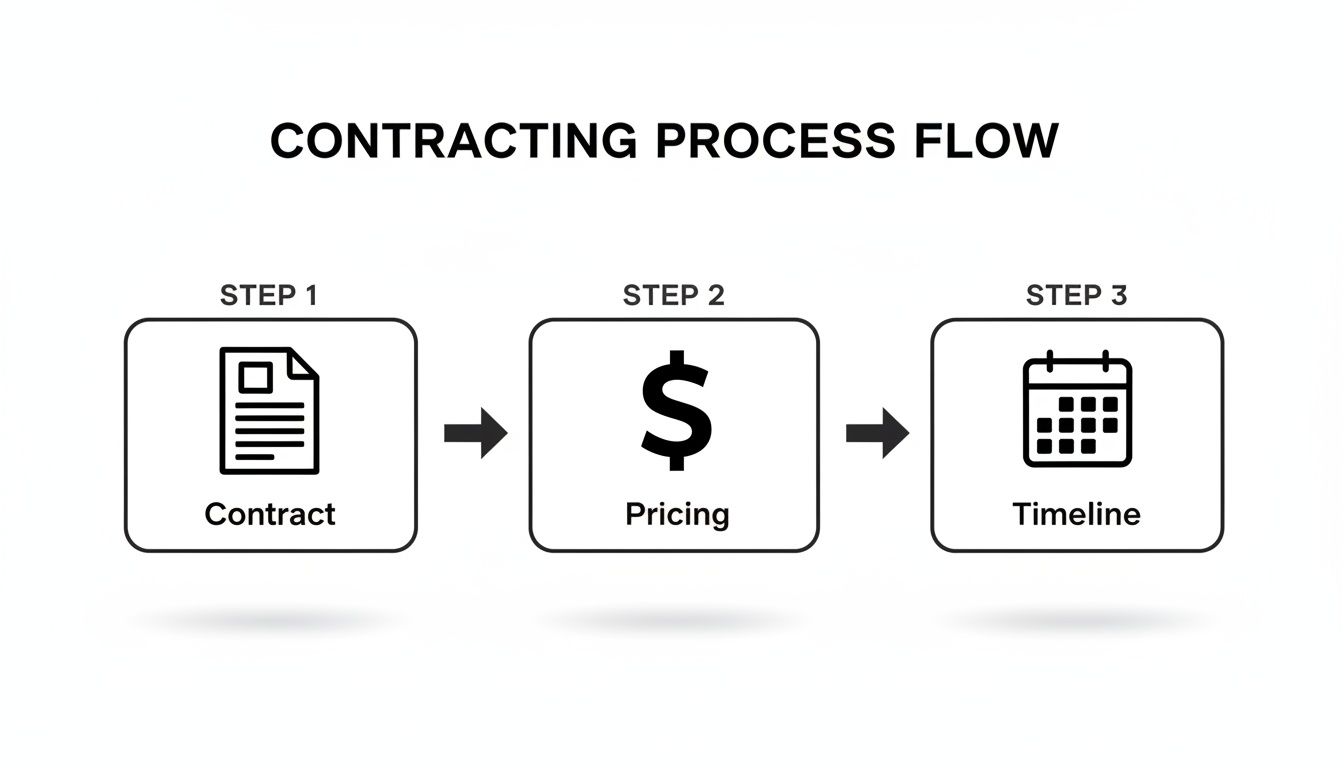
With a solid contract, clear pricing, and a realistic timeline already in place, you can move into the onboarding phase with confidence.
Your Day One Onboarding Checklist
On that first day, your only goal should be to give the developer everything they need to be self-sufficient. The last thing you want is to make them chase you for passwords or permissions. Have it all ready to go.
Here’s my go-to checklist for a seamless start:
- Grant Store Access: Jump into your Shopify admin and create a staff account or a collaborator account. Don't forget to grant them the right permissions for themes, apps, and any settings they'll need to touch.
- Share Essential Tools: Get them access to your project management board (like Trello or Asana), your code repository (GitHub or Bitbucket), and any design files in Figma.
- Set Up Communication Channels: Add them to your main communication channel, whether that’s a specific Slack channel, a Microsoft Teams group, or even just a dedicated email thread. A clear line of communication is completely non-negotiable.
Establishing Clear Communication and Feedback Loops
Once they have access to everything, the next step is to set the rhythm for how you'll actually work together. This is where you establish the ground rules that will guide the entire project.
From my experience, most project delays aren't caused by tricky technical problems; they’re caused by simple communication breakdowns. Setting a clear rhythm for check-ins and feedback is the single best way to keep a project on the rails.
I always recommend scheduling regular, recurring check-ins. A quick 15-minute stand-up call two or three times a week is often way more effective than one long, formal meeting. It keeps everyone aligned and lets you tackle roadblocks before they turn into major dramas.
And when you're giving feedback, be specific and constructive. Instead of saying, "I don't really like it," try something like, "The add-to-cart button feels a bit lost on the page. Could we try making it a brighter colour to grab more attention?" This kind of clear, actionable feedback empowers your developer to make the right changes, fast.
This initial investment in a strong onboarding process is how you build a real partnership and set your project up for success from the very beginning.
We Get These Questions a Lot
Over the years, I've had countless chats with eCommerce business owners trying to figure out if hiring a Shopify developer is the right move. A few questions always come up, so I wanted to answer them directly to give you a clearer picture and help you move forward with confidence.
How Much Does a Shopify Expert Developer Cost?
The honest answer? It varies wildly. The cost really depends on the developer's experience, where they're based, and how complex your project is.
Here in Australia, you’ll find freelance Shopify developers charging anywhere from $80 to $200+ per hour. A small theme tweak or a quick bug fix might just run you a few thousand dollars.
On the other end of the scale, a full custom store built from the ground up by a top-tier team like ours, a recognised Shopify development partner, can range from $20,000 to over $100,000. My advice is to always prioritise the value and expertise you're getting. Chasing the cheapest quote almost always means corners will be cut, costing you a lot more in the long run when you have to pay someone else to fix it.
What’s the Real Difference Between a Shopify Expert and a Shopify Developer?
While people throw these terms around interchangeably, there’s a genuine distinction you need to know. A "Shopify Expert" is an official title given to a developer or agency that has been vetted by Shopify itself through its partner program. This badge is proof of a solid track record, high-quality work, and happy clients.
Anyone can call themselves a "Shopify developer," but that 'Expert' title signals a much higher, verified standard of quality and experience. At Alpha Omega Digital, our team is made up of vetted experts who live and breathe this platform every day. We’ve earned that title by consistently delivering real results for our clients.
Do I Really Need to Hire a Developer for My Shopify Store?
Honestly, not always. If you're just starting out and the budget is tight, you can get surprisingly far with a premium theme from the Shopify Theme Store and a few well-chosen apps. It's entirely possible to build a great-looking and functional store this way.
However, you absolutely need to hire a Shopify expert developer when your ambitions start to outgrow what’s available off-the-shelf. This is the point where you want to:
- Build custom functionality that no app can provide, like a unique product builder or a specialised returns portal.
- Integrate with complex systems like an external ERP, a custom CRM, or a third-party logistics (3PL) provider using the Shopify developer API.
- Solve deep-seated site speed issues that are killing your conversions and search engine rankings.
- Design a truly bespoke storefront that breaks free from standard theme layouts and makes your brand completely unforgettable.
When your goal shifts from simply having a store to building a high-performance ecommerce machine that scales with your growth, that’s your signal. It’s time to bring in a professional developer who can turn your strategic vision into a technical reality.
At Alpha Omega Digital, a marketing agency in Melbourne, we love working with eCommerce businesses ready to take their growth to the next level. If you're a business with a paid ads budget of at least $3k a month, I'd love to offer you a low-risk deal: get a month of our expert paid ads management completely FREE. Apply now through our contact page.
[email protected]
Read more insights from our team on web design, paid ads, and growth strategy.