Managing your Google Shopping ads effectively is something I've spent years figuring out. It's all about one thing: getting your products right in front of people who are ready to buy. It’s not just about flipping a switch and hoping for the best. From my own experience running a digital marketing agency in Melbourne, it’s a deliberate process of fine-tuning your product data, structuring your campaigns smartly, and managing your bids to squeeze every last drop of value from your ad spend.
Why Google Shopping Is a Must for Your Ecommerce Store
I get it. As an e-commerce owner, you're constantly looking for that competitive edge. You’ve probably heard about Google Shopping Ads but might be on the fence, wondering if they're worth the effort.
From my hands-on experience managing campaigns for countless Shopify and WordPress stores, I can tell you they absolutely are. This isn't just another marketing channel; for most product-based businesses I work with, it quickly becomes the most profitable one. I’ve seen it happen time and time again.
The magic of Shopping ads is how visual and direct they are. When someone searches for "women's black leather boots," they don't just see a boring line of text. They see images of your boots, the price, and your store name, all sitting proudly at the top of the search results.
This immediately answers their key questions and pre-qualifies them before they even click. They see the product, they see the price—if they click through, they're already halfway to making a purchase. It's a game-changer for businesses using platforms like Shopify, which is where a lot of my clients start their e-commerce journey. For those needing a more custom setup, we often handle the full Shopify development process in-house.
Capturing High-Intent Buyers
Unlike traditional search ads that just rely on keywords, Shopping ads are powered by your product feed. This means Google can match your actual products to a user's search with incredible accuracy.
This direct line to what a user actually wants is why Shopping campaigns consistently blow standard text ads out of the water on all the important metrics. You’re not just targeting keywords; you’re targeting people actively looking to buy what you sell, right now. This is a core principle in any good Google Ads strategy, whether you're selling products or even doing Google ads for service based businesses.
For any ecommerce business I work with, mastering Google Shopping is non-negotiable. It’s the closest you can get to putting your product on a digital shelf right at the exact moment a customer is looking for it.
A Clear Performance Advantage
And the data backs this up. In the competitive Australian market, Google Shopping Ads have become an absolute powerhouse.
Recent benchmarks show that Shopping Ads can deliver a 43% lower cost-per-click (CPC) compared to traditional Search Ads, averaging around $0.66 AUD. For clothing and apparel—a huge category for many Shopify stores—the CPC sits around $0.69 with a solid 2.70% conversion rate, leading to a cost per acquisition of just $19.29. You can find more details in these 2025 Google Ads benchmarks.
That kind of efficiency is what makes a real difference to your advertising budget and helps you hit a healthy Return on Ad Spend (ROAS).
To really see the difference, it helps to put them side-by-side.
Standard Search Ads vs Google Shopping Ads Quick Comparison
Here’s a clear, at-a-glance comparison showing the key differences and advantages of using Google Shopping Ads for your product-based business.
| Feature | Standard Search Ads | Google Shopping Ads |
|---|---|---|
| Ad Format | Text-based, relying on compelling ad copy and keywords. | Visual, featuring product image, title, price, and store name. |
| Targeting | Primarily based on keywords you bid on in your account. | Based on product attributes from your Merchant Center feed. |
| User Intent | Can range from research (informational) to ready-to-buy (transactional). | Almost exclusively high-intent, transactional searches. |
| CTR Potential | Generally lower, as users must read before they see the offer. | Significantly higher due to eye-catching visuals and upfront pricing. |
Ultimately, investing in proper Google Shopping ads management means you're not just buying clicks; you're buying visibility at the most crucial point in the customer journey. It's a direct line to revenue for your store.
Mastering Merchant Center and Your Product Feed
This is where my team and I spend a huge amount of time, because this is where the real work begins. Honestly, it’s the foundation of your entire Shopping campaign. Think of Google Merchant Center (GMC) as your digital warehouse and your product feed as the inventory list you give to Google. A messy warehouse or a sloppy list will sink your efforts before you’ve even spent a dollar.
I've seen so many businesses stumble right here. They’ll build a slick Shopify store, design beautiful products, but then rush the GMC and feed setup. The result? A campaign that either bleeds money or, even worse, doesn't run at all because of constant product disapprovals.
The Core Components of a Healthy Setup
Getting this right boils down to two key pieces. First, the Google Merchant Center account itself—your central hub for all things product-related. The second is your product feed, which is just a file containing all the juicy details about what you sell.
Your goal is to make this feed so clear, accurate, and rich with information that Google has zero doubt about what your product is and who it should show it to.
Here’s a look at the Merchant Center dashboard. You'll get very familiar with this place.
This dashboard is your command centre for diagnosing feed errors, fixing disapprovals, and making sure your inventory data is always in sync with what's actually on your website.
The data shows just how critical this is, especially for Aussie eCommerce brands. Recent analysis reveals that Shopping Ads pull in a massive 85.3% of all clicks on Google Ads, with the average cost-per-click sitting at just $0.66. For a growing business, that kind of efficiency is gold, and it all starts with a rock-solid feed. You can explore the full Google Shopping statistics if you want to dive deeper.
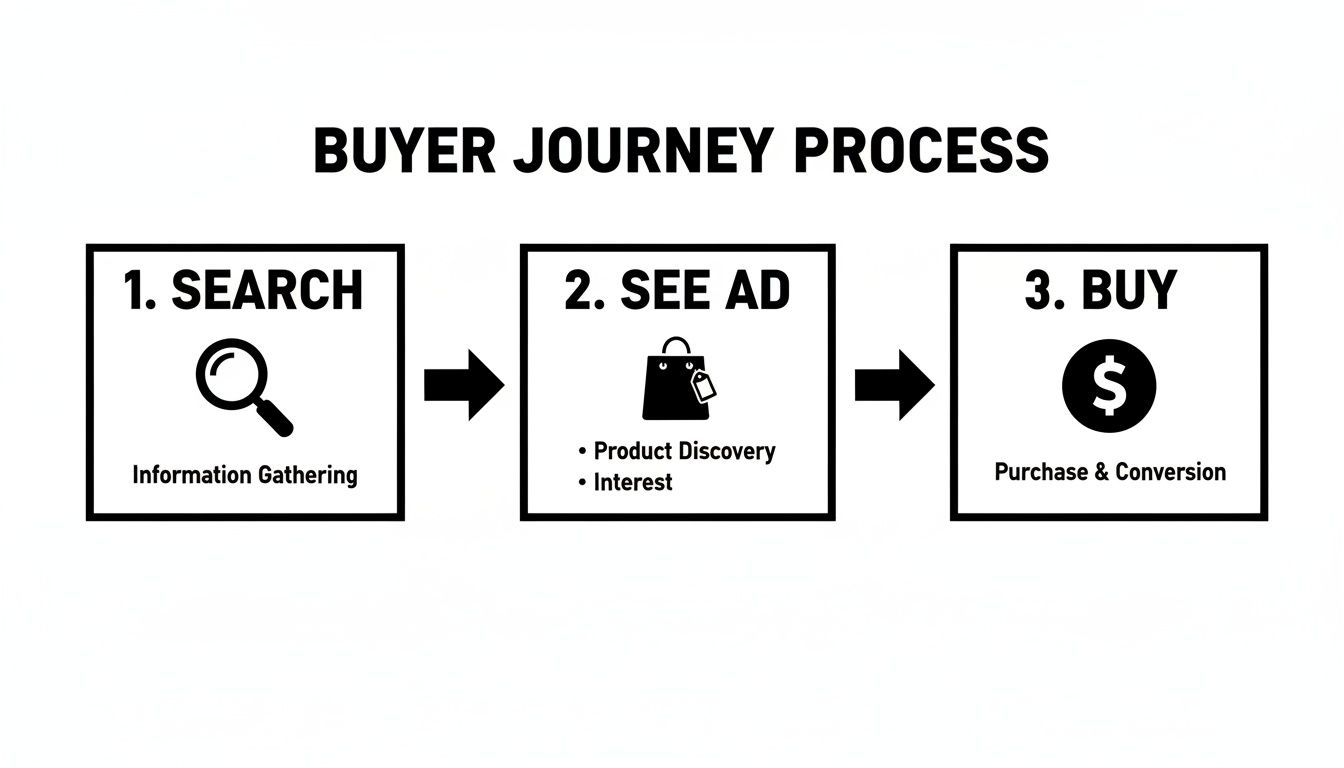
This simple flow shows the powerful journey a customer takes when your ads hit the mark.
Your product feed is the direct fuel for the ad that captures the final sale. That’s why all this upfront data work is so important.
Nailing the Critical Product Attributes
Your feed has dozens of data points, but a few are absolutely non-negotiable. Getting these wrong is the fastest way to have your products disapproved.
Product Title: This is your most powerful lever. Don't just slap your product name in there. I've learned to structure it with the words people actually type into Google. A good formula is
Brand + Product Type + Key Attributes (Colour, Size, Material). So, "Nike Running Shoe" becomes "Nike Air Zoom Pegasus 39 Men's Black Running Shoe Size 11". See the difference?GTINs (Global Trade Item Numbers): These are your product's unique barcodes (UPC, EAN, ISBN). If you're reselling products from major brands, these are mandatory. Supplying them helps Google correctly identify your product and match it up against competitors.
High-Quality Images: Your main image needs a pure white background and must show the product clearly. No watermarks, no "SALE!" text, no logos. This is probably one of the most common reasons I see for disapprovals.
From my experience, optimising product titles is the single most impactful change you can make within your feed. It directly influences your ad's relevance to search queries, which affects everything from click-through rate to cost-per-click.
Automating Your Feed for Shopify and WordPress
Manually creating and updating a product feed for more than a handful of products is a complete nightmare. You just don't do it.
For Shopify stores, you need a dedicated app. For a custom WordPress development site (with WooCommerce), a robust plugin is essential.
For Shopify users:
- Google & YouTube App (by Shopify): This is the native, free solution. It's great for getting started and handles the basics well, creating a direct sync between your store and Merchant Center.
- Feed For Google Shopping (by Simprosys): When you need more control, this app is fantastic. It lets you customise titles, add custom labels, and manage complex product variants with ease. Our agency often works as Shopify development partners, and this is a tool we frequently recommend.
For WordPress (WooCommerce) users:
- Product Feed PRO for WooCommerce: This is a seriously powerful plugin that gives you incredible flexibility. You can create custom feeds for multiple channels, not just Google, and map your attributes precisely. As a WordPress developer in Melbourne, I've used this on many client sites.
- CTX Feed – WooCommerce Product Feed Generator: Another excellent choice with support for over 100 marketing channels and a user-friendly interface for building your feed.
Using one of these tools ensures your feed is always fresh. When you change a price, update stock, or add a new product, the feed updates automatically. This kind of automation is a core part of effective Google Shopping ads management and saves you from a world of manual data entry and costly errors.
Structuring Campaigns for Profitability and Scale
Okay, you’ve got a rock-solid product feed. Now for the fun part—building your campaigns.
The single biggest mistake I see businesses make is lumping all their products into one massive campaign and just hoping for the best. It’s a guaranteed way to burn through your budget with very little to show for it.
At my digital marketing agency in Melbourne, we structure campaigns to give us maximum control and scalability. It’s all about separating your products logically so you can bid smarter, not just harder.
Choosing Your Weapon: Standard Shopping vs PMax
The two main players you'll be working with are Standard Shopping and Performance Max (PMax). Smart Shopping was the go-to for a while, but it's now been fully absorbed into PMax, which is Google's current powerhouse campaign type. The debate of PMAX VS google shopping ads is a common one in my office.
Each has its place, and knowing when to use them is key to managing your Google Shopping ads effectively.
- Standard Shopping Campaigns: These offer the most granular control. You can set bids manually, add negative keywords at the campaign level, and see exactly which search terms are triggering your ads. They're perfect for when you want to be surgical with your budget and strategy.
- Performance Max (PMax) Campaigns: PMax is an all-in-one campaign type that runs your ads across the entire Google network—YouTube, Display, Discover, the lot. It leans heavily on machine learning, using your product feed and audience signals to find customers. It means giving up a lot of control, but it can deliver incredible results when fed the right data.
Here's the Google Ads interface where you'll be building and managing these campaigns.
This platform is the nerve centre of your advertising, where all your strategic decisions on campaign structure and bidding come to life.
Smart Ways to Segment Your Products
The secret to a profitable structure isn't really about the campaign type itself. It’s about how you divide your products within those campaigns. Instead of one campaign for everything, I almost always create multiple campaigns segmented by a specific business logic.
Here are a few structures I use regularly:
- By Product Category: This is the most common and often the most effective. You create separate campaigns for "Men's T-Shirts," "Women's Jeans," and "Kids' Shoes." This lets you set different budgets and ROAS targets for each category based on its unique performance.
- By Profit Margin: For stores with a wide range of product prices and margins, this is a game-changer. You can create campaigns for "High Margin," "Medium Margin," and "Low Margin" products using custom labels in your feed. This ensures you're not spending the same to acquire a customer for a $20 item as you are for a $200 one.
- By Brand: If you sell products from multiple brands, splitting them into their own campaigns is a brilliant move. A customer searching for "Nike" has a completely different intent and price sensitivity than one searching for a generic brand.
The whole point of segmentation is to isolate variables. By separating product groups, you can clearly see what's working and what isn't, allowing you to pour your budget into the winners and cut the losers.
The Overlooked Power of Campaign Priority
For anyone running multiple Standard Shopping campaigns, the campaign priority setting is your best friend. This setting (High, Medium, or Low) tells Google which campaign to prioritise if a product is eligible to show in more than one. I've found that understanding campaign priority in google ads is one of those little details that can make a big difference.
A common strategy I implement is a query filtering system. I'll create three identical campaigns targeting all products, but with different priority settings:
- High Priority: This one gets a low bid and an extensive list of negative keywords (like your own brand terms).
- Medium Priority: This has a medium bid and fewer negative keywords.
- Low Priority: This gets the highest bid and no negative keywords at all.
This structure forces broad, low-intent search terms into the low-bid campaign while funnelling high-intent, branded searches into the high-bid campaign. It's a clever way to maximise your efficiency.
Campaign Type Decision Matrix
Choosing between Standard and PMax can be tough. I put together this simple table to help clients decide which is right for their goals.
| Campaign Type | Best For | Key Feature | Level of Control |
|---|---|---|---|
| Standard Shopping | Businesses that need tight control, have specific negative keywords, or are starting with a smaller budget. | Granular bidding and detailed search query data. | High |
| Performance Max (PMax) | Businesses focused on growth and scale that have strong conversion tracking and are willing to trust Google's AI. | Full-funnel reach across all of Google's networks. | Low |
The performance data for Google Shopping in Australia makes a strong case for getting this structure right from the start. Recent stats show that while overall ad CPCs have risen, Shopping ad CPCs have actually dipped by 1%. For an e-commerce brand in the clothing sector, this can mean a 43% cost saving over traditional Search ads, which is vital when 76% of retail ad spend is on Shopping. If you want to dive deeper, you can discover more insights on Google Shopping statistics.
Ultimately, building a strong campaign foundation is the difference between an account that just putters along and one that truly scales. It sets you up for long-term profitability and makes future optimisation so much easier.
Advanced Optimisation Tactics to Maximise ROAS
Getting a campaign live is just the first step. The real money—the kind that actually scales a business—is found in the trenches of ongoing, intelligent optimisation. This is where we go beyond the basics and get into the advanced techniques I use every day to turn decent campaigns into genuine profit drivers.
This isn't a "set and forget" game. It's about actively steering your campaigns towards your most profitable customers and plugging the leaks that drain your budget. This is where the real craft comes in, turning raw data into measurable revenue growth.

Digging for Gold in Search Query Reports
Think of your Search Query Report (SQR) as a direct line into your customers' minds. It shows you the exact words people typed into Google right before they clicked your ad. If you're running Standard Shopping campaigns, making a weekly date with this report is non-negotiable.
You're essentially hunting for two things here: winners and wasters. The "wasters" are the irrelevant search terms that are quietly eating your budget. For instance, if you sell premium leather boots, you definitely don't want to be paying for clicks from someone searching for "cheap rubber gumboots."
This is precisely what negative keywords are for. By adding terms like "cheap," "rubber," and "gumboots" as negatives, you’re telling Google, "Don't show my ads for these searches." It’s a simple but powerful way to immediately improve your traffic quality and stop wasting money.
Bidding Smarter with Product Groups and Custom Labels
A flat bidding strategy is a surefire way to get average results. Not all your products are equal—some are high-margin bestsellers, while others are low-margin clearance items. Your bidding needs to reflect that reality.
This is where breaking down your products into granular product groups becomes incredibly powerful. Instead of lumping all your "shoes" into one ad group, segment them by brand, style, or even colour. This lets you bid much more aggressively on your star performers—the ones you already know convert well.
To take this a level deeper, I rely heavily on custom labels within the product feed. I'll create specific labels like:
- Bestseller: For the proven winners that deserve a higher bid.
- High-Margin: For items where I can afford to pay more per click and still be very profitable.
- Clearance: For products that need a low bid to have any chance of being profitable.
By using these labels to subdivide your campaigns, you can allocate your budget with surgical precision, funnelling your ad spend towards the products that generate the best return.
Unleashing Smart Bidding Strategies
Let's be honest, manually adjusting bids is a massive time sink, especially as your product catalogue grows. This is exactly why Google's smart bidding strategies were created. Instead of you setting a manual Cost-Per-Click (CPC), you tell Google your business goal, and its machine learning handles the rest.
For e-commerce, Target ROAS (tROAS) is the king. With this strategy, you set a specific return you want from your ad spend. A tROAS of 500%, for example, is you telling Google, "For every $1 I spend on ads, I want to get $5 back in revenue." Google's algorithm then gets to work, automatically adjusting your bids in real-time to try and hit that target.
A quick heads-up: Smart bidding is only as smart as the data you feed it. Getting your conversion tracking right is the absolute foundation for maximising ROAS. Correctly setting up Google Tag Manager containers and ensuring your Google Analytics is solid are non-negotiable first steps. Without clean data, these algorithms are just flying blind.
Re-Engaging Lost Customers with Remarketing
Did you know that roughly 70% of online shopping carts are abandoned? That’s a staggering number of potential customers who were this close to buying. This is where remarketing comes in, and for any Shopify or WordPress store, it's an absolute game-changer.
By creating remarketing audiences, you can serve targeted ads to people who've already visited your site. And you can get incredibly specific with it:
- Target Cart Abandoners: Show them an ad with the exact product they left behind.
- Upsell Past Purchasers: Show previous customers ads for complementary products they might like.
- Engage Product Viewers: Reconnect with users who looked at a product but didn't add it to their cart.
This strategy works so well because you're advertising to a warm audience that's already familiar with your brand. It’s consistently one of the highest ROI activities you can run in a Google Ads account.
It’s one of the most frustrating feelings in paid advertising. You’ve set everything up, allocated a budget, and then… nothing. Crickets. Your Google Shopping ads aren’t spending, your impressions are flat, and the sales are non-existent.
I’ve been there, and I’ve helped hundreds of businesses figure out exactly what’s going wrong.
Think of this as your practical field guide to getting your ads moving again. Nine times out of ten, the problem isn't some complex, hidden issue. It's usually a fundamental piece of the puzzle that's just been overlooked.
The First Place to Look: Merchant Center
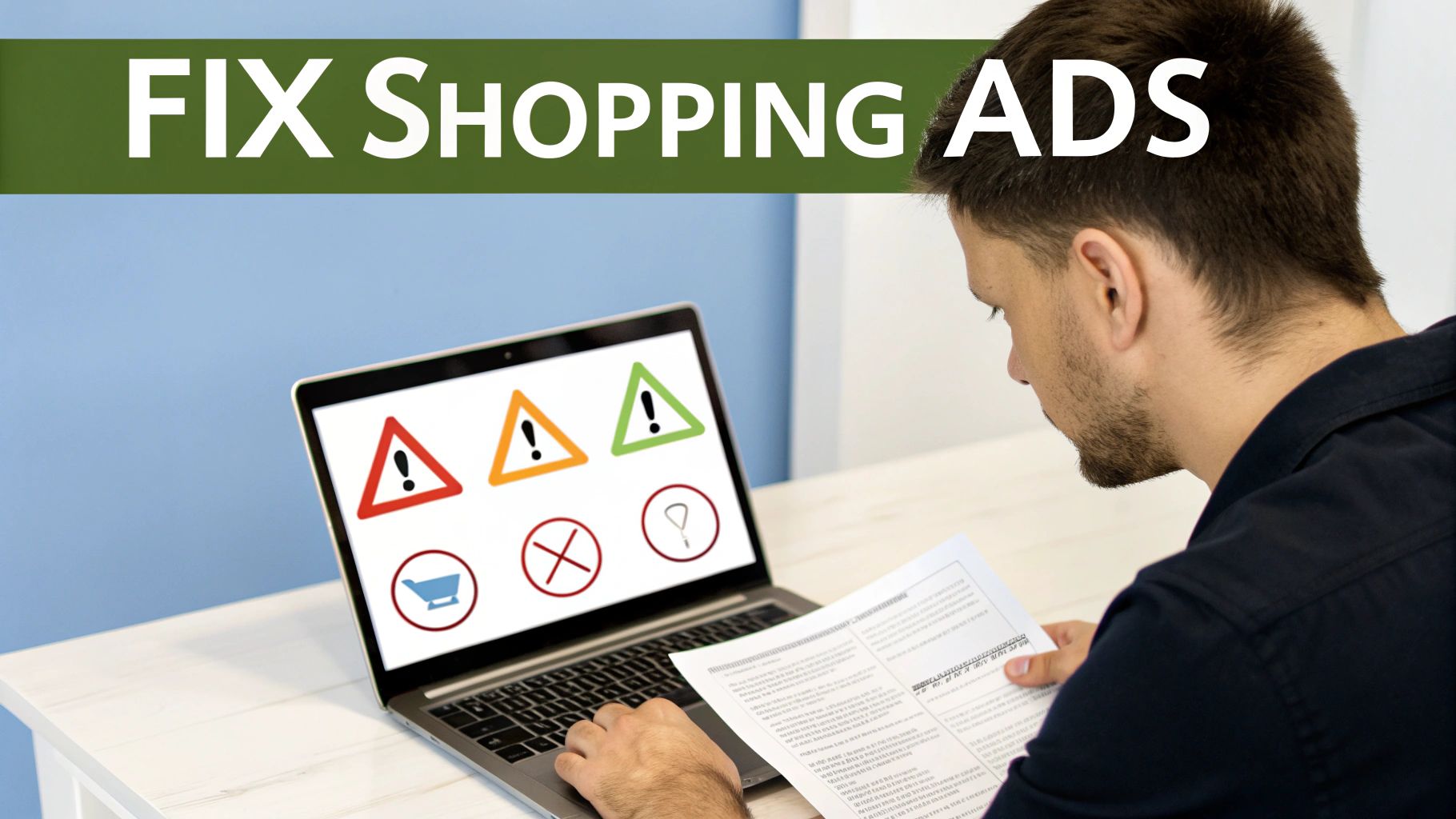
Before you even think about touching your Google Ads account, your first stop should always be the Diagnostics tab in Google Merchant Center. This is your campaign’s health check, and it will flag the most common culprits straight away.
I can't tell you how many times I've seen an account with zero spend simply because of widespread product disapprovals. Google is incredibly strict about its policies, and even minor data mismatches can get your entire catalogue suspended.
Look for these common red flags:
- Price Mismatches: The price in your feed must exactly match the price on your landing page. No exceptions.
- Image Violations: Make sure your main images have a clean, white background with no promotional text or watermarks.
- Missing GTINs: For most new, branded products, a valid GTIN (like a UPC or EAN) is mandatory.
- 404 Errors: Double-check that your product links aren't broken and actually lead to a live product page.
Fixing these issues directly in your product feed and resubmitting it is often all it takes to get the ads flowing again.
Diagnosing a Campaign That Won't Spend
So your products are all approved in Merchant Center, but your campaign budget is still gathering dust. Now, the issue likely lies within your Google Ads settings. The "Google Shopping ads not spending budget" problem is a classic, but the fix is usually pretty straightforward.
Start by checking your bids. If you're using a manual CPC bidding strategy, you might have simply set your bids too low to compete in the auction. A bid of $0.10 might seem frugal, but if your competitors are all bidding $0.80, you'll never win an impression.
Next, have a look at your targeting settings. Have you accidentally restricted your location targeting to a tiny area? Or set an aggressive ad schedule that limits when your ads can even show? Loosening these constraints can often kickstart delivery.
The most common reason I see for a healthy campaign not spending is an overly ambitious Target ROAS (tROAS) setting. If you set a tROAS of 1000% from day one with no historical data, you're telling Google to only enter auctions it's almost certain to win profitably. The algorithm will be way too cautious, and your spend will be minimal. Start with a more realistic target and slowly increase it as performance improves.
As a leading marketing agency in Melbourne, we often see clients who have inherited accounts with these exact issues. Unravelling them requires a methodical approach, starting with the data feed and working your way through the campaign settings. This systematic troubleshooting is a core part of effective Google Shopping ads management.
Got Questions About Google Shopping? I’ve Heard Them All.
Over the years, I've sat down with countless ecommerce businesses across Melbourne and Australia, and the same questions always pop up. Let's get straight into the common sticking points I see every day.
So, How Much Should I Actually Spend to Get Started?
This is the big one, isn't it? Everyone wants a magic number. The honest answer is, there isn't one. My advice is always the same: start with a budget you're comfortable testing with for a month, one you could afford to lose if the initial data isn't great. We wrote a whole guide on how much it cost to start google ads.
For a smaller business dipping their toes in, somewhere around $50 to $100 per day is a decent starting line.
But the real question isn't "how much to start with?" It’s "how much data can my budget buy?" A smaller budget just means it'll take longer to see what’s working and what’s not, so we need to be patient while we gather those crucial insights.
I Run a Service Business. Can I Use Google Shopping Ads?
Short answer: generally, no. Google Shopping was built from the ground up for physical products—things you can put in a box and ship.
If you're a plumber, a consultant, or any other kind of service provider, your time and money are much better spent on traditional Search campaigns. You want to be targeting keywords like "plumber near me" or "business consultant Melbourne" where your customers are actually looking for you. We specialise in PPC for tradies and can confirm that getting Google ads for contact form submissions is the way to go. There are a few rare exceptions, but as a rule of thumb, if it doesn't have a shipping label, Shopping ads aren't the right tool for the job.
PMax vs. Standard Shopping: Which One Is Better?
Ah, the million-dollar question. This is a hot topic, and my answer has definitely changed over the last couple of years. A while back, I would’ve told you to stick with Standard Shopping for the sheer control it gave you. Now? Performance Max (PMax) has become an absolute powerhouse, but it's not a silver bullet you can just fire and forget.
- Standard Shopping: This is still my go-to for new accounts or any business with limited conversion data. It gives you complete control over your bidding and, most importantly, access to search query data. That's gold for finding negative keywords and stopping wasted spend.
- Performance Max (PMax): This is for accounts that already have a good amount of conversion history. When you've got solid data, PMax can scale your results in a way that Standard Shopping just can't. But you have to be willing to trust Google's AI and feed it strong audience signals.
My usual approach is to start new clients on Standard Shopping. We build a solid foundation, gather clean data, and then—once we know what's working—we strategically roll out PMax campaigns to target our top-performing products and really go after aggressive growth.
Help! Why Aren’t My Ads Showing?
It's the classic "my Google Shopping ads aren't spending" panic. I've seen it a hundred times, and it almost always comes down to one of three culprits:
- Merchant Center is unhappy. Your first stop should always, always be the Diagnostics tab in your Google Merchant Center account. Red flags here are your number one enemy. Fix them.
- Your bids are too low. If you're using manual CPC or have set a Target ROAS that's way too conservative, you simply won't be competitive enough to even get into the auction.
- Your audience is tiny. Layering on a remarketing list with only a handful of people means your campaign has no one to show ads to. It’s like setting up a shop with no one on the street.
Before you start tearing apart your campaign settings, check these three things. Troubleshooting this is a core part of effective Google Shopping ads management, and it's all about a simple process of elimination.
If you're a business with a paid ads budget of at least 3k a month, I'd love to offer you a low risk deal- get a month of paid ads management FREE. Apply now through the contact page.
At Alpha Omega Digital, we're a marketing agency based in Melbourne, Australia but also service clients from Sydney, Brisbane, Newcastle, Perth, Adelaide, Darwin and Hobart. Have a project in mind? Contact us.