

Table of Contents
- Introduction: Why This Guide is Different
- The Foundational First Steps: Before You Even Touch Shopify
- Designing a High-Converting Store: Themes and Customisation
- The Engine Room: Setting Up Payments, Shipping, and Taxes
- Supercharging Your Store: Essential Apps and SEO Foundations
- Advanced Technical Setup: Tracking, Conversions, and APIs
- Driving Traffic: Your First Marketing Campaigns
- Local SEO for E-commerce: Winning Your Neighbourhood
- The Power of Custom Development: When to Go Beyond the Basics
- AI-Powered Automation: The Future of Customer Service
- Final Pre-Launch Checklist: Your Last Mile to Success
- Frequently Asked Questions from a Melbourne Agency's Perspective
1. Introduction: Why This Guide is Different
As a marketing agency in Melbourne, I've been in the trenches with Australian e-commerce businesses for years. I’ve seen what works, what doesn't, and where people get stuck when trying to set up a Shopify store. This isn't just another checklist. This is a comprehensive guide born from real experience—the kind you only get from launching, fixing, and scaling dozens of online stores.
My team and I have done it all, from deep-dive Shopify development and Shopify design to managing seven-figure ad spends on Google and Meta. I'm going to walk you through the entire process, from the initial click to your first sale and beyond, sharing the exact insights and strategies we use for our clients every single day. We'll cover not just the "how-to" of Shopify setup but the critical "why" behind each decision, focusing on high-intent, long-tail keywords that will help you rank and attract customers ready to buy. Let's build a store that doesn't just look good but actually makes you money.
2. The Foundational First Steps: Before You Even Touch Shopify
Signing Up and Navigating the Shopify Dashboard
Every Shopify journey begins with signing up for the free trial. My advice is to use every single day of it. This is your risk-free sandbox to explore, make mistakes, and build your store without the pressure of a monthly subscription. When you sign up, you'll be asked for a store name, which creates a default URL like your-store-name.myshopify.com. Don't overthink it, but try to pick something close to your brand name. You'll connect a proper custom domain later.
Once you’re in, you'll land on the Shopify dashboard. It can feel a bit overwhelming at first, but it’s incredibly logical. The left-hand menu is your command centre.
Here are the key spots you’ll be spending most of your time:
- Orders: This is where the magic happens. Every sale will pop up here.
- Products: The heart of your store. This is where you'll add items and sort them into collections.
- Analytics: Your data hub. You’ll find reports on everything from sales to customer behaviour.
My best advice for anyone new to Shopify? Spend the first day just clicking around. Seriously. Open every tab, dive into the settings, and just get a feel for the platform. Don't even try to build anything yet. This initial tour builds confidence and makes the actual setup process feel so much easier.
Why Shopify is a Smart Choice for Australian Businesses
Choosing Shopify isn't just about picking a website builder; it's about plugging into a massive ecosystem, especially here in Australia. As of early this year, Australia has the third-highest number of Shopify stores in the world, with around 150,000 of us running our businesses on the platform. You can dig into more data on Shopify's Australian footprint to see the full picture.
Partnering with a platform that has such deep local roots gives you a massive head start. Think about it: seamless integrations with Australia Post, local payment gateways like Afterpay ready to go, and tax settings that just work for Aussie businesses. As a digital marketing agency Melbourne is home to, we've seen firsthand how this streamlined setup helps new brands get to market faster.
3. Designing a High-Converting Store: Themes and Customisation
Your store's design is the first impression you make. This is where your brand's personality comes to life. My approach always starts with the theme, which is the architectural blueprint for your website. If you're looking for advanced customisation, working with a team of experienced WordPress developers or Shopify experts can make all the difference.
The Great Debate: Free vs. Paid Shopify Themes
Shopify offers fantastic free themes like Dawn and Refresh, which are perfect for getting started. I’ve built dozens of successful stores for clients using only these free options. They’re well-coded, mobile-friendly, and have all the essential features you need. Paid themes typically offer more advanced features and greater design flexibility straight out of the box.
Here’s a simple way to decide:
- Start with a free theme if: You're on a tight budget and just want to get launched quickly.
- Consider a paid theme if: You have a specific design vision or need advanced functionality without relying on apps.
My personal advice? Pick a clean, highly-rated free theme to begin with. Getting your products live and making your first sale is far more important than spending weeks tweaking the perfect design.
Customising Your Store’s Look and Feel Like a Pro
Once you’ve picked a theme, you'll spend most of your design time in the Shopify theme customiser. Head to Online Store > Themes, and click "Customise". I always start with the basics under "Theme settings":
- Colours: Add your brand's primary and secondary colours.
- Typography: Choose clean, readable fonts.
- Logo: Upload your logo.
Next, focus on the homepage layout. A classic, high-converting structure often includes a compelling hero image, a showcase of best-selling products, and a section that builds trust, like reviews or a short "About Us" blurb.
Crafting Product Pages That Actually Sell
Your product pages are where the sale is won or lost. When you go to Products > Add product, you need to put on your marketing hat.
- Write Compelling Descriptions: Don't just list specs. Use bullet points to highlight benefits and tell a story.
- Use High-Quality Images: This is non-negotiable. To ensure your images look professional, consider using tools for product image background removal.
- Set a Clear Pricing Strategy: Use the Price and Compare-at price fields to show sales and create urgency.
Finally, use Collections to group related items, making it easy for customers to browse. This logical site structure is a crucial step that many new store owners overlook.
4. The Engine Room: Setting Up Payments, Shipping, and Taxes
Activating Payment Gateways for the Australian Market
When it comes to accepting money, my advice for Aussie stores is almost always the same: start with Shopify Payments. It’s Shopify’s own payment processor, and getting it live is as simple as filling out your business and banking details in Settings > Payments. The real win is the seamless integration, which keeps your bookkeeping incredibly tidy.
Of course, Australian shoppers love 'Buy Now, Pay Later' (BNPL). You can easily integrate services like Afterpay or Zip from the same payments screen. Adding these can often give you a noticeable lift in conversions.
Configuring Shipping That Doesn't Kill Your Conversions
Shipping can feel complicated, but Shopify gives you the tools you need. Your goal is to find the sweet spot between what customers want and what your business can afford. To really get your logistics humming, it pays to research the best shipping methods for Shopify stores.
Here are the most common strategies I set up for my clients:
- Flat-Rate Shipping: A simple, fixed price for shipping, like $10 Australia-wide.
- Free Shipping Threshold: Offer free shipping on orders over a certain amount, like $100, to boost average order value.
- Carrier-Calculated Rates: Connect directly with carriers like Australia Post for real-time shipping quotes.
You can configure all of this under Settings > Shipping and delivery.
Getting Australian GST Right From Day One
This is a step so many new store owners get wrong. In Australia, if you expect your business to have a gross income of $75,000 or more per year, you must register for Goods and Services Tax (GST). Once registered, you need to tell your Shopify store to collect it.
- Head over to
Settings > Taxes and duties. - In the Australia section, set your store to collect GST.
- Crucially, decide if your prices already include GST or if it should be added at checkout. Most Australian consumer-facing stores display prices that are GST-inclusive.
Getting this right from the start ensures your tax reporting is accurate and you stay compliant with the ATO.
5. Supercharging Your Store: Essential Apps and SEO Foundations
My Go-To Apps for Every Australian Shopify Store
From my own experience building stores, the secret isn’t to cram your site with dozens of apps. It’s about making a few smart, strategic choices.
Here’s my non-negotiable starter pack:
- For Email Marketing: Klaviyo
It’s the gold standard for a reason. Its deep integration with Shopify lets you create incredibly powerful automated emails, like abandoned cart reminders. - For Customer Reviews: Judge.me
Social proof is everything. Judge.me is a brilliant way to automatically ask for and display product reviews, building instant trust. - For Foundational SEO: Yoast SEO
Shopify has decent built-in SEO features, but Yoast gives you much more granular control, helping you tweak titles and meta descriptions to be more appealing to Google.
A Beginner's Guide to Shopify SEO
As an seo agency melbourne businesses trust, driving qualified traffic is at the heart of everything we do. Good SEO is the most sustainable way to make that happen. The goal is to make it crystal clear to Google what your pages are about and why they’re the best result for what a potential customer is searching for.
SEO isn't a one-time task; it's a practice. Think of it like merchandising a physical store. You'd constantly refine displays and signage to guide customers. Online, your SEO is that signage.
On-Page SEO Techniques You Can Implement Today
Let's get into the practical techniques we use for our clients.
Optimising Your Product Titles and Descriptions
Your product title is the single most important piece of on-page SEO.
- Bad Title: Cool Tee
- Good Title: Men's Organic Cotton Crewneck T-Shirt in Navy Blue
The second one tells both Google and the customer exactly what the product is.
Writing Compelling Meta Tags
The meta title and description are what people see in the Google search results.
- Meta Title: Aim for under 60 characters. Lead with your main keyword and pop your brand name at the end.
- Meta Description: This is your 160-character ad. Make it compelling and include a call-to-action.
Leveraging Image Alt-Text
Image alt-text is a short, written description of an image. Every single one of your product images should have descriptive alt-text, like close-up-of-navy-blue-organic-cotton-t-shirt-fabric. This helps your images show up in Google Image Search.
6. Advanced Technical Setup: Tracking, Conversions, and APIs
Setting Up Google Tag Manager (GTM) and Google Analytics
Data is the lifeblood of any successful e-commerce business. Before you spend a single dollar on ads, you need robust tracking. My first step is always setting up Google Tag Manager containers. GTM acts as a central hub for all your tracking scripts (tags), like Google Analytics, Meta Pixel, and others. Instead of cluttering your Shopify theme code with a dozen different scripts, you install GTM once, and then manage everything from the GTM interface. This keeps your site fast and your tracking organised.
Once GTM is in place, you’ll deploy your Google Analytics 4 (GA4) tag. This is crucial for understanding user behaviour, tracking sales, and identifying which marketing channels are driving the most revenue.
The Meta Conversions API (CAPI): Why It's Non-Negotiable
With iOS updates and increasing browser privacy restrictions, the browser-based Meta Pixel is becoming less reliable. The Meta Conversions API (CAPI) is the solution. It allows your Shopify store to send conversion data (like purchases and add-to-carts) directly from your server to Meta's server. This creates a more stable and reliable connection that isn't affected by browser-level tracking prevention.
A proper Conversions API installation for Meta is no longer a "nice-to-have"; it's essential for accurate ad reporting and optimisation. Without it, you're flying blind with your Facebook and Instagram ads.
An Introduction to the Shopify API for Custom Solutions
The Shopify API is a powerful tool that allows developers to create custom solutions that extend Shopify's core functionality. This is where you move from being a store owner to a platform builder. For example, you might need to sync inventory with a custom third-party logistics (3PL) provider or build a unique product customiser.
As a Shopify developer API expert, I've used it to build everything from custom reporting dashboards to complex integrations. For those looking to get started, a great first step is building custom Shopify apps using Shopify CLI, which provides a streamlined development workflow.
7. Driving Traffic: Your First Marketing Campaigns
Beginner’s Guide to Google Shopping Ads for E-commerce
For any new e-commerce store, my first move is almost always a beginners guide to google shopping ads. These ads are incredibly powerful because they capture users with high buyer intent—people who are actively searching for your products. They appear as image-based listings at the top of Google search results.
A key challenge many newcomers face is Google shopping ads not spending budget. This is often due to a low-quality product feed, restrictive bidding, or an uncompetitive price. It's crucial to ensure your product feed is fully optimised with high-quality images, detailed titles, and accurate pricing. This is especially true for Google shopping ads for dropshipping, where competition can be fierce.
PMAX vs. Standard Shopping: What’s Best for You?
The conversation in Google Ads has shifted towards automation. This leads to the PMAX VS google shopping ads debate. Performance Max (PMAX) campaigns automate ad creation and targeting across all of Google's channels (Search, Shopping, YouTube, Display, etc.). For new stores, PMAX can be a great way to get broad reach quickly. However, Standard Shopping campaigns offer more granular control, which can be beneficial for optimising specific products or categories. Often, a combination of both is the best strategy. Understanding campaign priority in google ads becomes essential when running multiple Shopping campaigns to ensure the right one serves for the right query.
Mastering Meta Ads (Facebook & Instagram) for Your Store
While Google Ads captures intent, Meta Ads (Facebook and Instagram) generate demand. This is where you build brand awareness and find new customers. A solid Meta ads creative testing process is vital. You should constantly be testing different images, videos, headlines, and ad copy to find what resonates with your audience.
One of the biggest mistakes I see is businesses quitting too early. My advice on Facebook ads- dont quit too early is to give your campaigns enough time and budget to exit the "learning phase." Consistent effort is key; marketing your business = consistency. You can also leverage features like Instagram shop and Facebook shop to create a seamless shopping experience directly within the apps.
How Much Should You Really Spend on Google Ads?
This is the million-dollar question. "What budget to spend on google ads?" or "how much does it cost to start google ads?" There's no single answer, but I advise starting with a budget you're comfortable testing with, say $20-$50 per day. The goal in the first month isn't necessarily profit, but data. You need to gather enough data to see which keywords, products, and campaigns are working, then you can scale your budget accordingly. For service-based businesses like tradies, focusing on Google ads for contact form submissions is key, and an effective strategy often involves PPC for tradies. This can be enhanced with the best call tracking softwares for PPC call campaigns (eg callrail, go high level) to measure true ROI.
8. Local SEO for E-commerce: Winning Your Neighbourhood
Optimising Your Google Business Profile for Local Discovery
Even if you're a national e-commerce brand, Local SEO can be a secret weapon, especially if you have a physical presence or serve specific metropolitan areas like Melbourne or Sydney. The cornerstone of local SEO is your Google My Business (now Google Business Profile or GBP) listing.
Optimise your GBP by:
- Ensuring your business name, address, and phone number (NAP) are consistent everywhere online.
- Uploading high-quality photos of your products and workspace.
- Actively encouraging and responding to customer reviews.
- Using the "Products" feature to showcase your key items.
Why Even Online Stores Need a Local SEO Strategy
When someone in Melbourne searches for "organic cotton t-shirt," Google often prioritises local results it deems relevant. Having a well-optimised GBP and localised content on your site can help you appear in these valuable "local pack" search results. As a leading seo agency Melbourne, we build strategies that target both national and local keywords, ensuring our clients capture every possible customer. This involves building location-specific pages (e.g., /wordpress-developer-melbourne, /wordpress-developer-sydney) and acquiring local backlinks.
9. The Power of Custom Development: When to Go Beyond the Basics
Shopify Development Crash Course: Custom Apps and Themes
While Shopify's standard features are powerful, there comes a time when you need to build something unique to stand out. This is where custom Shopify development comes in. As experienced Shopify developers, we often build custom solutions when off-the-shelf apps can't meet a client's specific needs. A Shopify development crash course would start with the Shopify CLI for building custom apps and Theme Kit for custom theme development. Partnering with a skilled Shopify development company can unlock capabilities like advanced product customisers, unique subscription models, or bespoke back-end integrations.
Extending WordPress: Custom Gutenberg Blocks
For businesses using WordPress for their content and Shopify for e-commerce (a "headless" setup), customisation is also key. As a wordpress development company with deep expertise in WordPress development, we often find ourselves building custom blocks in Gutenberg. This allows our clients to create rich, unique page layouts without needing to write code, empowering their marketing teams to build beautiful, on-brand content that integrates seamlessly with their Shopify products. Whether you need a wordpress developer melbourne or a wordpress developer sydney, finding the right wordpress website developer is crucial for success.
10. AI-Powered Automation: The Future of Customer Service
Introducing AI Voice Agents for Your Business
As a business owner, you can't be available 24/7. But missed calls mean lost revenue. This is where an ai-voice-agent comes in. Imagine a receptionist that never sleeps, never gets sick, and can handle hundreds of calls simultaneously. That's the power of an ai receptionist. We've seen this technology save thousands in lost business for tradies, hairdressers, beauty therapists, dentists, restaurants, and doctors across Australia. The ai voice agent pricing is a fraction of the cost of a human receptionist, making it an incredibly high-ROI investment.
How an AI Receptionist Can Transform Your Operations
At our agency, we can set up a custom number for your business through Twilio, powering one of our ai-voice-agents. This AI can provide 24 hour call answering, book appointments directly into your calendar or Calendly, answer frequently asked questions, and even qualify leads before passing them on to you. For businesses looking to scale, an ai appointment setter is a game-changer, ensuring your calendar is always full of qualified prospects without you having to lift a finger. We offer tailored solutions for businesses looking for an ai receptionist australia, providing a local touch with world-class technology.
11. Final Pre-Launch Checklist: Your Last Mile to Success
You're on the home stretch. Before you go live, a meticulous final check is absolutely essential. This is the exact pre-launch process I run through for every client to guarantee a smooth, professional launch.
The Critical Test Order: Don't Skip This Step
This is non-negotiable. You need to place a real order to feel the entire checkout flow as a customer would.
- Go to
Settings > Payments, find Shopify Payments, click "Manage," and enable "Test mode." - Go to your storefront, add a product to your cart, and go through the entire checkout process using the test card details Shopify provides.
Scrutinise everything. Does the cart update correctly? Are the shipping options showing up properly? This test will instantly reveal any friction points.
This simple flow, from installing apps to optimising for SEO and driving traffic, is the core loop of growing any Shopify store.
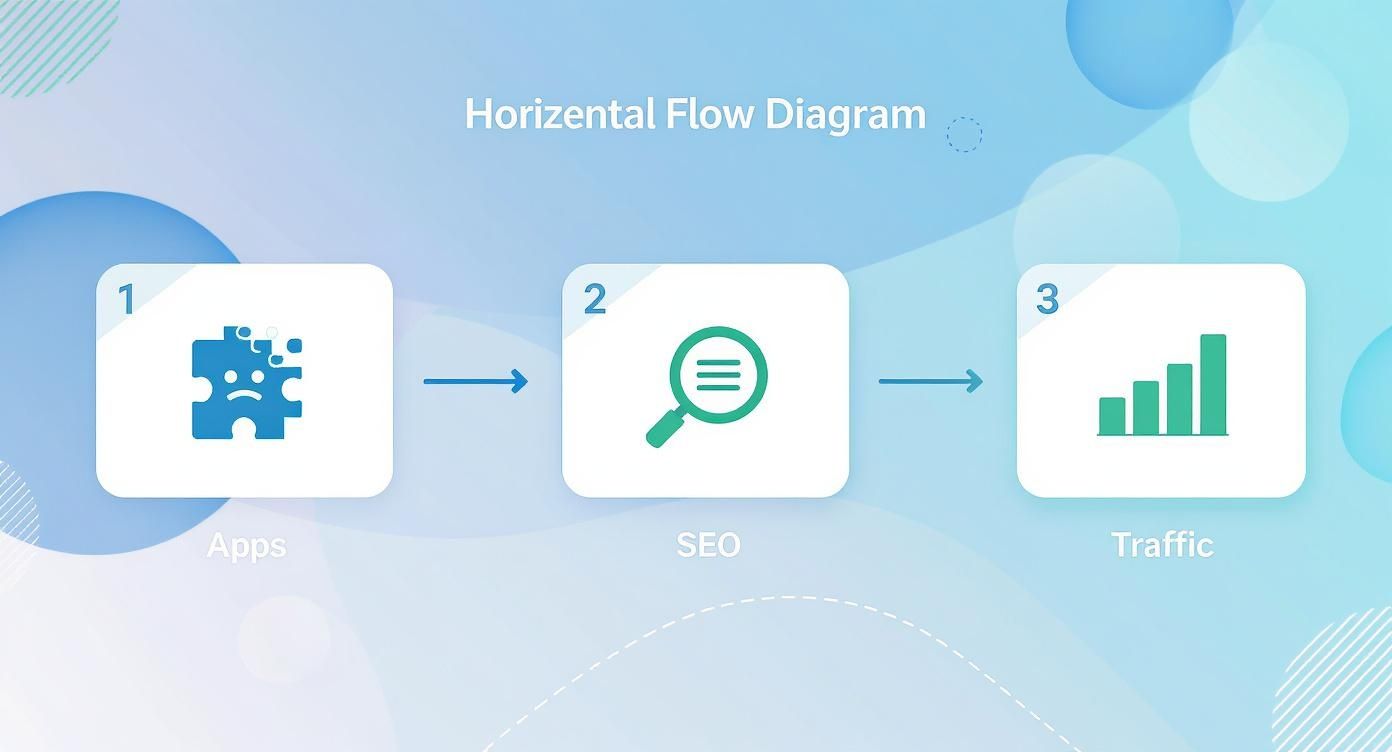
This visual just hammers home the point that a successful launch isn't the end; it's the beginning of a cycle of continuous improvement.
Final Checks and Connecting Your Domain
With the checkout confirmed, it's time for a lightning round of checks:
- Proofread Everything: Read every single page and product description out loud.
- Link Checking: Click on every link in your navigation, footer, and homepage.
- Email Notifications: Send yourself test versions of the "Order Confirmation" and "Shipping Confirmation" emails.
- Mobile Responsiveness: Grab your phone and navigate your entire site.
Nothing screams "amateur" more than a .myshopify.com URL. Connecting your custom domain is vital for brand credibility. Go to Settings > Domains to connect a domain you already own or buy a new one.
Australia is a competitive market. As of early this year, there were approximately 120,481 active Shopify stores in Australia. You can find more insights on the Australian Shopify ecosystem on cropink.com.
Once your domain is connected and you've ticked off every item, head to Online Store > Preferences, uncheck the password protection box, and hit save. Your store is officially live. Congratulations!
12. Frequently Asked Questions from a Melbourne Agency's Perspective
After years of being a Shopify developer and running a digital marketing agency here in Melbourne, I've heard just about every question you can imagine.
How Much Does It Really Cost to Start a Shopify Store in Australia?
The initial outlay is surprisingly low. You’ll kick things off with your Shopify plan, which is around $39 AUD per month after the free trial. Add about $20/year for a custom domain. You can get a polished, fully functional store off the ground for well under $100. The real investment comes next: your inventory and your marketing budget.
Do I Need to Be a Developer to Build a Shopify Store?
Absolutely not. Shopify was built for people who don't write code. The time to partner with a Shopify development company like us is when you're established and want to add unique features or a completely bespoke design. But to get launched and make your first sales? You have all the tools you need right out of the box.
How Long Does It Take to Get a Shopify Store Live?
If you’ve got all your products, photos, and descriptions ready, you could genuinely get a basic store launched in a weekend. For a more refined store, a more realistic timeframe is anywhere from one to four weeks.
What Is the Best Way to Market a New Shopify Store?
For any new e-commerce store, I always push for a multi-channel approach. Kick things off with Google Shopping ads to capture customers already searching for your products. At the same time, get targeted Facebook and Instagram ads running to build brand awareness. The most important part? Make sure your Google Analytics and Meta Conversion API are set up perfectly. You need to know what's working and what's just burning cash.
At Alpha Omega Digital, building these kinds of integrated marketing strategies is what we do day-in, day-out for e-commerce clients across Australia. As a marketing agency based in Melbourne, we also service clients from Sydney, Brisbane, Newcastle, Perth, Adelaide, Darwin and Hobart. Have a project in mind? Get in touch with us.

4 Responses
I’ve been using buy Delta 9 Taffy online regular in regard to all about a month now, and I’m justifiably impressed during the positive effects. They’ve helped me feel calmer, more balanced, and less tense everywhere the day. My forty winks is deeper, I wake up refreshed, and even my core has improved. The quality is outstanding, and I appreciate the sensible ingredients. I’ll definitely heed buying and recommending them to everyone I identify!
Ethically, I’m obsessed with these CBD gummies! I’ve tried a spray of brands, but these are legit the best. I protrude at one after a long day and it just helps me frosty out and stop overthinking everything.
They taste like actual candy no weird grassy flavor at all. My slumber has been means better since I started alluring them, too. If you’re on the indecisive, righteous go for them! They’re a total lifesaver for my ordinary stress.
I tried a hardly products from Tillmans Tranquils – best indica gummies and in reality liked the complete experience. The gummies contain a deplete b empty grain, slick configuration, and dependable quality. The flavors feel consequent, and the portioned servings create it unreserved to settle upon what works for you. Their packaging looks premium and everything feels thoughtfully made. A true brand with products that are enjoyable and reliable.
I’ve been exploring high terpenes meaning recently, and I’m really enjoying the experience. The scents are well off, natural, and pleasant. They enlarge a nice touch to my day after day programmed, helping set the feeling ready and atmosphere. A brobdingnagian hit upon quest of anyone who appreciates perfumed wellness tools.