A few months ago, we took over a WordPress site for a growing Melbourne retailer after a strong paid campaign exposed every weakness in the build. The ads worked, traffic arrived, and the site buckled under the pressure while the team waited on a developer to change simple landing page content.
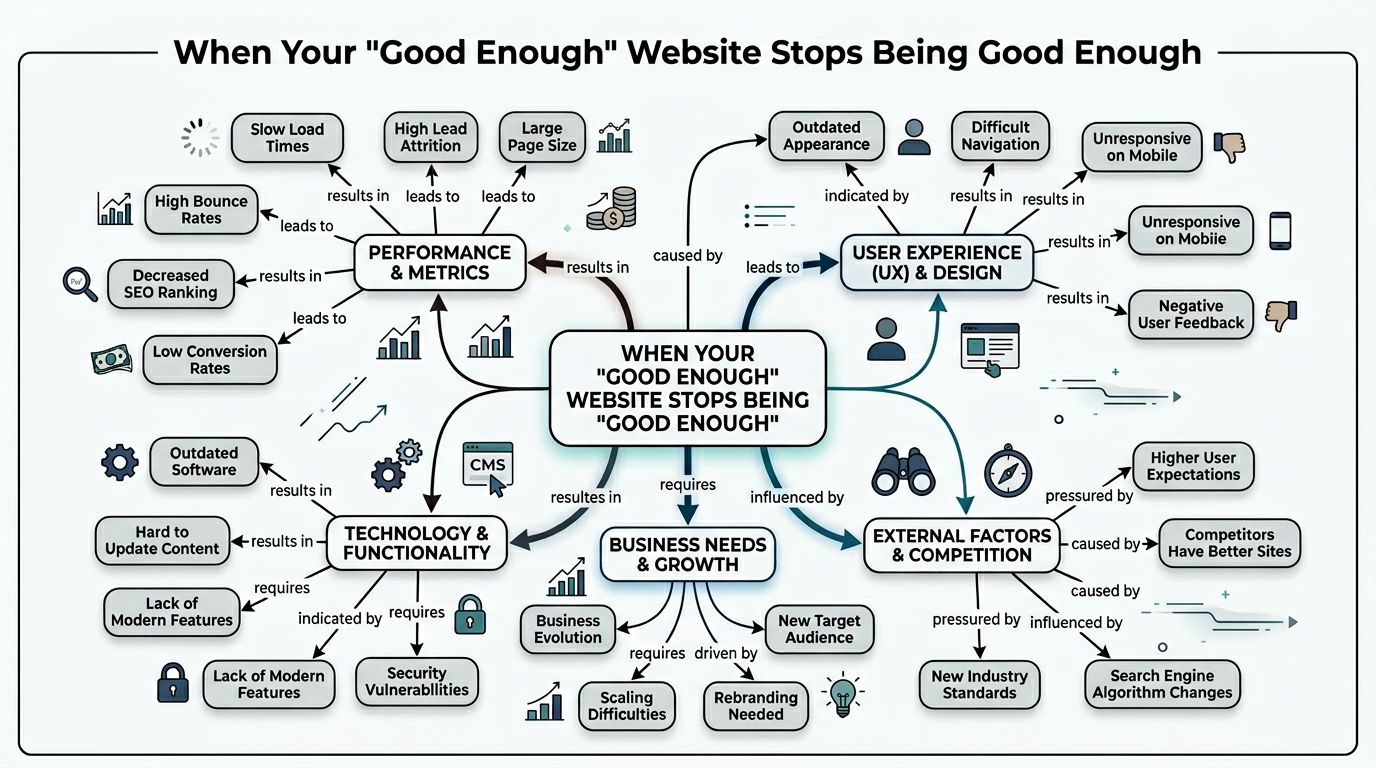
When Your 'Good Enough' Website Stops Being Good Enough
Most businesses do not start by asking for a wordpress enterprise cms. They start with a website that looks fine, loads well enough, and gets them through the early stage.
Then growth creates friction.
A service business starts running Google Ads for contact form submissions and suddenly needs dedicated landing pages by suburb, service line, and offer. An eCommerce brand launches a seasonal campaign through Meta and realises the site is fragile under traffic spikes. A marketing manager inherits three separate sites and finds the same content copied manually across all of them.
That turning point is common because WordPress is already everywhere. In the Australian region, WordPress powers approximately 44% of all websites as of early 2025, according to Quodem’s WordPress enterprise market overview.
What the breaking point usually looks like
The warning signs are rarely technical at first. They show up in day-to-day work.
- Marketing slows down: The team cannot launch pages without developer support.
- Reporting gets messy: GTM, Google Analytics, Meta Conversion API, and CRM events are patched together instead of planned properly.
- Content becomes inconsistent: Different regions or brands publish different versions of the same message.
- The site turns risky: Plugin sprawl builds up because every new requirement gets solved with another add-on.
We see this a lot with businesses that hired a freelancer years ago, then layered Google Ads, SEO, Facebook ads, local SEO, Shopify integrations, and landing page experiments on top of a site that was never designed for operational scale.
Why this matters more for growth-focused brands
If you are a business owner working with a marketing agency Melbourne team, your website is not just an online brochure. It sits in the middle of your acquisition system.
It needs to support:
| Business goal | What the site must do |
|---|---|
| Lead generation | Publish fast landing pages, route leads correctly, track every key event |
| eCommerce growth | Handle promotion traffic, sync products cleanly, support CRO changes |
| Multi-location expansion | Reuse content, maintain governance, avoid duplicated work |
| Paid media efficiency | Load quickly, attribute conversions properly, reduce friction at checkout or enquiry |
A “good enough” website usually fails at the exact moment your marketing starts working.
At that stage, the conversation changes. You are no longer choosing a theme. You are choosing infrastructure, workflow, governance, and a platform that can support revenue activity without becoming the bottleneck.
Core Capabilities That Power Real Growth
A real enterprise setup is not about making WordPress feel more complicated. It is about making it dependable.
The best wordpress development work at this level gives the business three things. Reliable performance, controlled publishing, and security practices that are built into the way the site operates.
Performance that survives campaign traffic
This is the first thing owners notice when they outgrow a basic build.
In Australian enterprise WordPress deployments, horizontal scaling with PHP-FPM nodes and Redis object caching reduces database roundtrips by up to 80%, enabling sites to handle over 10,000 concurrent users during peak traffic, based on IT Monks’ enterprise WordPress analysis.
That matters when you run paid media aggressively. A Google Ads push for a service business or a product launch through Meta can drive sharp bursts of traffic. If the site is built on weak hosting, heavy plugins, and no caching strategy, you pay for clicks that land on a slow or unstable page.
In practical terms, we look for:
- Caching at the object and page layer: Redis, edge caching, and CDN delivery where it makes sense.
- Stateless deployment thinking: The build should not depend on one fragile server doing everything.
- Theme restraint: Heavy page builders often create more problems than they solve.
- Asset discipline: Large hero videos, bloated scripts, and unchecked app embeds drag down paid traffic performance.
A lot of businesses think CRO starts with button colour tests. Usually it starts with getting the page to load, respond, and track cleanly.
Security that matches commercial risk
Basic plugin security is not enough when the website is tied to customer data, lead flows, and revenue.
Enterprise WordPress means treating security as an operating model. That includes role control, update policy, plugin vetting, backups, access management, and recovery planning. If the site accepts form submissions, stores customer details, or connects with ad platforms and CRMs, the risk profile goes up quickly.
What works:
- Tight plugin selection
- Staging before production deployment
- Least-privilege user access
- Clear ownership for maintenance
- Logging and monitoring
What does not work:
- Multiple admins sharing one login
- Adding plugins without review
- Ignoring update debt
- Relying on “set and forget” hosting
Governance that keeps teams moving
Enterprise does not always mean a huge company. It can mean a busy team with real publishing pressure.
If you have content writers, media buyers, developers, designers, SEO staff, and client-side managers all touching the same ecosystem, governance becomes a growth tool. Good governance prevents accidental changes, keeps brand standards consistent, and reduces approval bottlenecks.
A useful way to think about it is this:
| Capability | Why it matters |
|---|---|
| Role-based permissions | Stops accidental edits and limits risk |
| Reusable content blocks | Speeds up campaign launches |
| Structured fields | Helps SEO, reporting, and consistency |
| Staging workflows | Protects live revenue pages |
For teams running webinars, content campaigns, and B2B lead nurture, the CMS also needs to support publishing speed without creating chaos. If you are planning content-heavy acquisition, Cloud Present’s Enterprise B2B webinar playbook is worth reading because it shows how much operational discipline matters once marketing starts scaling.
The best enterprise WordPress setup feels calmer, not more complex. Teams publish faster because the rules are clearer.
Smart Integrations for Next-Level Marketing
A strong wordpress enterprise cms becomes valuable when it stops acting like an isolated website and starts behaving like the centre of the marketing stack.
That is where most generic builds fall short. They can display pages, but they struggle to pass clean data between systems, support attribution properly, or connect content with commerce and lead handling.
CRM, tracking, and lead routing
For service businesses, the biggest gains usually come from integration discipline, not flashy design.
A site should push form data into the CRM cleanly, preserve campaign source data, fire the right conversion events, and trigger follow-up without manual admin. That often means connecting WordPress with tools like HubSpot, GTM, GA4, Meta Conversion API, and booking platforms.
When we audit setups built by a generalist digital marketing agency Melbourne operator, we often find these problems:
- Form submissions with no campaign attribution
- Duplicate conversion events in Google Ads and Meta
- No server-side event backup through Conversions API
- Lead notifications sent by email only, with no CRM workflow
The fix is not usually another plugin. The fix is a proper event map and a clean integration plan.
Shopify and WordPress can work together
A lot of businesses think the choice is binary. Either full WordPress or full Shopify.
In reality, hybrid setups can work very well when the content side and commerce side have different needs. We have seen strong results from using WordPress for landing pages, SEO content, and campaign flexibility, while Shopify handles catalogue, checkout, and core commerce operations.
That is where a capable Shopify developer Melbourne or a team experienced with the Shopify API becomes valuable. You can create a content-rich front end without forcing Shopify to do everything, or forcing WordPress to become the checkout engine when it should not.
Good hybrid use cases include:
- SEO-first category and buying guides
- Paid traffic landing pages with stronger content control
- Headless or semi-headless brand experiences
- Custom product discovery flows
Practical automation for service businesses
One of the most useful integrations for tradies and appointment-led businesses is call handling.
We have set up Twilio-based custom numbers that do more than forward calls. They can support always-on answering logic, route calls intelligently, capture lead context, and connect into booking workflows like a calendar or Calendly. For businesses that miss calls while on the tools, that matters. A missed call is often a missed sale.
This works especially well for plumbers, electricians, dentists, beauty clinics, hairdressers, restaurants, and clinics where the enquiry window is short and the caller usually contacts the next option if nobody answers.
If your ads generate phone calls, your website and call workflow should be designed as one system, not two separate projects.
Gutenberg and custom blocks matter here too
Enterprise content teams need flexibility without opening the door to design drift.
That is why I prefer custom Gutenberg blocks over handing editors a giant page builder toolkit. Blocks can be customized for testimonials, FAQs, comparison tables, location sections, offer modules, and trust elements. Editors get speed and consistency. The brand team keeps control.
That approach also helps when a WordPress developer needs to support SEO, CRO, and paid landing page production without rebuilding pages from scratch every time.
Choosing Your Enterprise Architecture
The right architecture depends less on trends and more on what the business needs to ship, manage, and maintain.
I would not recommend the same setup to a multi-brand retailer, a funded startup with a product-led roadmap, and a service company that mainly needs fast lead generation pages and stable reporting. They all may need enterprise WordPress. They do not need the same version of it.
Multisite for brand groups and distributed teams
If one organisation manages multiple locations, brands, sub-brands, or regional content hubs, WordPress Multisite with role-based access control supports geographically distributed teams across AU regions, reducing content approval cycles by 50% via centralized governance, according to Jetpack’s guide to WordPress for enterprise.
That is useful when central marketing wants control over structure and compliance, while local teams need flexibility to publish relevant content.
Best fit
- Organisations with multiple sites under shared governance
- Franchises or regional operations
- Groups that want one codebase and coordinated updates
Trade-off
- Plugin and deployment decisions affect the network
- Governance needs to be planned properly
- It is not ideal if every site wants a wildly different stack
Headless WordPress for speed and custom experiences
Headless gets talked about a lot, often by people who do not have to maintain it.
It makes sense when the front end needs heavy customisation, when you want app-like experiences, or when the business wants to publish content across multiple touchpoints from one source. It can also suit eCommerce brands that want stronger UX control than a traditional theme can offer.
But headless adds complexity. Your development process gets stricter. Preview workflows need thought. Content teams need a cleaner model. If the internal team is not ready for that, the architecture can become expensive theatre.
Headless is powerful when there is a real distribution or performance reason for it. It is a poor choice when it is adopted only because it sounds advanced.
Managed hosting for stability and support
Most growing businesses do not need to invent infrastructure. They need reliable managed hosting, sensible deployment workflows, and support that understands WordPress under load.
Providers like WP Engine and Kinsta are common for that reason. They reduce operational burden and give businesses a more stable base for campaign traffic, updates, backups, and staging. For many mid-market companies, that is the most impactful decision they can make before considering bigger architectural shifts.
A simple selection view
| Architecture | Best for | Main advantage | Main caution |
|—|—|
| Multisite | Multi-brand and multi-region operations | Shared governance and efficiency | Needs strong permission planning |
| Headless | Custom front ends and omnichannel delivery | UX freedom and flexible delivery | More build and maintenance complexity |
| Managed hosting | Growth-stage brands needing reliability | Stability and operational simplicity | Less custom infrastructure control |
What I’d choose in practice
For a lot of eCommerce and lead generation businesses, the best answer is not the most exotic one.
I would usually start with a strong managed WordPress setup, custom Gutenberg blocks, disciplined integrations, and governance that fits the team. Then I would only move to multisite or headless when the business case is obvious.
If you are choosing between an overbuilt system and one that your team can operate well, choose the one your team can run properly. That is where a good WordPress developers Melbourne team earns its keep.
Cost and Return on Investment
This is the part business owners usually want answered quickly. What does it cost, and what do we get back?
The honest answer is that enterprise WordPress costs more than a standard brochure site because it includes planning, architecture, custom development, stronger hosting, integration work, and ongoing support. It is not just a design project.
Where the money usually goes
The spend typically sits across a few buckets:
- Discovery and architecture: content model, workflows, tracking plan, integration mapping
- Design and build: custom theme or block-based system, UX work, development
- Hosting and environments: managed hosting, staging, backup, monitoring
- Ongoing support: updates, security review, testing, iteration
- Marketing integration: CRM, analytics, Meta Conversion API, call tracking, automation
If headless is involved, cost rises. The same goes for advanced integrations, custom Shopify API work, multilingual setups, or heavy approval workflows.
One useful way to think about it is not “what does a website cost?” but “what does operational failure cost when the website is tied to acquisition?”
ROI usually comes from avoided waste first
The first return often shows up in waste reduction.
A faster site helps paid traffic land on something usable. A cleaner analytics setup reduces reporting confusion. Structured Gutenberg blocks reduce design rework. Better governance cuts the back-and-forth between marketing and development. Less downtime protects campaign windows.
For eCommerce brands, this affects the efficiency of media spend. For service businesses, it affects lead quality, tracking accuracy, and response speed.
Businesses often justify enterprise CMS work based on new upside. In practice, the easier case to prove is the amount of waste and risk it removes.
Look at it like a business decision
If you need help framing the investment internally, it can help to look at website spend the same way you would assess operations, staffing, or systems. That is why broader planning resources like Australia Wide Tax Solutions’ piece on business advisory services are useful. They encourage owners to evaluate investments through risk, process, and long-term value rather than upfront price only.
What a poor setup usually costs instead
A weak build tends to cost money in quieter ways:
| Poor setup issue | Business effect |
|---|---|
| Slow landing pages | Lower conversion efficiency from paid traffic |
| Broken tracking | Bad decisions and wasted ad spend |
| No governance | Staff time lost in fixes and approvals |
| Plugin clutter | Higher support risk and unstable releases |
| Fragile hosting | Revenue loss during peaks |
A proper enterprise build is not cheap. Neither is rebuilding the same broken foundation every year.
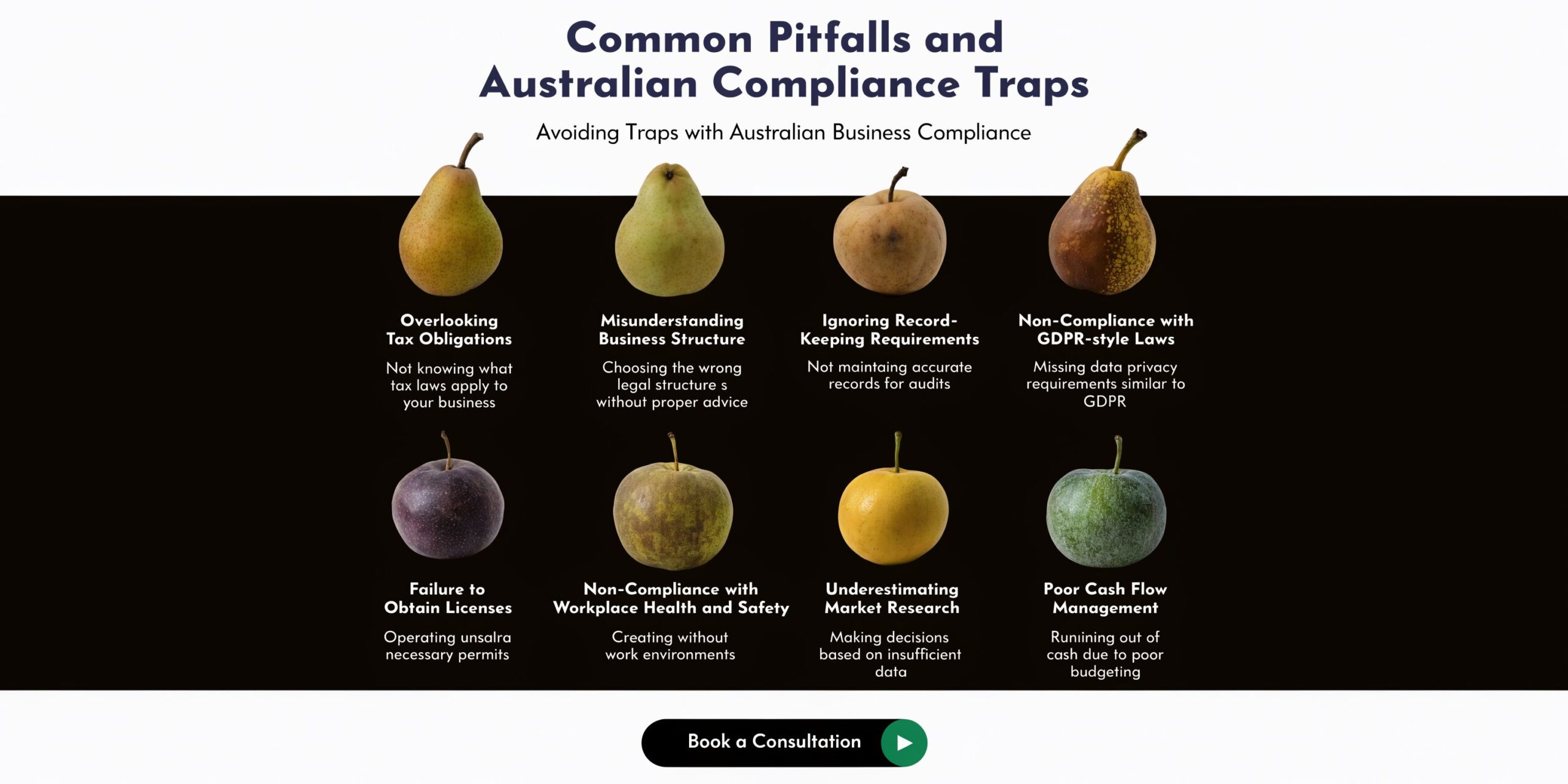
Common Pitfalls and Australian Compliance Traps
The biggest mistakes are rarely about WordPress itself. They come from poor fit, weak process, and treating compliance as something to clean up later.
That is risky in Australia, especially when the website handles leads, customer records, bookings, or eCommerce data.
The common build mistakes
I see the same issues repeatedly.
- The stack grows without a plan: Plugins get added one by one until nobody knows which tool owns which function.
- Tracking is an afterthought: GTM, GA4, Google Ads, Meta Pixel, and server-side events are installed separately by different people.
- Editor freedom is too broad: Teams can break layouts or publish inconsistent messaging because the CMS has no guardrails.
- No local compliance lens: The business chooses tools based on convenience, not on where data flows or what obligations apply.
These are not just technical annoyances. They affect legal exposure, reporting quality, and day-to-day marketing speed.
Australian compliance is not optional
A useful warning sign comes from security data. A 2025 Australian Cyber Security Centre report notes that 28% of data breaches in Victoria involved CMS vulnerabilities, while WordPress adoption in Melbourne SMEs grew 15% year on year, as cited in Pretius’ enterprise CMS discussion.
That combination matters. More adoption means more businesses relying on CMS platforms for real commercial activity. More vulnerabilities mean more consequences if governance is weak.
For Australian businesses, a serious WordPress enterprise setup needs to account for:
- Privacy Act obligations
- Notifiable Data Breaches scheme requirements
- Vendor access control
- Hosting and data handling decisions
- Auditability of who changed what
A site can look polished and still fail badly on these basics.
What local hardening should include
The practical response is not panic. It is discipline.
A good baseline usually includes role-based permissions, proper update procedures, minimal plugin exposure, secure form handling, staging review, backup verification, and alignment with internal compliance policies. If the business operates in a regulated category, that review should happen before launch, not after an incident.
If your agency cannot explain where customer data goes, who has access to production, and how breaches would be investigated, they are not delivering enterprise work.
This is one reason many businesses prefer working with a local wordpress-developer-melbourne partner rather than treating the project like a commodity build. The technical stack matters. The legal and operational context matters just as much.
For businesses reviewing providers, web design Melbourne should mean more than visual polish. It should mean the build is fit for Australian operating conditions.
Frequently Asked Questions About Enterprise WordPress
These are the questions that come up most often once a business starts comparing platforms seriously.
Is WordPress secure enough for enterprise use
Yes, if the build and operating model are mature.
Most of the “WordPress is not secure” criticism comes from poorly maintained sites, excessive plugin exposure, weak hosting, and loose access control. Enterprise WordPress is a different standard. It relies on disciplined updates, limited plugin sprawl, strong permissions, quality infrastructure, and clear maintenance ownership.
Security is not a badge you get from choosing a platform. It is the result of how the system is implemented and maintained.
Should an eCommerce brand choose WooCommerce or Shopify Plus
It depends on what drives the business.
If content, SEO landing pages, editorial control, and custom experience design are central to growth, WordPress with WooCommerce can be a strong fit. If operational simplicity, app ecosystem convenience, and standardised checkout are the priority, Shopify often wins.
The interesting middle ground is the hybrid model. Some brands use WordPress for content and campaign flexibility while Shopify manages the commerce engine. That can work well when the content strategy is aggressive and the catalogue or checkout operation needs Shopify’s workflow.
For businesses comparing teams, a specialist ecommerce marketing agency should be able to explain the trade-offs in content operations, not just design preferences.
Can we upgrade the current site instead of rebuilding it
Sometimes yes. Sometimes rebuilding is cheaper than trying to rescue a messy codebase.
I usually look at four things first:
Theme quality
If the current theme is bloated or heavily patched, upgrading around it may be false economy.Plugin dependency
If key functions rely on overlapping plugins, cleanup can become more expensive than a rebuild.Content structure
If pages were built without reusable patterns or structured fields, scaling gets painful.Tracking quality
If analytics and ad platform events are unreliable, the rebuild case gets stronger.
Is headless WordPress worth it for Australian brands
Sometimes. Not always.
A useful recent example is that WP Engine’s 2025 AU headless Node platform cut latency by 40% for local retail brands, enabling AI content personalisation via plugins like Jetpack AI, though SMBs struggle with setup costs of AUD 10K to 50K annually, according to Core dna’s article on WordPress as an enterprise CMS.
That captures the trade-off well. The upside is real. The cost and complexity are real too.
If a brand has a serious UX roadmap, multiple touchpoints, or a need for advanced front-end performance, headless can be justified. If the business just needs a faster marketing site and better campaign landing pages, a well-built traditional setup is often the smarter move.
Does AI personalisation belong in WordPress now
It can, but only if the inputs are clean.
AI features are only useful when the CMS has structured content, consistent fields, sensible taxonomy, and good governance. Without that, personalisation becomes noise. Businesses should first get their content model, tracking, and integrations right.
AI does not fix weak content operations. It amplifies whatever system you already have.
For brands planning to drive more traffic once the platform is fixed, it also helps to align the site build with acquisition from the start. That is where services like a Google Ads agency or a Facebook Meta ads agency need to be part of the technical planning, not brought in after launch.
Ready to Build Your Growth Engine?
A good wordpress enterprise cms gives a business room to grow without rebuilding the foundations every time marketing gets more ambitious.
That matters whether you are running Google Ads for plumbers, scaling a national eCommerce brand, improving local SEO, building custom Gutenberg blocks, integrating Shopify API workflows, or cleaning up conversion tracking with GTM and Meta Conversion API. The website cannot be the weak link.
For most businesses, the right move is not the most complicated architecture. It is the one that matches your growth model, supports your team, tracks cleanly, and stays stable under pressure. That usually means better planning, fewer unnecessary tools, stronger governance, and development decisions tied directly to revenue goals.
If you are working with a marketing agency melbourne team or reviewing options with a digital marketing agency melbourne, ask harder questions. How will the site handle campaign peaks? How will content approvals work? How will forms, calls, bookings, CRM workflows, and ad attribution connect? How will Australian compliance risks be handled?
Those questions lead to better builds.
If you're a business with a paid ads budget of at least 3k a month, I'd love to offer you a low risk deal- get a month of paid ads management FREE. Apply now through the contact page.
Alpha Omega Digital is a marketing agency based in Melbourne, Australia but also services clients from Sydney, Brisbane, Newcastle, Perth, Adelaide, Darwin and Hobart. Have a project in mind? Contact us.
If you need a partner that understands both development and growth, Alpha Omega Digital helps Australian businesses build high-converting WordPress and Shopify sites, then backs them with paid media, tracking, and ongoing optimisation. If your site needs to support real acquisition, not just sit online and look decent, they are worth speaking with.
[email protected]
Read more insights from our team on web design, paid ads, and growth strategy.