A business owner in Melbourne usually calls me at the same point in the cycle. Their old site looks acceptable on a laptop, clunky on a phone, and vague about what the visitor should do next. Sometimes it's a Brunswick tradie who wants more quote requests. Sometimes it's a Carlton eCommerce brand with good products and weak conversion paths. The brief sounds simple. Make it faster. Make it look better. Make it bring in sales.
That’s where web designing with wordpress gets practical, not theoretical.
The first conversation is rarely about fonts or animations. It’s about pressure. They’ve got stock to move, leads to capture, staff asking when the new site is going live, and paid traffic that can’t keep landing on a weak page. If you work as a marketing agency melbourne operator, or you’re hiring one, you learn quickly that design only matters when it supports action.
I’ve seen the same pattern across Melbourne projects. Businesses don’t need more pages. They need sharper user journeys, cleaner offers, stronger trust signals, and tracking that tells them which clicks turn into revenue. WordPress keeps turning up in those projects because it gives you room to build exactly that. In Australia, WordPress powers an estimated 43.5% of all websites, with 43% of small businesses using it for lead generation and eCommerce as of 2025 according to DiviFlash WordPress statistics.
Introduction to high converting WordPress sites
A site I worked through recently had the usual Melbourne small business tension. The owner wanted something polished enough to compete with bigger brands, simple enough for staff to update, and strong enough to support Google Ads without wasting spend. That mix is why WordPress keeps winning these jobs.
It isn’t just familiar. It’s flexible in the ways business owners care about. You can launch quickly with the right foundation, expand later without rebuilding from scratch, and connect the site to the rest of your marketing stack.
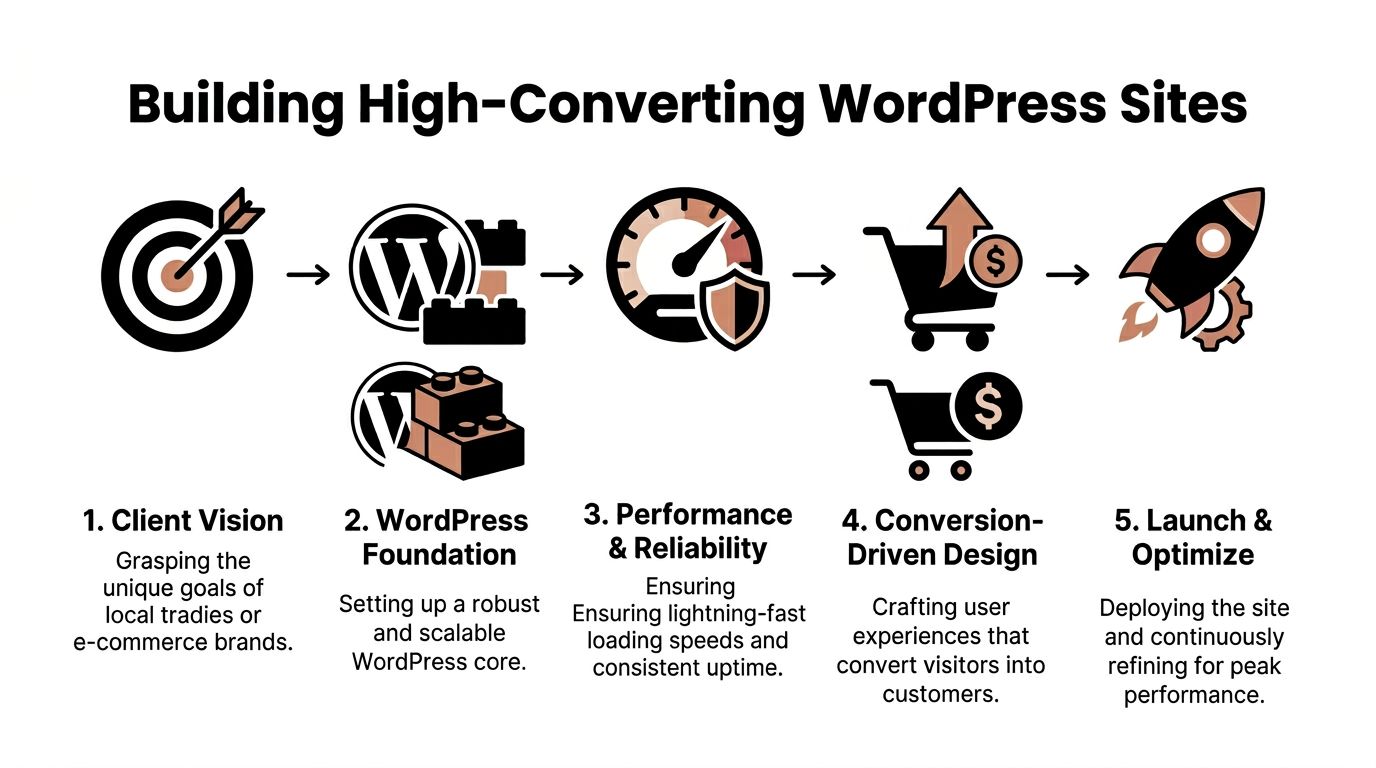
When I’m planning a high-converting build, I usually keep the roadmap tight.
- Clarify the commercial goal. Is the site meant to generate booked calls, online sales, quote requests, or foot traffic?
- Map the user journey. A visitor should know where to click and why.
- Choose the right build path. Theme, custom Gutenberg blocks, WooCommerce, or Shopify.
- Set up performance and tracking. Speed, GTM, GA4, Meta Conversions API, and call attribution.
- Launch with discipline. QA, accessibility, backups, redirects, and real post-launch optimisation.
That sequence sounds obvious until a project skips one of them. Then you get a lovely homepage that can’t rank, a fast site that doesn’t track conversions, or an online store with messy product architecture.
For businesses comparing platform combinations, this explainer on Shopify and WordPress is useful because it shows where each system fits depending on content depth, commerce needs, and internal resources.
I’ve found that the strongest Melbourne builds usually aren’t the flashiest ones. They’re the ones where the hero section says the right thing, the mobile layout feels clean, the product or service path is obvious, and every form, call, and purchase is measurable. If you want examples of that execution in practice, our work in web design Melbourne and the implementation side from our WordPress developers Melbourne page shows the kind of build depth involved.
Practical rule: If a visitor needs to think too hard about what your business does, the design has already lost the sale.
Conducting discovery and UX UI strategy
The design problems that hurt conversion usually start before design. They start in discovery that was rushed, vague, or skipped.
I learned that the hard way years ago. A business owner approved a homepage direction quickly, then kept changing copy, offers, and target audience once development had already started. Nothing was wrong with the WordPress build itself. The core issue was that nobody had pinned down who the site was for.
Start with audience tension, not page templates
When I run discovery for a Melbourne business, I don’t open Figma first. I ask what the customer is worried about when they land on the site.
For an eCommerce brand, that might be product quality, shipping clarity, returns, or whether the item suits their lifestyle. For a tradie, it’s usually speed of response, trust, and whether the business services their suburb. For a clinic or beauty brand, it’s reassurance and next-step clarity.
I write those concerns in plain language before I touch layout.
A useful workshop usually covers:
- Primary buyer intent. Are people ready to buy, comparing options, or still researching?
- Main action. Purchase, enquiry, booking, phone call, or store visit.
- Objections. Price, trust, delivery, guarantees, or confusion.
- Internal constraints. Who updates products, images, landing pages, and tracking tags later?
That exercise shapes the site map better than any mood board.
Build journeys before visual polish
A lot of weak WordPress design comes from jumping straight to visual style. I prefer mapping the route first.
For a service business, the route is often short. Land on page, understand the offer, trust the business, submit the form or call. For eCommerce, the path is longer. Land on collection or product page, compare, review shipping and payment confidence, then purchase.
I sketch this in a simple way.
| User type | First page | Trust trigger | Main action |
|---|---|---|---|
| Local service buyer | Service landing page | Reviews, clear service area, fast contact options | Form or phone call |
| Returning shopper | Product or collection page | Product detail, delivery clarity, payment confidence | Add to cart |
| Cold traffic from ads | Tailored landing page | Relevance of headline and offer | Click through or enquire |
That table usually reveals what pages matter. Many businesses think they need a huge menu. Most need a tighter path.
A homepage shouldn’t carry the whole business. It should direct the visitor to the right next step.
Prototype for mobile first
In Australian projects, a responsive layout isn’t optional. A recent analysis of Australian projects shows non-responsive WordPress sites see 60% higher bounce rates, while optimised responsive sites achieve 30% higher conversion rates according to Theme Press web design best practices.
That’s why I start with mobile wireframes for most builds.
On a recent salon-style booking project, the desktop design looked elegant early on. The mobile version exposed the core issue. The call-to-action sat too low, service categories felt cramped, and the contrast wasn’t strong enough for quick scanning. Once we tightened the mobile hierarchy, the desktop design became easier too.
My normal mobile-first checklist includes:
- Headline clarity. A visitor should know the offer in one screen.
- Thumb-friendly actions. Buttons need breathing room.
- Sticky decision points. Book, call, enquire, or add to cart.
- Compressed content. Long paragraphs become sections, accordions, or tabs.
- Visual proof. Product imagery, before-and-after work, or trust badges near the action point.
Use style tiles before full mockups
This is one of the simplest ways to keep a project moving.
Instead of designing every page in detail too early, I present a style tile with type, colours, button styles, icon direction, and image treatment. It gives the client something concrete to approve without forcing a full redesign later.
That’s especially useful when the business owner has a loose brand identity. They know the site should feel premium, local, technical, earthy, playful, or clinical, but they can’t explain it well. A style tile helps turn that into a repeatable design system.
Competitor audits need a commercial lens
Most competitor reviews are too shallow. They focus on looks and miss what affects conversion.
I look for:
- Navigation logic. Is the menu helping or cluttering?
- Offer framing. Are they selling features or outcomes?
- Lead friction. How many fields in the form, and what’s required?
- Merchandising. For eCommerce, are bestsellers and bundles obvious?
- Tracking clues. Are landing pages built for ads, or just generic pages?
A good audit doesn’t copy competitors. It identifies patterns the market already expects and gaps your client can exploit.
For a digital marketing agency melbourne workflow, this part matters because design can’t sit apart from acquisition. If Google Ads traffic is heading into the site later, the page architecture has to support campaign intent from the start.
Choosing themes versus custom development
This is usually the fork in the road. A client asks whether they should buy a premium theme and customise it, or invest in a more custom build.
The honest answer is that both can work. The wrong move is choosing based on trends rather than business requirements.
When a theme makes sense
A premium theme is often the right choice when the site needs to launch quickly, the page types are standard, and the client wants easy content editing without much bespoke logic.
For a straightforward brochure site, a theme can be enough if you strip out what you don’t need, keep plugin use controlled, and customise the layout so it doesn’t feel off-the-shelf.
Theme-based builds usually suit:
- Service businesses with standard page needs
- Lean startups validating an offer
- Retailers who want a simpler WordPress catalogue setup
- Teams that need lower development complexity
The catch is that many theme builds fail because people leave the theme as-is. They inherit bloated templates, weak heading structures, excess scripts, and demo content patterns that were never designed for the actual buyer journey.
When custom WordPress development earns its keep
A custom build becomes worthwhile when the business has unusual content structures, wants cleaner performance control, or needs specific interactive behaviour that a theme handles poorly.
That’s where wordpress development, custom Gutenberg blocks, and stronger front-end architecture become valuable. I’ve used custom blocks when a client needed flexible product storytelling sections, reusable landing page modules, location-specific service content, or editor-friendly comparison layouts.
WordPress adoption in Australia grew from 13.1% of all sites in 2011 to 43.5% by 2025, a 230% increase, which says a lot about how mature the ecosystem has become for both themes and custom frameworks according to WPZOOM WordPress statistics.
That maturity is why the decision isn’t WordPress or not. It’s which WordPress approach fits the brief.
A practical decision filter
I usually frame the choice like this.
| Decision factor | Theme-led build | Custom build |
|---|---|---|
| Launch speed | Faster | Slower |
| Editor simplicity | Often easy at first | Better long term if structured well |
| Design flexibility | Moderate | High |
| Performance control | Mixed | Stronger |
| Unique content blocks | Limited without workarounds | Built around the business |
| Maintenance risk | Higher if overloaded | Lower if the build stays lean |
What I tell clients: if your site earns money from a few core actions, build around those actions, not around the theme demo.
WooCommerce or Shopify is part of the same decision
Here, many projects become muddled. The business thinks it’s choosing between a theme and custom WordPress, when the bigger decision is really between WordPress with WooCommerce and Shopify for the commerce layer.
If you’re weighing platform fit beyond WordPress alone, this guide to best CMS for small business options is worth reviewing because it helps frame the trade-offs around editing, selling, and maintaining the site over time.
For stores with heavier editorial content, SEO-rich landing pages, and custom merchandising logic, WooCommerce can make sense. For operators who want a tighter commerce backend, easier product management, and cleaner native store workflows, Shopify often wins.
I’ve seen Melbourne businesses choose the wrong platform because they focused on the homepage and ignored the admin experience. The owner then hates updating products, managing variants, or briefing their staff.
The Gutenberg question
If you’re building with WordPress in a serious way now, you can’t ignore Gutenberg. Custom blocks let a wordpress web developer create page sections that editors can reuse without breaking layouts. They’re one of the clearest reasons to go custom.
Useful custom blocks might include:
- Location service grids for local SEO pages
- FAQ accordions tied to structured content
- Testimonial sliders with controlled styling
- Featured product story blocks for eCommerce campaigns
- Before and after galleries for trades and aesthetic businesses
That’s the point where a generic premium theme starts getting awkward.
For custom work, businesses often look for a wordpress website developer, wordpress development company, or local implementation support such as a WordPress developer for Melbourne builds or a [Word…com.au/wordpress-developer/) for Melbourne builds or a WordPress developer Sydney resource when interstate support is part of the brief. The same applies if the work leans more bespoke and needs a stronger wordpress development Melbourne capability rather than just theme setup.
Implementing performance SEO and essential plugins
Most conversion problems become visible in the browser before they show up in analytics. The page stutters. Images drag. Forms feel clumsy. Cookie prompts look suspicious. The site technically works, but it doesn’t feel reliable.
That’s where the performance stack matters.
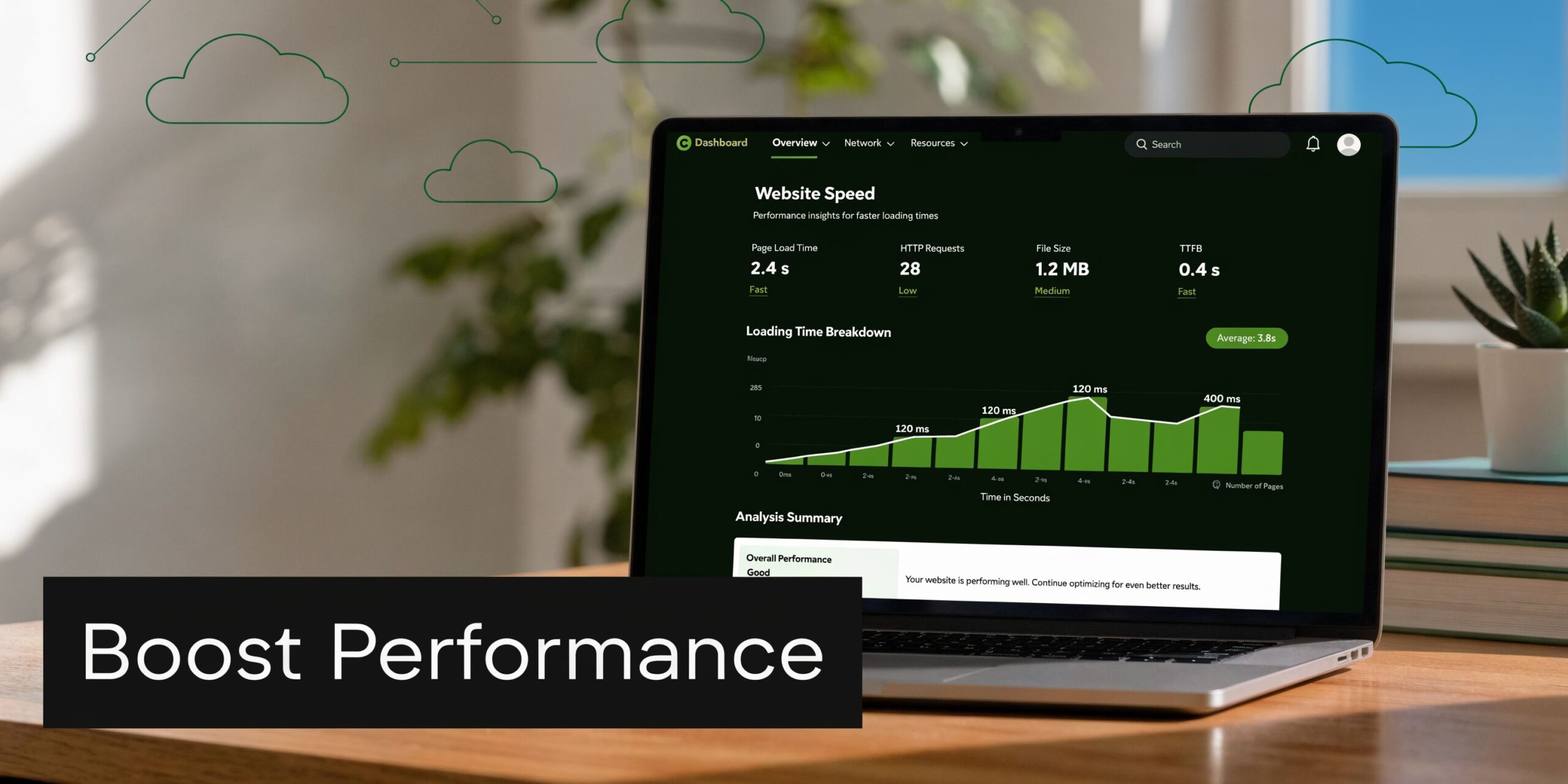
My baseline WordPress stack
For most WordPress builds, I start with a simple rule. Every plugin must justify its existence.
A lean stack often includes:
- WP Rocket for caching and performance controls
- Cloudflare for CDN and general delivery improvements
- Yoast SEO or Rank Math for on-page SEO handling
- Google Tag Manager for tag deployment
- GA4 for event-based measurement
- A consent solution built for Australian privacy needs
- Security and backup tooling suited to the host environment
One of the bigger blind spots in Australian SMB websites is privacy handling. 68% of Australian SMBs report privacy compliance concerns under the Privacy Act 1988, yet only 12% use AU-specific consent plugins, according to MKT Clarity. I don’t treat that as a legal footnote. It affects trust, form completion, and the way paid media data is collected.
Speed fixes that usually matter
I’m less interested in vanity scores than in what slows the page down for an actual customer on an actual phone.
The fixes that tend to move the needle are practical:
- Image discipline. Compress hero and catalogue images before upload.
- Script restraint. Remove plugin features nobody uses.
- Font sanity. Keep weights and families under control.
- Template cleanup. Don’t load sliders, popups, and animation libraries unless they earn revenue.
- Server-aware setup. Match caching and optimisation to the host, not to a random checklist.
A local service page doesn’t need cinematic effects. It needs to load cleanly, show the offer, and make the enquiry action obvious.
Field note: The fastest improvement often comes from deleting things, not adding tools.
SEO setup that supports paid and organic together
Good WordPress SEO isn’t just title tags and meta descriptions. It’s information architecture.
I want category pages, collections, service pages, and location pages to be clearly separated. I want headings that match intent. I want internal links that help both visitors and crawlers move deeper into the site.
For a store, that might mean collection pages with useful copy above or below the product grid, not keyword stuffing. For a service business, it means specific landing pages aligned to what people search and what the ad account targets.
That’s also where proper google tag manager containers and google analytics setup matter. If form submissions, phone clicks, add-to-cart events, and checkout milestones aren’t configured cleanly, the business can’t tell which channels are pulling their weight.
Later in the build, I usually embed a walkthrough for clients who want the broader paid media setup explained in a more visual way.
Tracking essentials I won’t skip
A modern WordPress site should connect design decisions to measured outcomes.
That usually means setting up:
- GA4 event tracking for forms, scroll depth where useful, product actions, and checkout touchpoints
- Meta Conversions API so paid social data is more resilient than browser-only tracking
- Google Ads conversion actions for lead and sales campaigns
- Call tracking where phone leads matter
- Calendly or equivalent booking events where appointments drive revenue
For businesses running service campaigns, call handling can become part of the conversion system itself. I’ve seen Twilio-based setups used with custom numbers, appointment routing, and follow-up flows that keep leads from going cold outside business hours. For trades, clinics, salons, restaurants, and similar operators, that can matter more than a visual redesign.
If a business wants one provider that combines site implementation with paid acquisition support, Alpha Omega Digital offers that type of integrated build-and-ads workflow alongside standard WordPress and Shopify delivery.
Setting up eCommerce and conversion tracking
The platform choice gets real once products, payments, and attribution enter the picture. A nice design can hide a messy store for a while. The first serious campaign exposes it.
I’ve worked on stores where the product pages looked polished, but nobody had thought through category logic, gateway choice, feed structure, or how Meta and Google would receive conversion data. That’s why I treat eCommerce setup and tracking as one job.
WooCommerce vs Shopify comparison
For most Melbourne businesses choosing between WordPress and Shopify, the answer depends on who’s managing the store, how custom the content model needs to be, and how much control the marketing team wants over landing pages and tracking.
| Criteria | WordPress WooCommerce | Shopify |
|---|---|---|
| Content flexibility | Strong for editorial content, landing pages, and custom page structures | Good, but often more structured around store conventions |
| Store management | Flexible, but can become heavier with more plugins | Cleaner native store workflow for many operators |
| Custom development | Strong with custom themes, hooks, and Gutenberg blocks | Strong through theme customisation and app-based extensions |
| API and integrations | Broad flexibility for custom workflows | Strong ecosystem, especially for commerce operations |
| Tracking setup | Flexible with GTM, GA4, Meta CAPI, and plugin choices | Strong tracking options, often simpler with the right setup |
| Best fit | Brands needing deeper content and custom site architecture | Brands prioritising commerce simplicity and operational ease |
This is also where terms like shopify development partners, shopify developer, shopify developers, and shopify developer api come up in real project briefs. The business usually isn’t asking for jargon. They want to know whether they’ll be boxed in later.
If the store relies on heavy content marketing, custom bundles, and specific landing pages, WooCommerce often stays in the conversation longer. If the team wants a more efficient commerce backend and expects frequent catalogue work, Shopify is usually easier to manage day to day. For local implementation, our Shopify developers Melbourne page covers that side of the stack.
Payments, feeds, and product structure
Before traffic scales, I want these basics handled properly:
- Product taxonomy. Categories, tags, collections, and filters should make sense to a buyer, not just the admin.
- Payment gateway fit. For Australian businesses, local compliance expectations matter. Some merchants also want payment methods that feel familiar to local buyers.
- Shipping clarity. Confusion at checkout kills momentum.
- Feed readiness. Titles, images, variants, and attributes need to be usable for Google Shopping.
For businesses reviewing funding options before they build, there’s an underused angle in Victoria. 75% of Victorian SMBs qualify for the 2025 Business Victoria Digital Solutions Grant, yet only 18% use it for WordPress or Shopify site builds, missing out on up to $20K in funding, according to Jack Cao’s niche opportunity article.com/blog-niche-list/). I’ve found many owners haven’t been told that site work and digital growth planning can sit inside the same commercial discussion.
Conversion tracking that reflects reality
A lot of stores still track only purchases and then wonder why optimisation feels blunt. That’s too late in the funnel.
For eCommerce, I prefer a layered measurement setup:
- View content and key page engagement
- Add to cart
- Begin checkout
- Purchase
- Phone call or booking actions if they support the sale
- Email or lead capture events for retargeting
That structure helps with more than reporting. It supports campaign decisions around pmax vs google shopping ads, feed quality issues, remarketing pools, and creative testing.
For paid social, the site needs to support Meta ads creative testing process decisions with matching landing page relevance. For Google, clean product data affects whether google shopping ads not spending budget is a platform issue or a feed issue. And for service-heavy stores or hybrid businesses, google ads for contact form submissions often belongs beside purchase tracking, not instead of it.
If the business can’t explain how a sale is attributed, campaign optimisation becomes educated guessing.
Call tracking and lead capture for hybrid businesses
A surprising number of eCommerce brands still close sales over the phone, through DMs, or after a product enquiry.
That’s why I like pairing store tracking with a custom Twilio number when phone intent matters. It gives the business a way to route calls, log outcomes, and connect lead quality back to campaign sources. In some setups, it also supports after-hours handling, appointment booking into a calendar or Calendly, and fewer missed opportunities when staff are busy.
That approach can work especially well for stores that also act like service businesses. Think custom furniture, beauty clinics selling products, dental or medical practices with retail add-ons, or trade suppliers taking quote calls through the site.
For marketing support around acquisition after the build, businesses often branch into specialised help such as an ecommerce marketing agency, a Facebook Meta ads agency, a best Facebook ads agency, or service-specific pages like Google Ads for plumbers and Facebook ads for electricians where lead tracking and call attribution are central.
QA launch and ongoing optimisation
The last stretch of a WordPress project is where a lot of teams relax too early. I do the opposite. Launch week is when tiny issues become expensive.
A broken form, missing noindex cleanup, checkout glitch, or misfiring event can waste traffic from day one. The site might look finished and still be commercially underprepared.
The pre-launch checklist I trust
I like a short, disciplined QA routine over an enormous document nobody follows.
My usual checks include:
- Cross-browser review. Current Chrome, Safari, and mobile browsers at minimum.
- Responsive review. Key templates, forms, menus, and carts on common device widths.
- Form testing. Every form sends, stores, and triggers the right thank-you action.
- Tracking validation. GA4, GTM, Meta, and Google Ads events fire where expected.
- Redirects and indexation. Old URLs, new sitemap logic, robots settings, and canonical basics.
- Accessibility pass. Keyboard checks, contrast, alt text, labels, and heading order.
- Backup and rollback plan. Before the final push.
I also keep a staging-to-production workflow that makes ownership clear. One person approves content. One person handles deployment. One person validates tracking after launch.
What happens in the first month matters most
A new site usually tells the truth quickly if you watch the right signals.
I don’t obsess over surface metrics alone. I want to know:
| Area | What to review |
|---|---|
| Traffic quality | Are the right users landing on the right pages? |
| Conversion friction | Where do users stall, hesitate, or drop off? |
| Technical health | Are forms, scripts, and page speed holding up? |
| Content gaps | What questions do users still have before acting? |
Sometimes the fix is design. Sometimes it’s copy. Sometimes the ad account is sending the wrong audience. Ongoing optimisation works only when the team accepts that launch is the start of evidence, not the end of the project.
A steady optimisation rhythm
The businesses that keep winning don’t rebuild constantly. They improve consistently.
A practical cadence looks like this:
- Review acquisition pages monthly
- Check heatmaps or session recordings for friction
- Refine core call-to-action language
- Test merchandising or service-page layout changes
- Audit plugin and tracking health
- Prioritise one meaningful improvement at a time
For local businesses, that might mean tightening suburb pages, improving Google Business Profile alignment, or changing how quote forms work. For eCommerce, it might mean sharpening collection pages, improving product trust content, or fixing weak add-to-cart flow on mobile.
A website rarely fails because it needed one dramatic redesign. It fails because nobody kept improving the parts that affected revenue.
If you're a business with a paid ads budget of at least 3k a month, there’s a simple offer worth considering. You can apply through the contact page for a low risk deal and get a month of paid ads management free. Alpha Omega Digital is based in Melbourne and also works with businesses in Sydney, Brisbane, Newcastle, Perth, Adelaide, Darwin and Hobart. If you’ve got a WordPress or Shopify project in mind and want the site tied properly to paid acquisition, that’s the right place to start.
[email protected]
Read more insights from our team on web design, paid ads, and growth strategy.