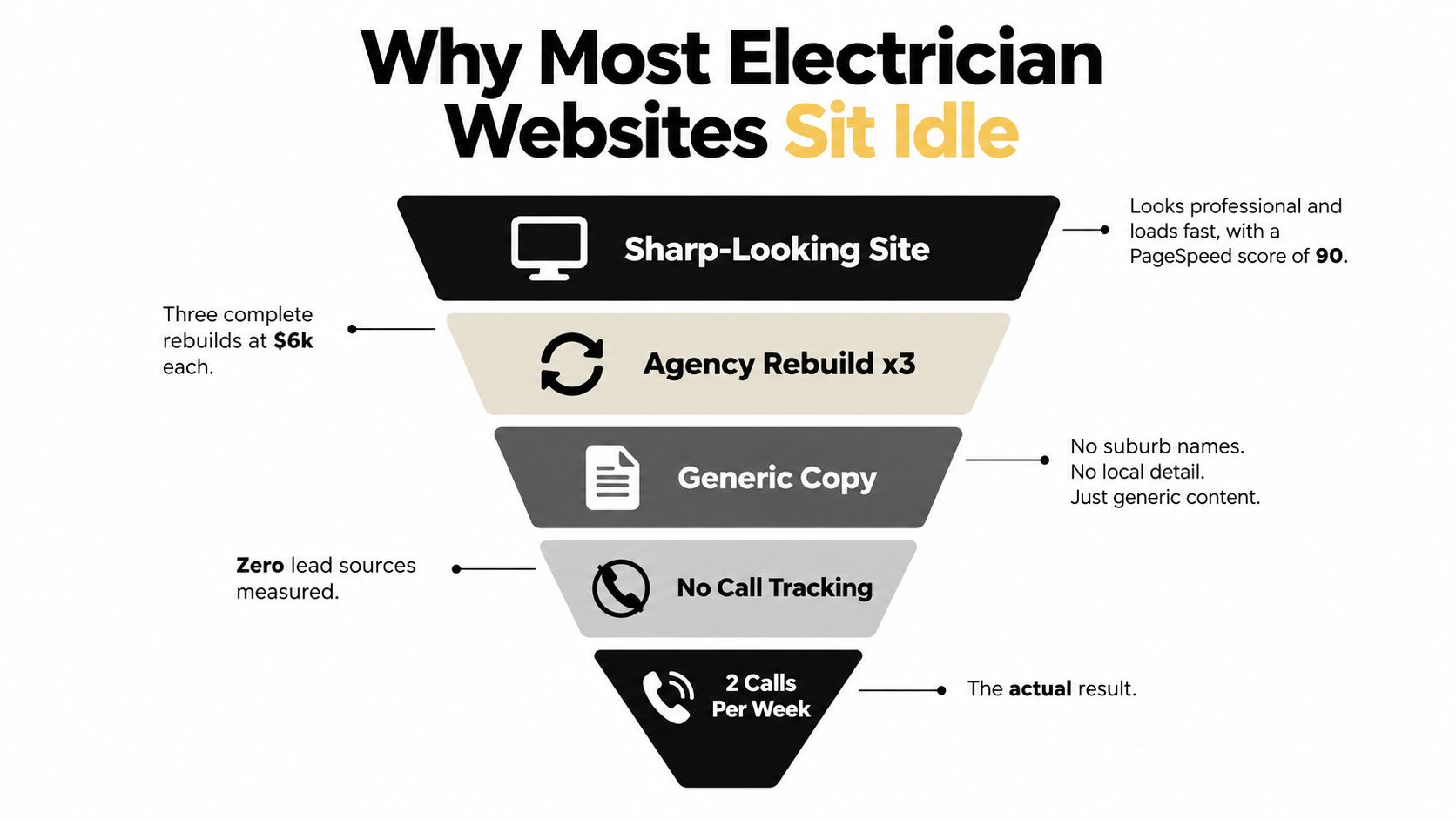
A polished electrician website can still leave a Melbourne business owner staring at an empty inbox. The logo is sharp, the services are listed, and the site looks fine on a phone, yet a customer with a midnight outage, a property manager planning a fit-out, and a homeowner comparing ceiling-fan quotes all land on the same generic page.
That's the central problem I see in electrician website design. The site has been built as a brochure instead of an intent-routing system. Each visitor needs a different promise, proof point, and next action. Once emergency, residential quote, and commercial enquiries have their own paths, design decisions become easier to justify because they connect directly to booked work.
Why Most Electrician Websites Sit Idle
A hypothetical example makes the problem clear. An electrician in Clayton commissions a visually impressive rebuild, but the new website still treats every visitor alike. The homepage promotes switchboard upgrades, uses a broad “quality electrical services” headline, and sends every enquiry through one long contact form.
A customer in Dandenong dealing with a power fault doesn't want to study the company history. A body corporate searching for a commercial contractor needs licence details, project evidence, insurance information, and a tender pathway. A retiree comparing ceiling-fan installation options needs reassurance, a simple quote request, and a clear service area.
Those people have different levels of urgency and different reasons to trust a contractor. Sending them through the same slider, navigation menu, and form creates friction before the electrician has even had a chance to speak with them.
The brochure problem
A brochure answers, “Who are we?” A lead-routing website answers four more useful questions:
- What do you need? Emergency help, planned residential work, or a commercial enquiry.
- Where do you work? Specific Melbourne suburbs and service areas.
- Why should I trust you? Licence details, real project images, reviews, insurance information, and a recognisable team.
- What should I do now? Call, request a quote, or submit a commercial enquiry.
Australia's small-business economy makes this a serious commercial issue, not a niche branding exercise. Small businesses represented 2,656,469 actively trading businesses, or 97.3% of all businesses, as at 30 June 2025, and employed 5.165 million people while generating $595.99 billion in industry value added in 2023–24, according to Australian small-business statistics. For an electrical contractor, a website that captures more suitable enquiries can influence a meaningful part of the owner's operating capacity.
Practical rule: Don't ask one page to sell emergency callouts, planned domestic work, and commercial contracts with the same message.
A useful build starts by separating the funnels. The emergency page should prioritise the phone. The residential path should make quoting easy. The commercial path should establish capability and create a structured enquiry. The site can still share a brand and navigation system, but the user journey shouldn't be identical.
Discovery, Sitemap, and Wireframes Before You Touch Design
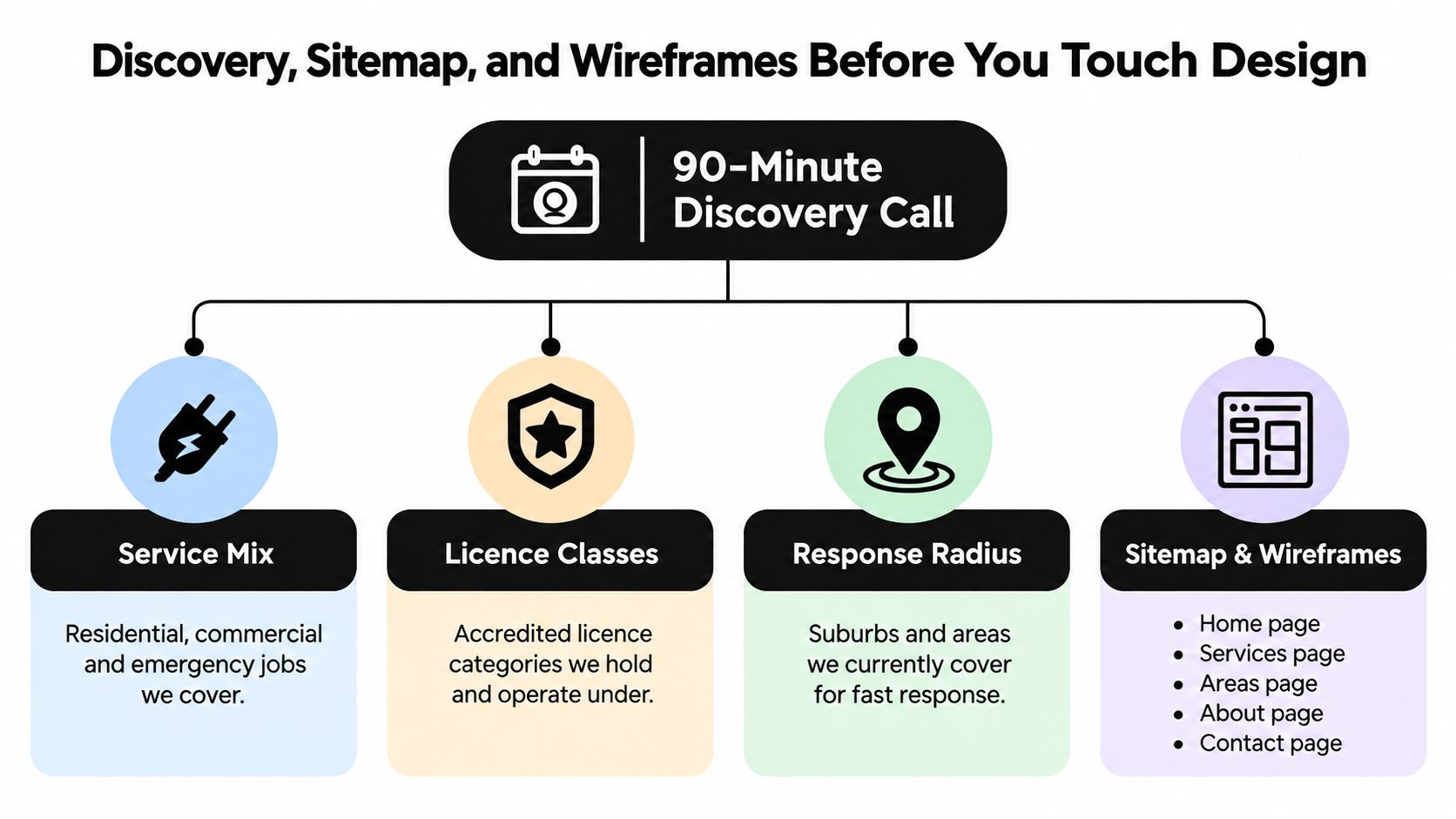
The best electrician website projects start in a shared document, not in a design tool. Before opening Figma, I want a clear view of the contractor's service mix, licence classes, response radius, average job types, and the reason customers choose that electrician over another local operator.
A focused discovery conversation should identify three visitor groups:
- Emergency visitors, who need immediate reassurance and a direct call path.
- Residential quote visitors, who want to understand the work, likely process, and next step.
- Commercial visitors, who may need capability information, documentation, and a tender conversation.
The sitemap should reflect those decisions. It shouldn't copy the internal structure of the business if that structure makes customers work harder.
A practical sitemap
At minimum, I'd consider the following page groups:
- Emergency Electrical Services: A direct call route, service area confirmation, and concise urgency messaging.
- Residential Services: Individual pages for the jobs the business prioritizes, such as lighting, rewiring, switchboards, and EV chargers.
- Commercial Services: Capability, project examples, compliance information, and an enquiry route suited to facilities managers and builders.
- Service Areas: A useful hub linking to substantive suburb pages with local context.
- About and Trust: Licence details, insurance, team photographs, process, and relevant experience.
- Contact and Quote: A short form, phone number, opening information, and after-hours instructions.
Wireframes should block the important elements before colour and typography enter the conversation. The first screen needs a clear service statement, a location, a primary action, and a trust row. On mobile, the header should include a tap-to-call action. The quote form should use four fields, name, phone, suburb, and job description, with an optional photo upload where that helps qualify the work.
The form structure comes from Australian electrician conversion guidance that recommends a call-first layout, visible licence information, service-area clarity, and separate emergency and quote paths in this electrician website audit. The point isn't to copy a template blindly. It's to remove decisions that don't help a person contact the right team.
What to decide before design
Confirm which suburbs are actively serviced, which jobs are profitable, who answers calls, and what happens after a form submission. A beautiful wireframe can't fix an undefined handoff between website, phone, calendar, and CRM.
Page-by-Page Layout That Turns Visits Into Calls
A homepage should establish relevance immediately. A headline such as “Licensed electricians serving Melbourne's south-east” is more useful than “Your trusted electrical experts” because it tells the visitor what the business does and whether the location is suitable.
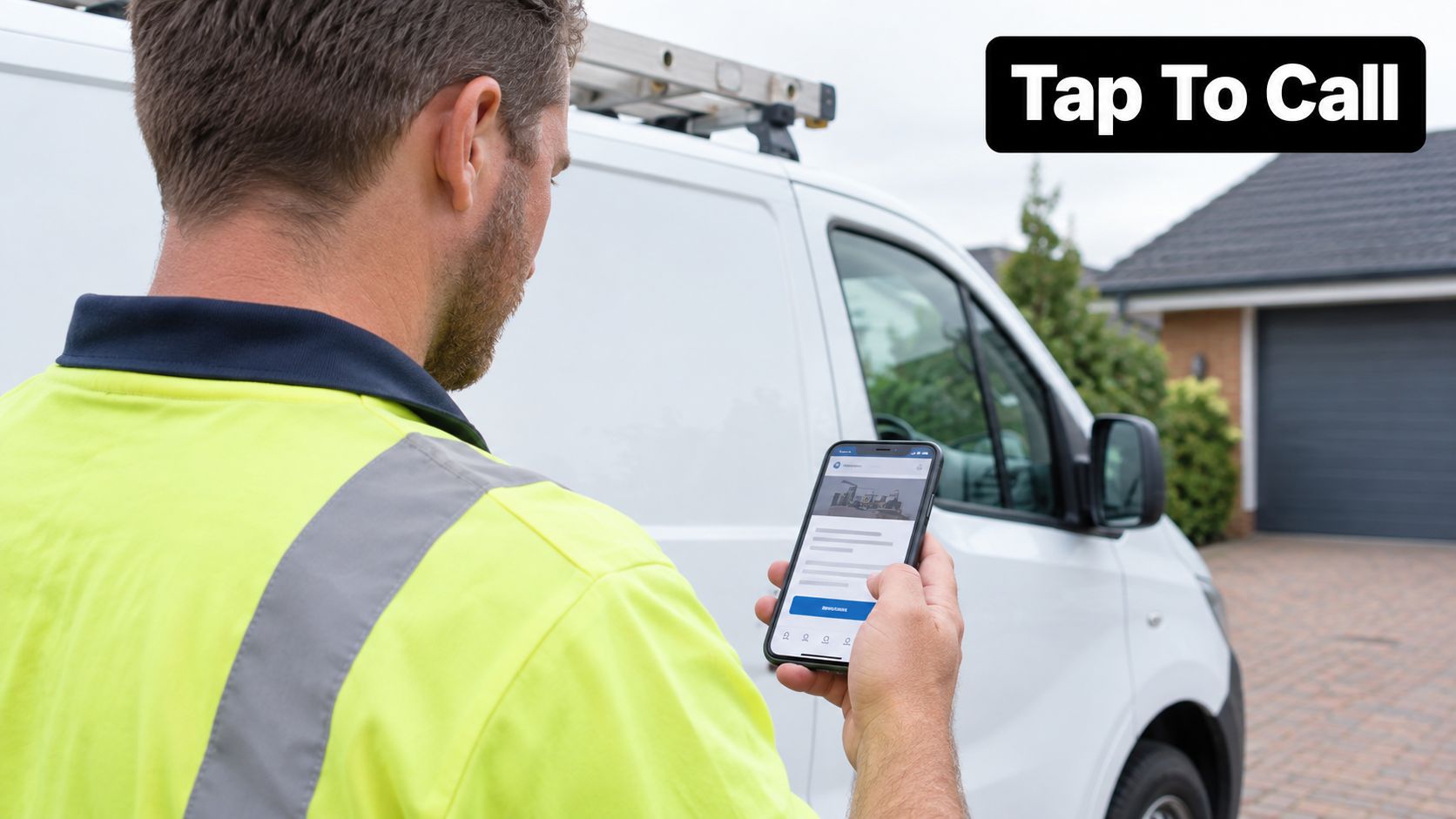
The header should keep the phone number visible, especially on mobile. A primary action can change according to operating hours, using “Call Now” for urgent periods and “Request a Quote” or “Book Online” for planned work. The trust bar belongs near that first action, with genuine licence information, insurance details, review evidence, and a current project image.
Service pages need a job-specific promise
Each important service deserves a page that matches the search intent. An emergency electrician page should make the next call obvious. A planned lighting page should explain what the visit involves, what information helps prepare a quote, and which suburbs are covered. A commercial page should show evidence of organised work rather than push a homeowner-oriented sales message.
I often use a problem, consequence, solution structure:
- Problem: Describe the situation in plain language.
- Consequence: Explain why delaying the work may create inconvenience, safety concerns, or project delays without making unsupported technical promises.
- Solution: Show the process, credentials, service area, and contact option.
Area pages should be genuinely local. A page for Clayton can mention the actual service radius, common property types, access considerations, and relevant completed work if those details are true. Copying the same text and replacing suburb names creates weak user experiences and gives the business little useful local proof.
After the page structure is clear, a short video can help visitors understand the people behind the service.
The contact page should remove hesitation
The contact page isn't a dumping ground for every possible field. Use the four-field quote form, a clear phone action, and an after-hours option. The form should tell the visitor what happens next, such as a callback, triage question, or booking confirmation.
Australian conversion benchmarks reported an overall website conversion rate of 1.78% in September 2024, with desktop at 4.3% and mobile at 2.2%. The same benchmark placed professional services between 1.6% and 7.4%, as shown in Australian website conversion benchmarks. These figures aren't a promise for an electrician, but they demonstrate why page layout, mobile usability, and action placement deserve measurement.
Building the Site on WordPress or Shopify
For most electricians, WordPress is the practical choice when the primary requirement is a fast, flexible lead-generation site. I prefer a lean theme such as GeneratePress or Kadence, with Gutenberg used to build reusable sections rather than loading a page builder for every element.
A custom Gutenberg block can package the call-to-action, trust bar, service summary, and suburb variation into a controlled component. That makes it easier for a WordPress website developer to keep layouts consistent while still allowing the team to update content. A service page template also reduces the risk of every new page drifting into a different structure.
A sensible WordPress stack might include WP Rocket or LiteSpeed Cache for caching, ShortPixel for image compression, Rank Math or Yoast for on-page controls, and UpdraftPlus for backups. Hosting should support the site's actual traffic and maintenance needs. Cloudways and SiteGround are possible options, while a managed WordPress arrangement may suit a business that doesn't want to handle updates.
Shopify is a different proposition. It makes most sense when the electrician also sells products, such as lighting, smart-home equipment, or electrical accessories. Shopify design can still support service content, but the store, product catalogue, checkout, and service lead flow must be planned together. Shopify CLI can scaffold and work with apps, themes, and custom storefronts, run development against a dev store, and package app versions, according to Shopify's CLI documentation.
| Factor | WordPress | Shopify |
|---|---|---|
| Primary fit | Lead-generation and content-led service websites | Ecommerce stores with products and service content |
| Design control | Gutenberg blocks, custom themes, reusable templates | Theme sections, Liquid, Shopify CLI customisation |
| Forms | Lightweight form plugin with CRM connection | Shopify Forms, Klaviyo, or external form tools |
| Ecommerce | Requires additional configuration | Native commerce foundation |
| Maintenance | Hosting, updates, backups, and plugin management | Hosted platform with theme and app management |
| Development path | Custom Gutenberg blocks and WordPress development | Shopify apps, Liquid sections, and Shopify API work |
Tracking should be included in either build. Set up GA4 with a form-submission event, a Google Tag Manager container, Meta Pixel, and call tracking. A thank-you page event is useful, but it shouldn't be the only signal because many urgent visitors will call without submitting a form.
Mobile performance is part of conversion design. Australian small-business benchmarks report that reducing mobile load time by 0.1 seconds can lift retail conversions by 8.4% and lead-generation form submissions by 21.6%, according to Australian website speed and conversion guidance. Compressing images, reducing code weight, and limiting unnecessary scripts belong in the initial build, not a later clean-up sprint.
Local SEO and Google Business Profile for Electricians
Local SEO should connect each service to the places the electrician serves. Start with combinations such as emergency electrician plus suburb, switchboard upgrade plus suburb, or commercial electrician plus area. Google Keyword Planner and tools such as BrightLocal can help organise those themes, but the page still needs useful local information rather than a list of suburb names.
A suburb page should contain a clear service statement, the true service boundary, relevant project evidence, local contact details, and a route to the correct funnel. Include an embedded map where it helps the user, and keep the business name, address, and phone details consistent across the website and business listings.
Google Business Profile signals
Set the primary Google Business Profile category to Electrician when that accurately describes the business. Relevant secondary categories may include Emergency Electrician or Solar Installer, but only when they reflect genuine services. Add real project photographs, publish useful updates, enable the call function, and check that the listed service area matches the website.
On-page implementation should support the same message. Consider Electrician or LocalBusiness schema, service-area information, review markup where permitted, and click-to-call links across mobile pages. Keep licence information current and make sure the business doesn't imply coverage outside its actual radius.
For a broader process, LPagery for local SEO offers useful ideas for organising local landing pages while avoiding thin, interchangeable content.
Reviews need an operating process
Ask for feedback immediately after a completed job, send the customer a direct SMS review link, and record the request in the CRM. If the customer gives poor private feedback, follow up personally instead of trying to manipulate public ratings. Real reviews are more valuable when they describe the service, suburb, problem, and experience in the customer's own words.
The same discipline applies to directories. Keep details consistent across Australian platforms such as Yellow Pages, TrueLocal, hipages, and Oneflare. Local SEO is less about scattering listings everywhere and more about maintaining a clear, trustworthy business identity.
Lead Capture, Call Tracking, and After-Hours Answering
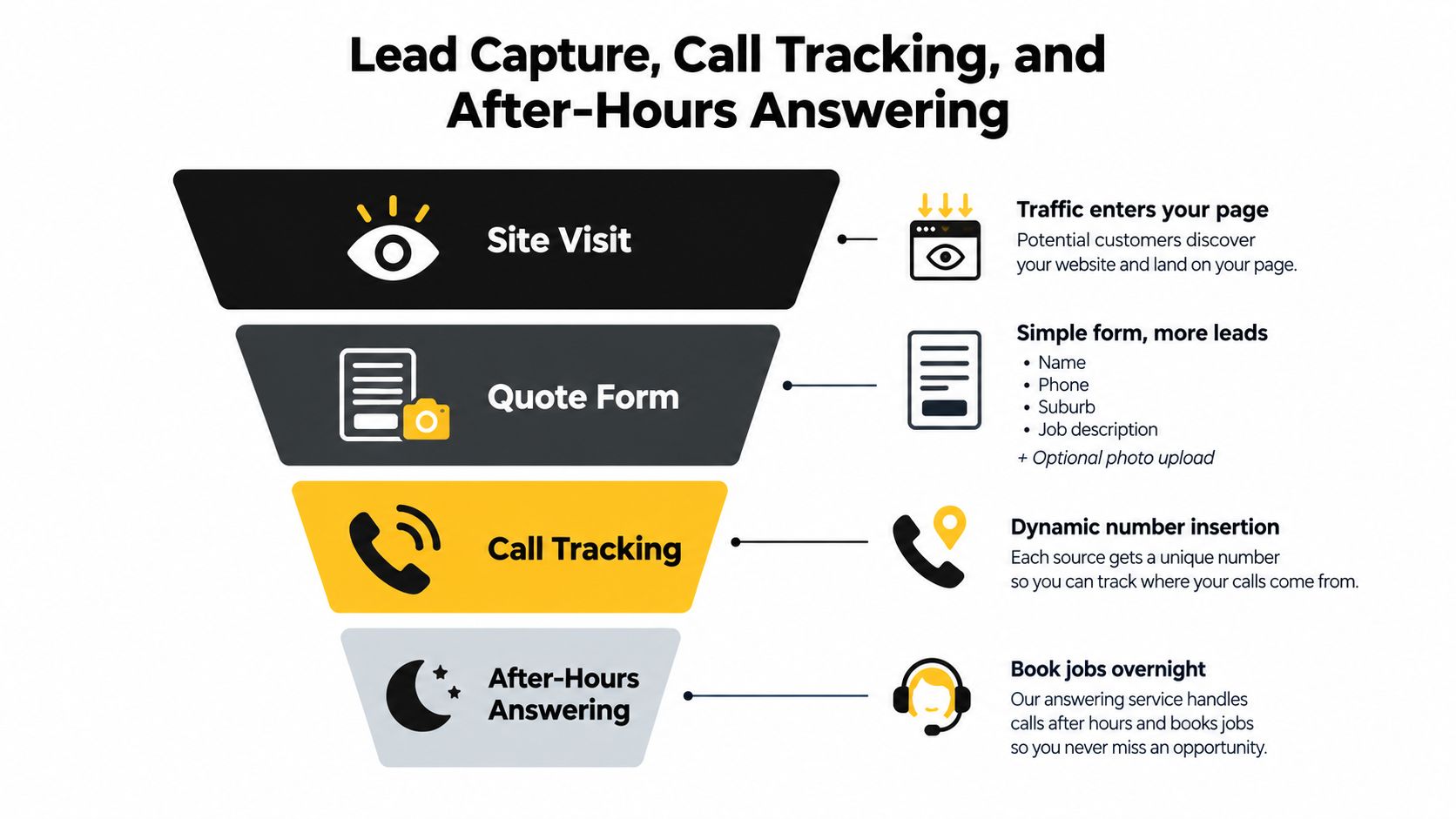
A visitor becomes a lead only when the business can identify the enquiry, respond appropriately, and record what happened next. The quote form should ask for name, phone, suburb, and job description, with an optional photo field if a panel, switchboard, or installation image helps triage the request.
On submission, send an immediate SMS or email notification to the electrician and create a CRM record in Jobber, ServiceM8, HubSpot, or the system already used by the office. The form should distinguish emergency work from planned work, but it shouldn't make an urgent customer complete a long questionnaire.
Attribute the call, not just the click
CallRail or Invoca can use dynamic number insertion to show different numbers based on the traffic source, landing page, or campaign. That lets the operator connect calls with Google Ads, organic search, or social campaigns and listen to recordings for service quality and sales coaching.
The setup needs care. The tracking number must remain visible, the original business number must still be handled correctly, and staff should understand how recordings and personal information are managed. A missed call shouldn't disappear into a spreadsheet. A missed-call-text-back automation can acknowledge the customer and invite a short reply.
A Twilio answering layer
A custom number through Twilio can route enquiries through a Studio workflow or a connected answering service. The system can answer 24 hours a day, doesn't get sick or tired, collects the job details, identifies urgent calls, and books appointments into a calendar or Calendly when the rules allow it.
That matters for tradies, hairdressers, beauty therapists, dentists, restaurants, and doctors because a missed call can represent a booking that never gets another chance. The answering layer shouldn't pretend to replace skilled human judgement. It should capture the enquiry, ask sensible qualifying questions, send emergencies to the on-call electrician, and create a clean handoff for the team.
A live chat widget can support visitors who aren't ready to call, while SMS provides a fallback for operators who don't monitor email consistently. The technology only works when someone owns the workflow and reviews the lead records.
Launch Checklist and Your 30/60/90 Optimisation Plan
Launch day should be treated as a revenue handover, not a file upload. Before the site goes live, test every form on mobile, confirm redirects, validate schema, check Google Business Profile details, verify tracking IDs, and submit test leads through the CRM webhook.
Use a simple checklist:
- Contact paths: Test tap-to-call links, quote forms, booking links, chat, SMS, and after-hours routing.
- Intent paths: Confirm emergency, residential, and commercial visitors reach different actions.
- Trust details: Check licence information, service areas, insurance references, reviews, and project images.
- Technical basics: Review indexing controls, page titles, image compression, consent settings, and broken links.
- Measurement: Confirm GA4 events, GTM tags, call tracking numbers, form records, and source attribution.
The first 30 days
The first month is for validation. Confirm that calls and forms are being recorded correctly, then compare the pages generating enquiries with the pages attracting visits but no action. Watch cost per booked call, after-hours lead share, and suburb-level conversion rate once advertising and tracking data are available.
Days 31 to 60
Use heatmaps, form records, and call recordings to identify hesitation. If callers repeatedly ask whether a suburb is serviced, move that information higher on the page. If people ask about the same type of work, strengthen the relevant service page and its call-to-action.
For the operational side, a clear invoicing process prevents completed work from becoming an administrative backlog. Resources such as streamline billing for handymen can help contractors compare software approaches, but the right tool is the one the team will use consistently.
Days 61 to 90
Once the strongest pages and messages are clear, use them as landing pages for Google Ads and Meta campaigns. Google Ads for service-based businesses should route emergency searches to emergency pages and planned jobs to quote pages. Don't send every campaign to the homepage.
Budget control matters. Google states that daily spend can reach twice the average daily budget on high-traffic days, while remaining within the monthly billing-cycle limit, as explained in this Australian Google Ads budget guide. The same guide gives a practical starting point of about AU$1,500 per month for new accounts and cites Melbourne service CPCs of roughly AU$4.50 to AU$7.00, though actual costs vary by competition, query, location, and quality.
For wider ecommerce and marketing support, an agency such as Alpha Omega Digital can combine WordPress development, Shopify development, Google Ads, Meta ads, GTM, analytics, and landing-page testing around the same measurement framework. The principle remains the same: marketing your business requires consistency, not a single launch followed by silence.
If you're a business with a paid ads budget of at least 3k a month, I'd love to offer you a low risk deal, get a month of paid ads management FREE. Alpha Omega Digital is a Melbourne-based agency serving businesses in Sydney, Brisbane, Newcastle, Perth, Adelaide, Darwin and Hobart, and you can contact Alpha Omega Digital to apply and connect your electrician website with a measurable lead-routing and advertising system.
Alpha Omega Digital
Read more insights from our team on web design, paid ads, and growth strategy.