A builder can have a polished website, a strong reputation and a full calendar of past work, yet still lose good projects every week. The phone rings while the team is on site. A form lands in an inbox nobody checks until the evening. A homeowner asks for a quote, receives a generic reply, then calls the next builder who answers. That's why lead generation for builders isn't just about buying more traffic. It's about protecting every enquiry from the first click through to a qualified conversation, site visit, proposal and signed project.
Australia's construction market is large and fragmented. One industry source cites more than 390,000 construction businesses operating across Australia, with the sector described as a $360+ billion annual industry. The same source reports that 67% of construction firms rely primarily on referrals, while 23% struggle with lead generation. That combination creates a familiar problem for Melbourne builders: word of mouth may keep the business moving, but it doesn't provide enough control over pipeline quality, response times or future demand. (Construction lead generation strategies in Australia)
The practical answer is a connected system. Your website must qualify visitors. Your ads must attract people in the right suburbs. Your CRM must route enquiries quickly. Your estimator needs enough information to decide whether a lead is worth a call, and your reporting must show which sources produce signed work rather than cheap form fills.
Why Most Builder Lead Generation Quietly Fails
A custom home builder in Melbourne's outer suburbs can be busy on site and still have a weak sales pipeline. The work is visible, referrals are coming in and the team is quoting regularly, but the builder's website generates enquiries that nobody handles properly. Calls go unanswered during concrete pours. A contact form forwards to a personal Gmail account. By the time someone replies, the potential client has already spoken with another builder.
I've seen the same pattern across campaigns. The builder believes the problem is traffic, so the first instinct is to increase Google Ads spend. Yet the real leak often appears after the visitor has made contact. The form asks too little, the lead goes to the wrong person, the response contains no useful next step and the quote takes too long to prepare.
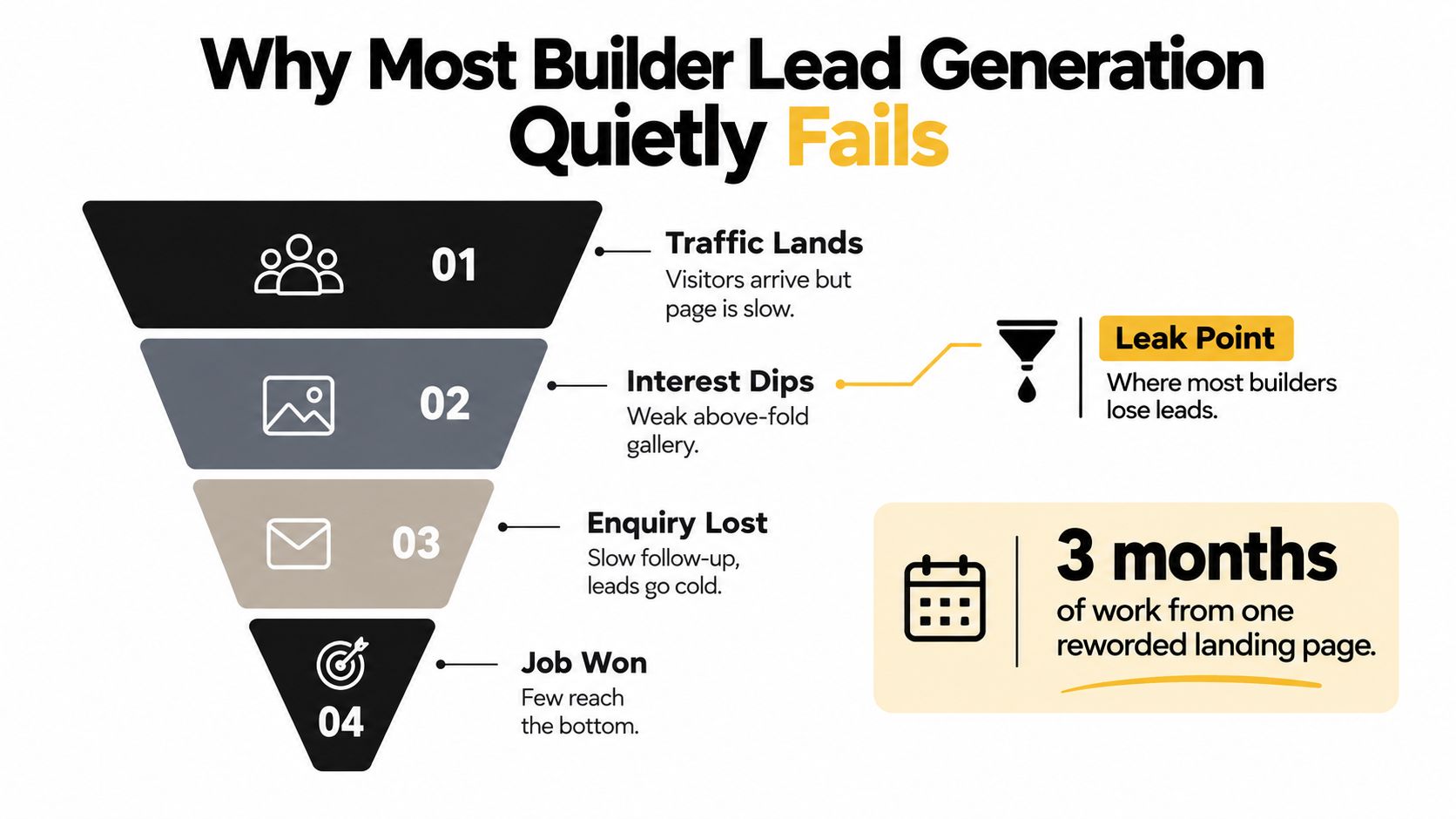
The four leaks I look for first
Traffic lands on a slow or vague page. A prospective client arrives from search and can't immediately tell whether you build extensions, knockdown rebuilds, custom homes or investment properties. If the page opens with a stock image and a generic “Welcome to our website”, the visitor has to work too hard.
Interest drops before the first enquiry. A project gallery without suburb names, build type or context looks attractive but doesn't answer the buyer's real question: “Have you delivered something like my project?”
The enquiry disappears operationally. Calls reach voicemail, forms go to an unmonitored inbox and paid leads aren't tagged by campaign. Nobody can tell whether Google Ads, referrals or a directory listing produced the opportunity.
The sales process filters badly. Some builders quote every enquiry the same way. A serious knockdown-rebuild prospect and someone looking for a quick DIY estimate receive the same response, even though they need different handling.
A regional benchmark reports that builders responding within two hours close at three to four times the rate of those waiting 48 hours. It also reports that Australian builders commonly allocate 1% to 3% of revenue to marketing, while data and tracking remain the weakest benchmark dimension. (Building and construction marketing benchmark) The lesson isn't that every builder needs to answer every call personally. It's that the response process has to work when the owner is driving between sites.
Practical rule: Treat every enquiry as a handover problem. Decide who receives it, what they see, how quickly they respond and what happens if the first call isn't answered.
You can borrow useful acquisition ideas from other property sectors, including these proven real estate lead generation tips, but builders need to adapt them around longer buying journeys and project qualification. The remainder of this guide focuses on the points where campaigns usually lose value: page experience, local visibility, paid search, forms, routing, follow-up and measurement.
Building a Website That Converts Builder Traffic
A builder's website has two jobs. It needs to prove that the business can deliver the project, and it needs to make the next conversation easy. A beautiful gallery that hides the phone number or sends enquiries into a black hole is a brochure, not a lead-generation asset.
Start with the first screen
The opening section should identify the service, location and action without forcing the visitor to scroll. For example:
Custom home builder in Melbourne's south-east, with a clear button to discuss your project.
That message is more useful than “Building dreams since 1998” because it answers the first three questions a visitor has. What do you build? Where do you work? What should I do next?
Use real project photography wherever possible. A gallery should include captions such as “Knockdown rebuild in Cranbourne”, “Two-storey extension in Brighton” or “Custom home in Werribee”. The caption gives search engines local context and helps a buyer recognise whether your experience matches their brief.
The website should also show trust signals in the places where people make decisions. Depending on the business, that may include registration details, relevant memberships, warranties, testimonials, completed-project addresses where appropriate and a clear explanation of the build process. Never present a badge without explaining what it means or confirming it's current.
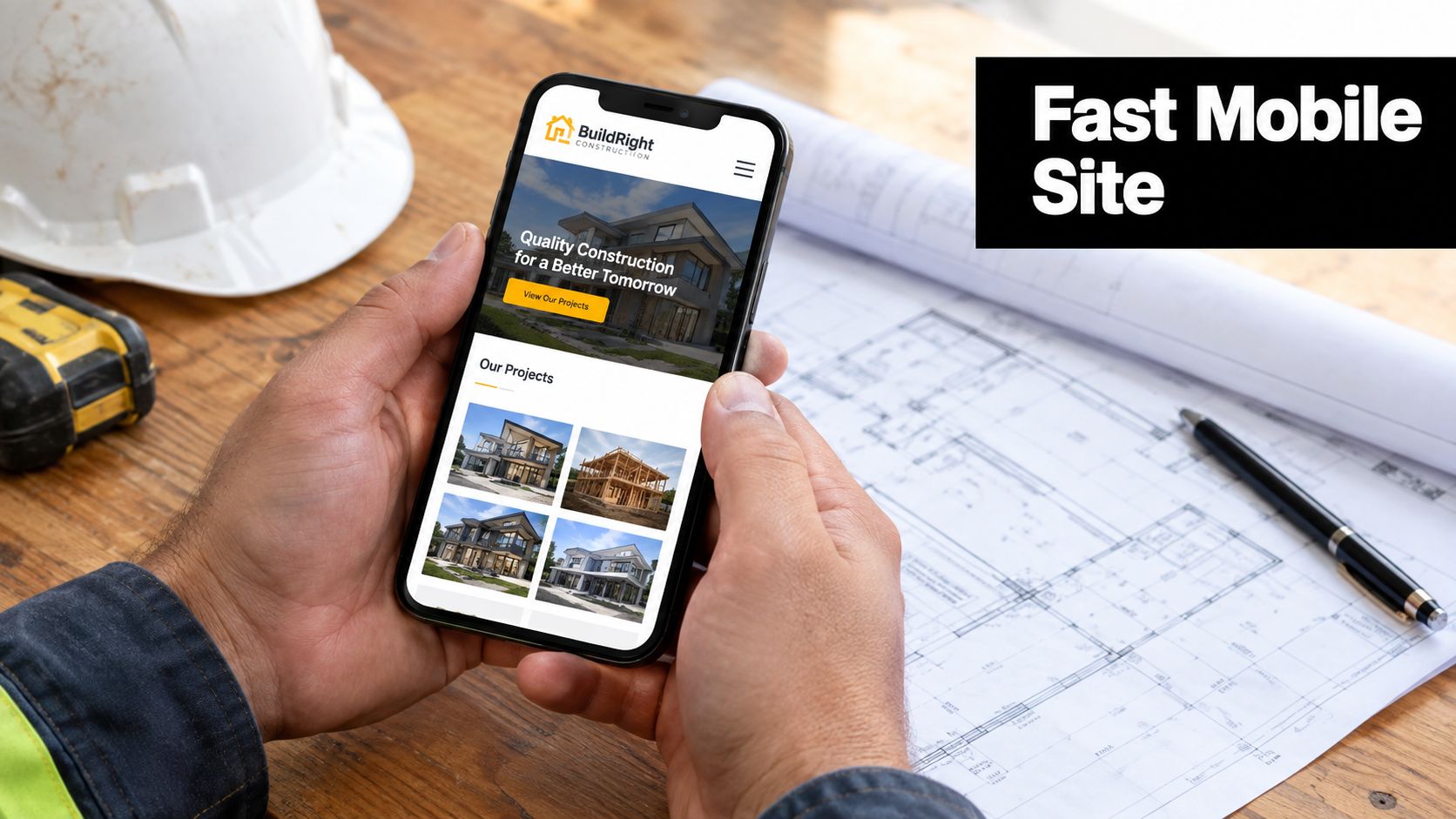
Make the conversion path obvious
Service segmentation improves both user experience and campaign relevance. Give new builds, extensions, renovations and knockdown rebuilds their own sections or landing pages. Each page should show relevant projects, answer common objections and use a matching call to action.
A short form usually creates less friction, but it also gives the sales team less information. A longer form can improve qualification while reducing completion volume. The right choice depends on traffic quality and sales capacity, so I prefer testing two versions rather than choosing based on opinion.
Useful actions include:
- Call now: Make the phone number clickable on mobile and repeat it near the project gallery.
- Request a feasibility chat: Use this for early-stage prospects who aren't ready for a formal quote.
- Book a site discussion: Connect the form to a calendar only when the team can reliably honour available times.
- Download a project guide: Use a resource to capture buyers who are researching rather than ready to call.
Fixes you can deploy this week include replacing generic stock photos with job-site images, adding a recent-project carousel, embedding selected Google reviews and connecting the contact form to CRM webhooks. The button label matters too. “Submit” says nothing about the outcome. “Discuss your build” or “Request a project assessment” sets a clearer expectation.
For technical work, a WordPress development partner can build reusable project templates, custom Gutenberg blocks and tracking-ready forms without forcing every page into a rigid theme layout. Shopify is more relevant to ecommerce builders and suppliers, where product catalogues, trade accounts and quote requests may require Shopify development or a custom Shopify API connection. In either case, performance, mobile usability and clean conversion paths matter more than decorative features.
Local SEO and Google Business Profile for Builders
Builder searches are intensely local. A homeowner may search for “custom home builder near me”, “knockdown rebuild builder Cranbourne” or “extension builder Melbourne eastern suburbs”. The map results and organic listings need to confirm that the business operates in that area, not merely that the website contains a suburb name.
Build a complete Google Business Profile
Start with the category that best represents the core service, then add relevant secondary categories where available. A custom home builder may need a different category structure from a renovation specialist or general contractor. The profile should include an accurate service area, operating hours, phone number, website and a description written for actual customers rather than stuffed with keywords.
Project photos should be uploaded regularly. Show completed homes, details, construction stages, team members and site conditions. A photo of a finished kitchen is useful, but a sequence showing the design decision, build process and completed result gives prospective clients more confidence.
Google Posts can highlight completed projects, planning advice, new display homes and seasonal availability. The Q&A feature also deserves attention. Add clear answers to questions buyers regularly ask, such as whether you work with clients who already own land, what information is needed before a feasibility discussion and which suburbs you service.
Create suburb pages people can trust
A page targeting “builder in Cranbourne” shouldn't be a copy of a page targeting “builder in Brighton”. Give each location a genuine reason to exist:
- Local project evidence: Explain what was built, without publishing confidential details.
- Service relevance: Mention whether the area produces demand for extensions, new builds or knockdown rebuilds.
- Practical context: Discuss access, site constraints, planning considerations or common design preferences only when the business has real experience.
- Clear next step: Offer a project conversation or site assessment, not a vague contact page.
A page can include an embedded map, local project photography, internal links to relevant services and suitable structured data. Avoid producing dozens of thin suburb pages with interchangeable paragraphs. Local SEO rewards clarity and credibility, and buyers notice when a page was created only to catch a search query.
Reviews support both trust and local visibility. Ask for feedback after a successful handover, make the request easy to complete and respond personally to every review. Don't write identical replies. Mention the project type or the client's concern when it's appropriate, while protecting privacy.
Google Ads Campaigns That Bring Real Enquiries
Google Ads can put a builder in front of a person who is actively searching for help, but only when the account separates intent properly. A campaign targeting “home builder Melbourne” shouldn't share the same landing page, ad language and negative keywords as a campaign targeting an existing customer searching for the business name.
A practical three-campaign structure
For a metro builder working with a monthly media budget of roughly $4,000 to $6,000, I'd consider three core campaigns:
- Brand defence: Protect searches for the builder's business name and direct high-intent visitors to the most relevant page.
- Service intent: Target phrases such as “home builder [suburb]”, “renovation builder near me” and “custom home cost”.
- Competitor research: Test competitor terms cautiously, with clear messaging and strict budget control.
The following split is a planning example, not a promise of performance:
| Campaign | Monthly Budget | Avg CPC | Target CPL | Primary KPI |
|---|---|---|---|---|
| Brand defence | $800 | $4 to $12 | $80 to $220 | Qualified branded enquiries |
| Service intent | $2,500 | $4 to $12 | $80 to $220 | Qualified conversations and site visits |
| Competitor terms | $1,500 | $4 to $12 | $80 to $220 | Cost-effective qualified opportunities |
The CPC and cost-per-lead ranges above are practical planning ranges for builder campaigns in Australian capital cities, not guaranteed outcomes. Actual costs depend on location, competition, landing page quality, targeting and conversion tracking.
Use exact and phrase match deliberately while the account gathers reliable data. Build negative keyword lists around jobs you don't accept, training searches, free plans, DIY research and employment queries. Set location targeting around the office and profitable service areas, then check the actual search terms rather than trusting the campaign name.
Write ads for homeowners
A responsive search ad should sound like a builder, not a media buyer:
Headline: Custom Home Builder in Melbourne
Description: Talk through your block, design goals and build requirements with an experienced local team. Request a project discussion.Headline: Knockdown Rebuild Specialists
Description: Planning to replace your existing home? Share your suburb and project brief to discuss the next practical step.Headline: Renovation Builder for Your Suburb
Description: See recent extension and renovation projects, then enquire about your site and preferred timeline.
Send each ad group to a dedicated landing page. A visitor searching for a renovation builder shouldn't land on a homepage dominated by luxury new builds. Track phone calls with Google forwarding numbers where suitable, record form submissions as conversions and upload offline milestones when a lead becomes a signed project.
Budgeting should start with click capacity, not impressions. One Australian guide recommends beginning with enough daily budget to capture roughly 15 to 20 clicks per day, while noting that Google may spend up to twice the average daily budget on high-traffic days without exceeding the monthly billing limit over the billing cycle. (Google Ads costs in Australia)
Lead Magnets, Forms and Qualification Flows
A builder's form should help the business decide what happens next. Asking only for a name, email and phone number makes completion easy, but it leaves the estimator with no idea whether the enquiry concerns a $400,000 knockdown rebuild, a small repair or a project that isn't ready for a conversation.
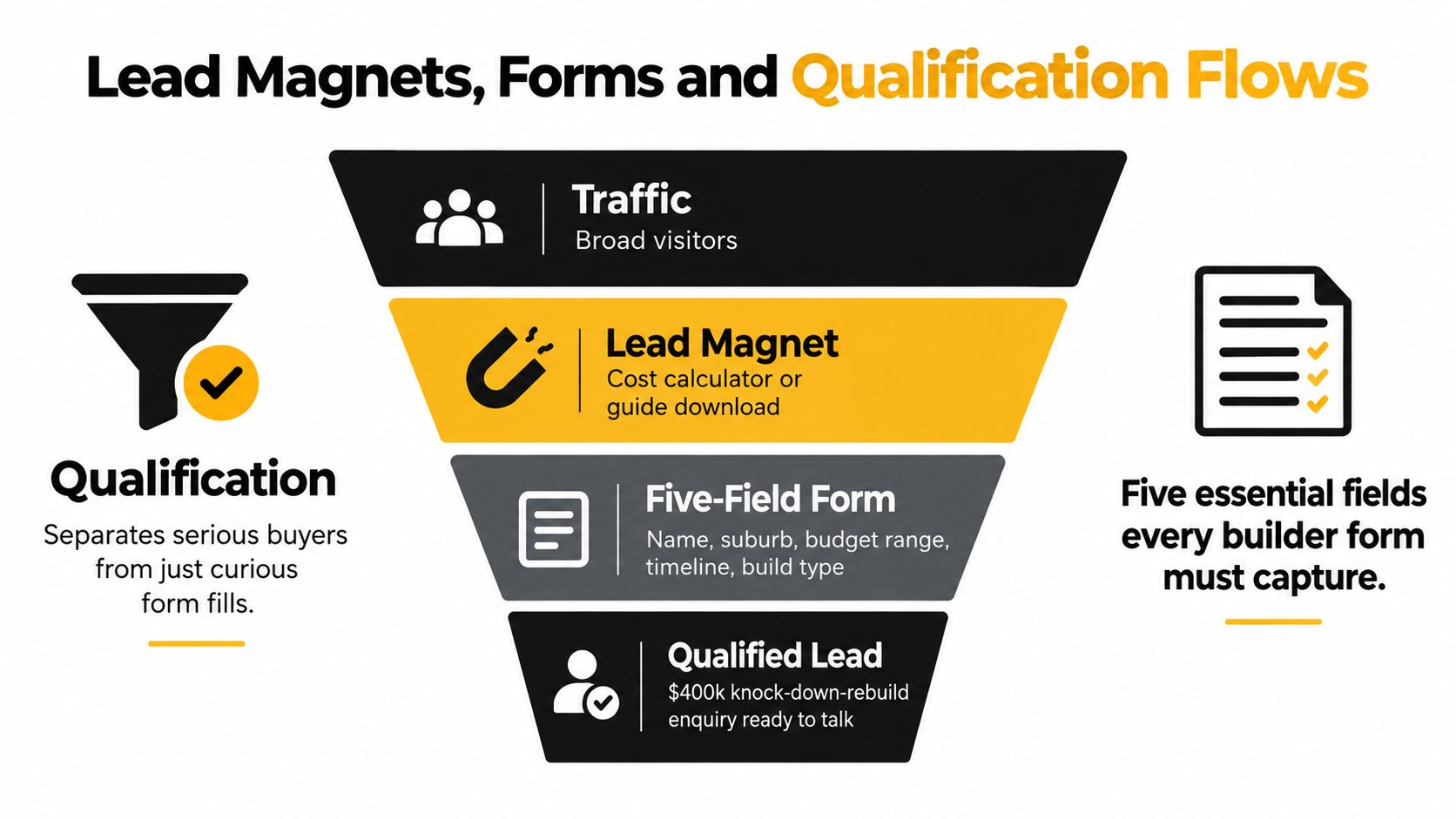
Capture the information that changes the sales decision
I'd make these five fields central to the qualification flow:
- Suburb: Routes the enquiry against the service area and travel requirements.
- Project type: Separates a new build, extension, renovation and knockdown rebuild.
- Land status: Shows whether the buyer owns land, has a contract or is still searching.
- Budget band: Creates a useful conversation without demanding an exact figure too early.
- Timeline: Identifies urgent, active and research-stage opportunities.
Use dropdowns where the answers are predictable. “Tell us about your project” can produce a thoughtful answer, but it also creates work for the buyer and inconsistent data for the sales team. A dropdown for project type gives you a clean field for routing and reporting.
A DIY or owner-builder selection shouldn't necessarily receive the same phone treatment as a ready-to-build homeowner. Route it into a nurture sequence with useful planning content, while higher-intent enquiries trigger a direct call task.
Match the lead magnet to buying intent
A cost guide for a specific city, a short site-visit video and a suburb-specific project gallery can all work because they answer practical questions. The resource must reflect the builder's actual process. A generic ebook downloaded by everyone creates activity, not necessarily opportunity.
Keep trust visible beside the form:
- Licence information: Display the relevant registration details clearly.
- Business identity: Include the builder's logo and contact details.
- Privacy explanation: Tell people how their information will be used.
- Expectation setting: State when someone will respond.
- No-pressure language: Don't imply that a form creates an obligation.
Three layouts cover most situations. A high-intent search landing page can use a short form beside proof and a phone button. A project gallery can place a longer qualification form after the images. A low-traffic educational page can offer a guide first, then ask for project information on the download screen.
A 2026 Australia and New Zealand benchmark covering 8,665 enquiries reported that manual contact was recorded for only 48.7% of enquiries, while the verified SQL rate for paid-search enquiries was 17.8%. (Construction lead-generation benchmark) Those figures make the operational point clearly. Form design matters, but recorded handling and stage movement matter more than raw submission volume.
CRM, Automation and Speed to Lead
The CRM should mirror the builder's real sales process, not a generic software template. Whether you use HubSpot, Pipedrive or Jobber, the pipeline needs to show where each enquiry sits and who owns the next action.
A useful set of stages is:
New Enquiry → Site Visit Booked → Quote Sent → Negotiation → Signed → Lost
Every new lead should receive an immediate acknowledgement, then a human contact attempt within five minutes where the team can support it. That timing is an operating standard, not a claim that every builder will achieve it without staffing and automation.
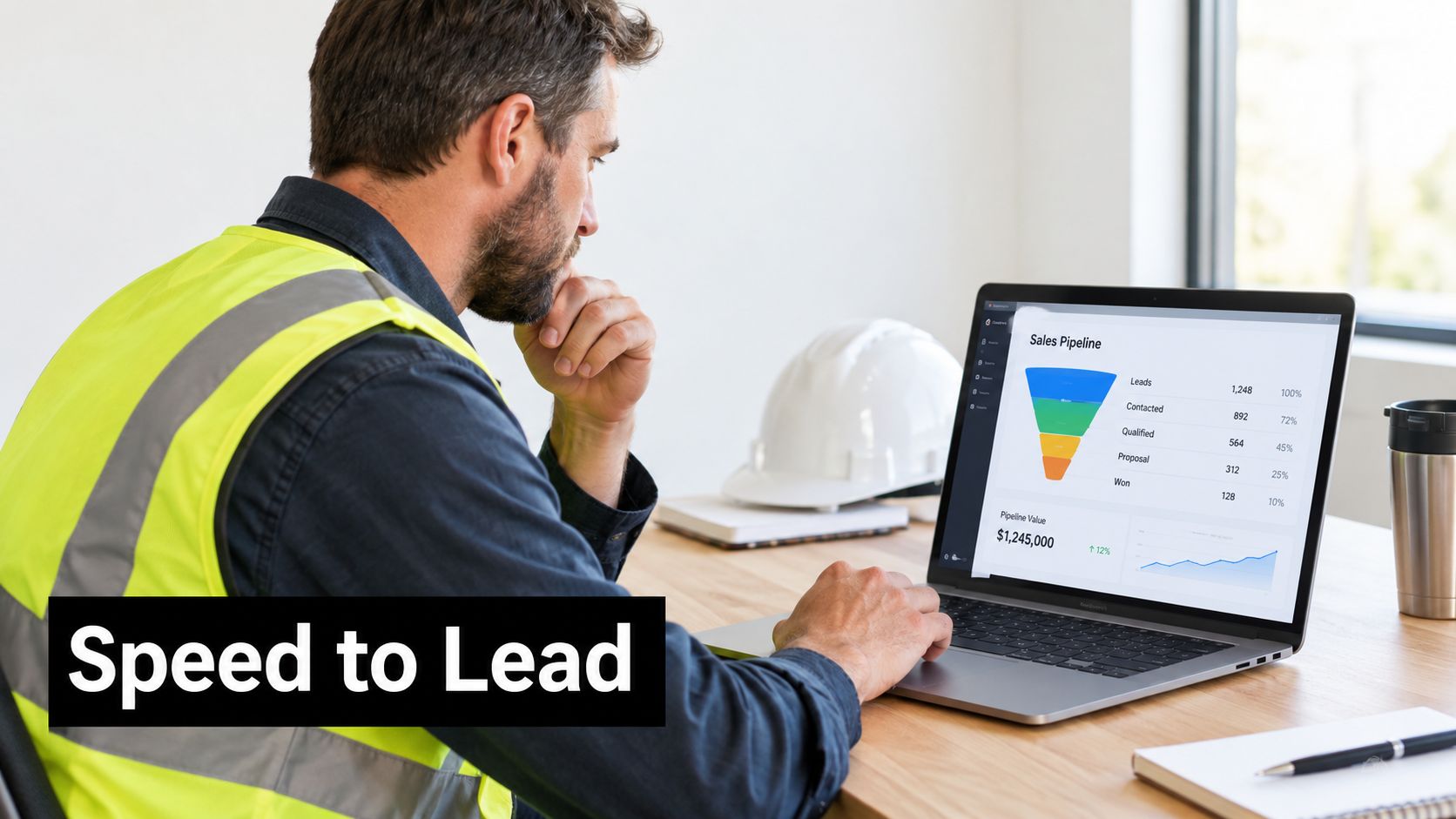
Design the first response
The acknowledgement should confirm that the enquiry arrived and restate the information submitted. An SMS might say:
Lead response: Thanks for contacting our team about your [project type] in [suburb]. We've received your details and someone will call to discuss the next step.
That message isn't a substitute for a conversation. It reassures the prospect that the form worked and gives the estimator a short window to call. If the call isn't answered, leave a useful voicemail and send a follow-up message with a booking option.
The first call should focus on fit, not a full quote. Confirm the project type, site status, location, budget expectations, timing and decision-makers. If the project is suitable, offer a site visit. If it isn't, route the lead into an appropriate resource sequence instead of letting it occupy the active pipeline.
A simple nurture sequence can run across 14 days, with three emails and two SMS messages. Use the first email to explain the process, the second to answer common questions and the third to show relevant project evidence. SMS messages can remind the prospect about the unanswered call and provide a low-pressure booking option.
Here's a useful demonstration of how automation can connect intake, qualification, communication and scheduling. Businesses exploring ways to streamline building workflows through AI should still map the human approval points before automating them.
Make ownership visible
Tag every lead by source, campaign, suburb and project type. Assign automatically by geography or project value only when the rules are reliable. A Friday pipeline review should identify enquiries without a next action, quotes that have stalled and leads marked “lost” without a reason.
The Monday report should answer practical questions:
- How many new enquiries arrived?
- Which sources produced qualified conversations?
- How quickly did the team contact them?
- How many site visits were booked?
- Which quotes remain open?
- What was signed, lost or waiting for a decision?
- Which campaigns generated calls but no recorded outcomes?
If your reporting stops at clicks and form submissions, you're managing advertising activity rather than builder revenue.
KPIs, Reporting and a 90-Day Builder Lead Plan
A builder doesn't need a wall of dashboard widgets. The monthly scoreboard should connect marketing spend to sales progress. Start with enquiries, cost per lead, lead-to-quote rate, quote-to-win rate, average project value, speed to lead, review count and cost per signed job.
Looker Studio and AgencyAnalytics can display the channel data, but the CRM must remain the source of truth for qualification and sales stages. Google Ads may know that a form was submitted. It won't know whether the site visit happened or the contract was signed unless that information is passed back.
Red flags in the numbers
A high enquiry count with low recorded contact usually indicates a routing or follow-up issue. A reasonable cost per lead with no qualified conversations suggests that targeting, form fields or landing-page promises are attracting the wrong audience. Calls without source data make budget decisions guesswork.
Builder lead costs can be volatile. One Australian source cites typical builder lead costs of $120 to $200, with 4% to 8% converting to signed contracts. (How to get building leads) That's why qualification and margin protection should sit beside acquisition in every review.
A practical rollout
Weeks 1 to 2: Audit the website, landing pages, phone handling, forms, CRM stages and analytics. Confirm that every conversion has an owner and a source.
Weeks 3 to 4: Launch or restructure Google Ads, tighten the Google Business Profile, create service-specific pages and replace vague forms with qualification fields.
Weeks 5 to 8: Publish project evidence, request reviews, build suburb content and introduce remarketing for visitors who didn't enquire.
Weeks 9 to 12: Compare qualified opportunities, site visits, quotes and signed work. Scale the campaigns that produce suitable projects and cut sources that create unproductive volume.
For planning, Australian small-business Google Ads guidance commonly places an initial spend around AUD 1,000 to AUD 2,000 per month, with management fees added separately. The same guidance warns that budgets below AUD 500 per month often provide too little data for effective optimisation, while AUD 1,500 to AUD 2,000 per month is described as a more functional floor for campaigns requiring testing and bidding data. (Google Ads budget guide for Australian businesses)
The table below uses qualitative planning ranges rather than invented forecasts. Expected site visits and signed jobs depend on service fit, sales capacity, location, response time and project economics.
| Monthly Budget | Channels | Expected Enquiries | Expected Site Visits | Expected Signed Jobs |
|---|---|---|---|---|
| $1,500 | Focused Google Search and local SEO foundations | Establish a measurable baseline | Track qualified conversations first | Dependent on close rate and follow-up |
| $3,000 | Google Search, local SEO and basic remarketing | Build a broader qualified pipeline | Measure movement by project type | Review after CRM data is recorded |
| $4,500 | Search campaigns, landing pages, reviews and CRM automation | Prioritise qualified enquiry volume | Compare source and suburb quality | Scale only after signed-job attribution |
| $6,000 | Search, remarketing, content, local SEO and conversion testing | Support multiple service categories | Assess capacity before adding spend | Optimise towards profitable project types |
Reporting standard: If an agency can't show which leads became qualified conversations, site visits, proposals and signed projects, it hasn't finished measuring the campaign.
Builder marketing also needs consistency. A new website won't compensate for missed calls. A Google Business Profile won't replace a sales process. Paid traffic won't rescue a team that takes days to respond. The strongest system is the one the business can operate every week, with clear ownership and honest reporting.
Alpha Omega Digital is a Melbourne-based option for businesses needing conversion-focused WordPress or Shopify development, Google Ads and paid social support. The team works with clients in Melbourne, Sydney, Brisbane, Newcastle, Perth, Adelaide, Darwin and Hobart, combining website work, campaign management and marketing automation around measurable enquiry paths.
If your paid ads budget is at least $3k a month, I'd love to offer you a low-risk deal: get a month of paid ads management free. Alpha Omega Digital can help connect builder campaigns to qualification, routing and follow-up, so visit Alpha Omega Digital and apply through the contact page.
Alpha Omega Digital
Read more insights from our team on web design, paid ads, and growth strategy.