Welcome! If you're running an Australian e-commerce store on Shopify or WordPress, then you've definitely seen them: the product images and prices that dominate the top of a Google search. These are Google Shopping ads, and from my experience as the head of a marketing agency in Melbourne, they are one of the most powerful tools in your marketing arsenal.
Why Google Shopping Is Your E-Commerce Game Changer
As a marketing agency owner based in Melbourne, I've used these ads to transform businesses by putting their products right in front of customers at the exact moment they’re ready to buy.
I want you to think of a Shopping ad not just as an advertisement, but as your prime digital shelf space on the busiest shopping street in the world. It’s visual, immediate, and packed with the key info a buyer needs to make a quick decision—image, price, and brand.
Unlike standard text ads that have to win you over with clever copy, Shopping ads lead with the product itself. This visual-first approach grabs attention instantly and pre-qualifies every click. Shoppers see exactly what they’re getting and how much it costs before they even land on your site, which means the traffic you pay for is usually much higher quality and far more likely to convert.
The Power of High Intent
The real magic behind Shopping ads on Google is their ability to connect with people who have high buyer intent. When someone searches for "Nike Air Max 270 size 11," they aren't just browsing; they're actively looking to pull out their credit card.
Having your product appear at the top of that search is the digital equivalent of a customer walking into a store and finding exactly what they want on the front display.
This is a world away from other types of ads. A social media ad, for instance, might interrupt someone scrolling through their feed, hoping to create interest out of thin air. A Shopping ad, on the other hand, simply answers a direct request. This is why it's a core part of the PPC for tradies campaigns we run, because it targets people actively looking for a solution.
From my firsthand experience managing campaigns, the conversion rates from Shopping ads consistently outperform other channels for e-commerce clients. Why? Because you’re meeting an existing demand, not trying to create a new one.
To really get your head around the role of Google Shopping, it helps to understand the broader world of Paid Search Marketing, where advertisers pay to be seen. Within that world, Shopping ads are a specialised tool, built from the ground up to sell physical products online.
For e-commerce stores, especially those built by a skilled WordPress developer or a team of expert Shopify developers, this creates a direct line from a Google search right to your checkout page. In this guide, I'll pull back the curtain on how these ads really work, sharing my experience to help you bypass common mistakes and start building profitable campaigns from day one.
Laying the Groundwork for Success
Before we even think about running a single ad, we need to get the foundations right. This all starts with Google Merchant Center (GMC), which is basically the central hub where Google gets to know your products inside and out. I like to think of it as your digital warehouse manager – it holds all the critical info about your inventory before it ever hits the virtual shelf.
The very first thing I do with any new client is set up their GMC account and get it talking to their Google Ads account. This link is absolutely non-negotiable. It's the pipeline that lets your product data flow from the "warehouse" (GMC) to the "shop floor" (the Google search results), and it's essential for running effective shopping ads on google.
The Cornerstone: Your Product Feed
Now, let's talk about the absolute cornerstone of this entire operation: your product feed.
At its core, a product feed is just a detailed file – think of a big spreadsheet – that lists out everything about your products. We're talking titles, prices, images, stock levels, descriptions, and a whole lot more. Getting this right isn't just a technical box to tick; it’s your single biggest competitive advantage right from the get-go.
A clean, accurate, and richly detailed feed is what tells Google precisely when to show your products. The better the information you feed it, the better Google gets at matching your items to what someone is actually searching for.
If you’re running your store on Shopify or WordPress, you’re in luck. You don't have to build this file by hand. There are some fantastic apps and plugins out there designed specifically to automate this, syncing your website's product data directly with Google Merchant Center. This is a massive time-saver and seriously cuts down on the chance of human error. Our team, which includes experts in WordPress development and Shopify development, handles this setup seamlessly.
The simple chart below shows the journey a customer takes, a journey that begins with the data you provide in that feed.
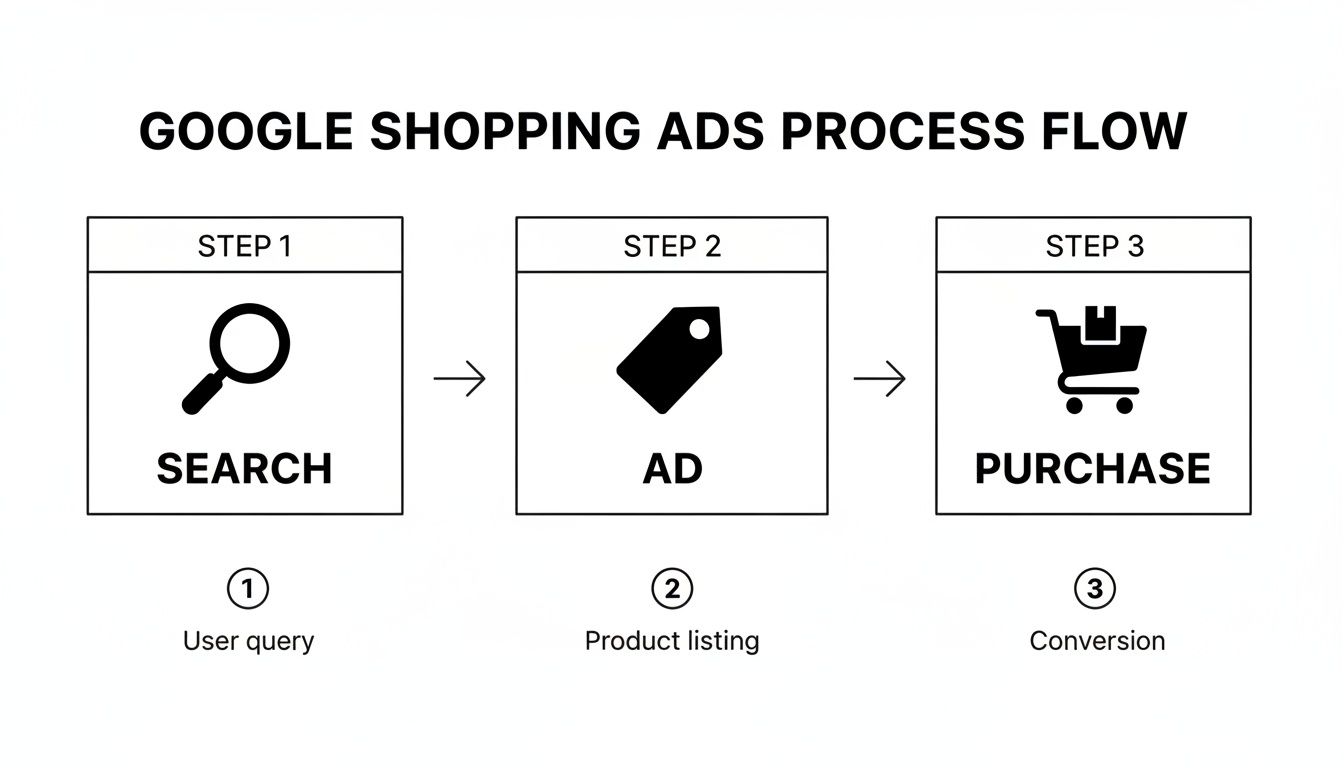
This process makes it clear just how much a high-quality product feed fuels everything that follows. It's what determines whether your ad even shows up for a relevant search in the first place.
A well-structured feed truly is the backbone of any successful Google Shopping campaign. If you want to dive deeper into the nitty-gritty, it's well worth learning how to optimize your Google Shopping product feed for some seriously better results.
Optimising your feed from day one is where the magic happens. A great product title, a high-quality image, and accurate pricing aren't just details—they are the very elements that will convince a potential customer to click your ad over a competitor's.
Choosing Your Weapon: PMax vs. Standard Shopping
Once your product feed is hooked up to Google, you arrive at a massive fork in the road. It’s a question I get from pretty much every client: should we stick with a Standard Shopping campaign, or is it time to go all-in on Performance Max (PMax)?
Honestly, there's no single right answer. It all comes down to a trade-off: how much hands-on control do you really want, versus how much you’re willing to trust Google’s AI to do the heavy lifting for you.
Think of a Standard Shopping campaign like driving a manual car. You’re in complete control. You decide when to change gears, which lane to be in, and how fast to go. You’re pulling every lever – setting bids, adding negative keywords, and structuring your campaigns just so. It’s perfect for seasoned pros who love the granular detail and have very specific goals. You get to be the strategist, directing every single dollar with total precision.
Performance Max, on the other hand, is like getting into a high-tech, self-driving car. You tell it the destination (your business goals), give it some fuel (your product feed and creative assets), and it figures out the best route. It’s a powerful, AI-driven engine that automates everything across Google’s entire network – from Shopping and Search to YouTube and Gmail. For most of my clients, PMax becomes a powerful growth machine, uncovering pockets of customers they never would have found on their own.
When to Choose Standard Shopping
I still recommend Standard Shopping campaigns in a few key situations. It makes sense if:
- You have a really tight budget. The hands-on control helps you stop wasted spend on search terms that aren't quite right, making every dollar count.
- You need to protect your brand. If you must ensure your ads only appear for very specific, highly curated searches, manual control is your best friend.
- You're a data geek who needs deep insights. Standard campaigns offer more transparent data, letting you meticulously analyse what’s working and what isn’t.
Why PMax is Often the Answer
For the majority of e-commerce businesses I work with these days, PMax is the go-to. Its ability to hunt down new customers across so many different channels is just too good to ignore. You feed it your product data, some creative assets like text and images, and a few audience signals, and its machine learning takes over to find conversions wherever they might be hiding.
This automation has become critical. Recent data on Australian e-commerce stores shows a fascinating trend where growth in Google paid traffic has dropped by a huge 68.1%, even as the number of stores running Google Ads climbed by 21.9%.
What does that tell me? It means businesses in Melbourne and right across Australia are getting smarter. They’re prioritising high-ROAS campaigns over just chasing volume. You can dig into this strategic shift in more detail with insights from leading e-commerce researchers.
For the Shopify and WordPress stores we manage as a digital marketing agency in Melbourne, PMax often delivers the efficiency needed to thrive in this competitive environment. But there's a catch: it demands clean, high-quality data to work its magic.
Standard Shopping vs. Performance Max (PMax)
To make the choice clearer, here’s a direct comparison to help you decide which campaign type is right for your e-commerce business.
| Feature | Standard Shopping | Performance Max (PMax) |
|---|---|---|
| Control | High. Manual bids, negative keywords, campaign structure. | Low. Fully automated bidding and targeting. |
| Reach | Limited to Google Search & Shopping Network. | Broad. Covers all Google channels (Search, Shopping, YouTube, Display, Discover, Gmail). |
| Setup Complexity | Simpler. Requires a product feed and campaign settings. | More involved. Needs a feed, audience signals, and creative assets (text, images, video). |
| Best For | Advertisers needing granular control, tight budgets, or specific keyword targeting. | Businesses focused on growth, finding new customers, and maximising conversions across all channels. |
| Reporting | Detailed. Search term reports and placement data. | Limited. Provides high-level insights, with less granular data on where ads appeared. |
Ultimately, the decision isn't about which one is "better" in a vacuum, but which one is better for you right now. If you’re starting out or need that fine-tuned control, Standard Shopping is a solid choice. But if you’re ready to scale and trust the AI, PMax is where the real growth opportunities lie.
Setting a Budget and Bidding for Profit

"So, how much should I actually spend?" It’s the first question every business owner asks, and for good reason. There’s no magic number, but the key is to start with a budget you’re comfortable testing with—money you can afford to part with while the campaign finds its feet and starts collecting data.
For many of my Australian e-commerce clients, a starting point of around $50 to $100 per day is pretty standard.
This initial phase isn't about making a profit straight away. Think of it as buying data. You're paying to learn what works, which products people are clicking on, and what it really costs to get a customer.
Recent Australian Google Ads benchmarks show just how much these costs can swing. E-commerce has a relatively low average cost-per-click (CPC) of just $1.82 AUD, which is fantastic news for Shopify and WordPress stores here in Melbourne. But when you look at the national average CPC climbing to $5.26 and see that a shocking 78.2% of advertisers struggle to stay profitable, you realise how critical a smart strategy is. You can dig into these Australian marketing statistics to see just why nailing your bidding is so important.
Choosing the Right Bidding Strategy
Your budget is the fuel in the tank, but your bidding strategy is the engine that drives your shopping ads on Google towards profitability. You could start with Manual CPC to get a feel for things, but the real power these days is in Google’s automated bidding strategies. They use machine learning to adjust bids in real-time for every single auction—something no human could ever keep up with.
For e-commerce, these are the two main players you'll be using:
- Maximise Conversion Value: This strategy tells Google one simple thing: get me the most revenue you can for my budget. It’s the perfect starting point for new campaigns when you don’t have enough data to set a specific return target.
- Target ROAS (Return On Ad Spend): This is the next level up. Here, you tell Google exactly the return you want for every dollar spent. For example, a Target ROAS of 400% means you’re aiming to make $4 in revenue for every $1 of ad spend.
The single most important piece of advice I give every client is this: trust the machine learning, but only after you’ve given it clean, accurate conversion data. If your tracking is off, you’re essentially teaching the AI to chase the wrong targets. That’s a fast-track to burning through your budget with nothing to show for it.
Practical Steps for Setting Your Bids
If you're launching a brand-new campaign, I always recommend taking it step-by-step.
- Start with Maximize Conversion Value: Let this run for a few weeks until you’ve gathered at least 30-50 conversions. This gives Google's algorithm enough data to figure out who your best customers are and what they’re worth to you.
- Calculate Your Break-Even ROAS: This is simple but crucial. Look at your product margins. If your average profit margin is 50%, your break-even ROAS is 200% (making $2 in revenue for every $1 you spend). Anything above that is profit.
- Switch to Target ROAS: Once you have enough conversion data and you know your break-even point, make the switch. Set your initial target just a little below your ideal goal to make sure the campaign keeps spending, then slowly nudge it up as performance stabilises.
How to Optimise Your Campaigns Like a Pro
Launching your campaign is just the start. The real money in shopping ads on Google is made in the consistent, day-to-day tweaks and refinements. This is where experience really kicks in, turning good campaigns into genuine growth engines for a business.
Over the years, I've dialled in a personal checklist for managing profitable Shopping campaigns. It’s not about finding some secret button; it’s about making relentless, data-backed adjustments that add up over time. Let’s walk through the core parts of my process.
Finding Your Winners and Losers
Your first port of call should always be the product performance report in Google Ads. Think of it as your treasure map. This is where you can see exactly which products are eating your budget without delivering sales, and which ones are your hidden gems driving conversions at a fantastic cost.
The goal here is simple:
- Identify top performers: Find the products with a high click-through rate (CTR) and a great ROAS. These are your winners. You can give them more budget or even pull them out into their own dedicated campaign for more aggressive bidding.
- Spot the budget drainers: Look for products racking up lots of clicks but zero conversions. These are just burning cash. Don't be afraid to pause them. Redirect that spend towards products that are actually making you money.
Shield Your Budget with Negative Keywords
Using negative keywords strategically is one of the most powerful things you can do. These are simply terms you tell Google not to show your ads for. To find them, you need to dive into your Search Terms report to see the actual queries that triggered your ads.
You might find your high-end leather boots are showing up for searches like "cheap rubber boots." Adding "cheap" and "rubber" as negative keywords shields your budget from those completely irrelevant clicks. It makes sure your money is spent only on people with real intent to buy what you're selling.
Revisit Your Product Feed Constantly
Finally, always circle back to your product feed. It is, without a doubt, your most powerful lever for optimisation.
Little changes here have a huge impact. Enhancing your product titles with key attributes like brand, colour, or size can dramatically lift your click-through rates. Swapping a lifestyle image for a clean, high-resolution product shot on a white background can do the same. This is where hiring an expert WordPress development company or Shopify development partners can make a real difference.
This relentless focus on data and detail is what transforms a break-even campaign into your business's primary growth engine.
Measuring What Actually Matters
If you're not tracking results properly, you're not running a marketing campaign; you're just gambling with your ad spend. As a digital marketing agency in Melbourne, the very first thing we lock down for any client is conversion tracking. It has to be crystal-clear. It’s the only way to prove your Return on Ad Spend (ROAS) and make decisions based on data, not gut feelings.
This all starts with getting the foundations right: Google Analytics 4 (GA4) and Google Tag Manager (GTM). Think of GTM as a digital toolbox. It lets you add and manage all your tracking codes—like your Google Ads tag—without having to call a developer every five minutes. We use it to make sure every single sale that comes from your shopping ads on google gets counted correctly. For many clients, this involves setting up Meta Conversion API and integrating with call tracking software like CallRail.
The Non-Negotiable Tracking Setup
For any Shopify or WordPress store, a few tracking elements are completely non-negotiable. Sure, installing the basic Google Ads conversion tag is the first step, but the real magic happens when you enable 'Enhanced E-commerce' tracking. This is what sends the juicy data back to Google Ads, including the specific value of each sale and its unique transaction ID.
That level of detail is exactly what Google's automated bidding strategies, like Target ROAS, need to work properly. Without it, the algorithm is essentially flying blind. It has no way of telling the difference between a $10 sale and a $1,000 one, so it can't possibly optimise for high-value customers. Our expertise in GTM and Google Analytics setup ensures this foundation is solid.
Getting your tracking right is the difference between an ad account that bleeds money and one that becomes a predictable profit-generating machine. Clean data is the fuel for every successful e-commerce ad campaign.
Once your data is clean and flowing in, you can finally start focusing on the metrics that drive growth. Forget getting bogged down in clicks or impressions. It’s all about conversions, conversion value, and ROAS. These are the numbers I live and breathe when managing client accounts because they tie every dollar you spend directly back to the revenue it generated.
Got Questions About Google Shopping Ads? Here Are Some Answers.
These are the questions I hear all the time from Melbourne business owners and e-commerce managers trying to get their heads around Google Shopping. I've answered them based on my day-to-day experience running campaigns that actually get results for businesses just like yours.
Can I Run Shopping Ads Without an E-commerce Website?
Generally, no. Google Shopping is built from the ground up for e-commerce stores where someone can click a product, land on a page, and buy it right there and then.
The whole system relies on a product feed that links directly to product pages with an "add to cart" button. That makes it a tough fit for most service-based businesses, which is why for them we focus on campaigns built for contact form submissions.
Why Are My Google Shopping Ads Not Spending Their Budget?
This is a classic, and a super frustrating one. If your shopping ads on google are sitting there doing nothing, it almost always comes down to one of a few common culprits:
- Your bids are too low: It’s a competitive auction out there. If your bids aren't high enough to get in the game, your ads simply won't show.
- Your product feed has errors: Head over to Google Merchant Center and check for disapproved products. Any item that violates a policy or is missing key data won't be allowed to run. It's that simple.
- Your audience is too narrow: If you've layered on too much restrictive targeting, you can shrink your potential reach so much that the campaign struggles to find anyone to show your ads to.
- Conversion tracking is broken: This is a big one. If your tracking isn't working, automated bid strategies like Target ROAS have no idea what's converting. They stop getting the data they need to work, so they just stop spending money.
How Much Does It Cost to Start Google Ads?
Google doesn't have a minimum spend, so you could technically start with a few dollars a day. But let's be realistic. For an e-commerce store wanting to see real results, I always recommend a starting budget of at least $1,500 to $3,000 per month.
That gives you enough runway to gather meaningful data, let Google's algorithm actually learn something, and make smart decisions without having to wait weeks to figure out what's working.
At Alpha Omega Digital, my specialty is turning that initial ad spend into a powerful, profitable growth engine for your business. We are a marketing agency based in Melbourne, Australia but also service clients from Sydney, Brisbane, Newcastle, Perth, Adelaide, Darwin and Hobart. Have a project in mind? Contact us.
If you're a business with a paid ads budget of at least 3k a month, I'd love to offer you a low-risk deal—get a month of paid ads management FREE. Apply now through the contact page.