A Melbourne business owner can have a polished website, tidy product photography and a growing stream of visitors, yet still wonder why enquiries or sales aren't following. Meanwhile, a competitor with a simpler site may be making it easier to find the right product, book a service or ask a question. That gap usually isn't about visual taste alone. It's about whether the website helps people take the next step.
I approach web design in Melbourne as a commercial decision. The right build should fit the business, work well on the devices customers use, and give the owner a clear way to measure what happens after someone arrives. Here's what to weigh before you choose a platform, features or agency.
Why Web Design in Melbourne Is a Growth Decision
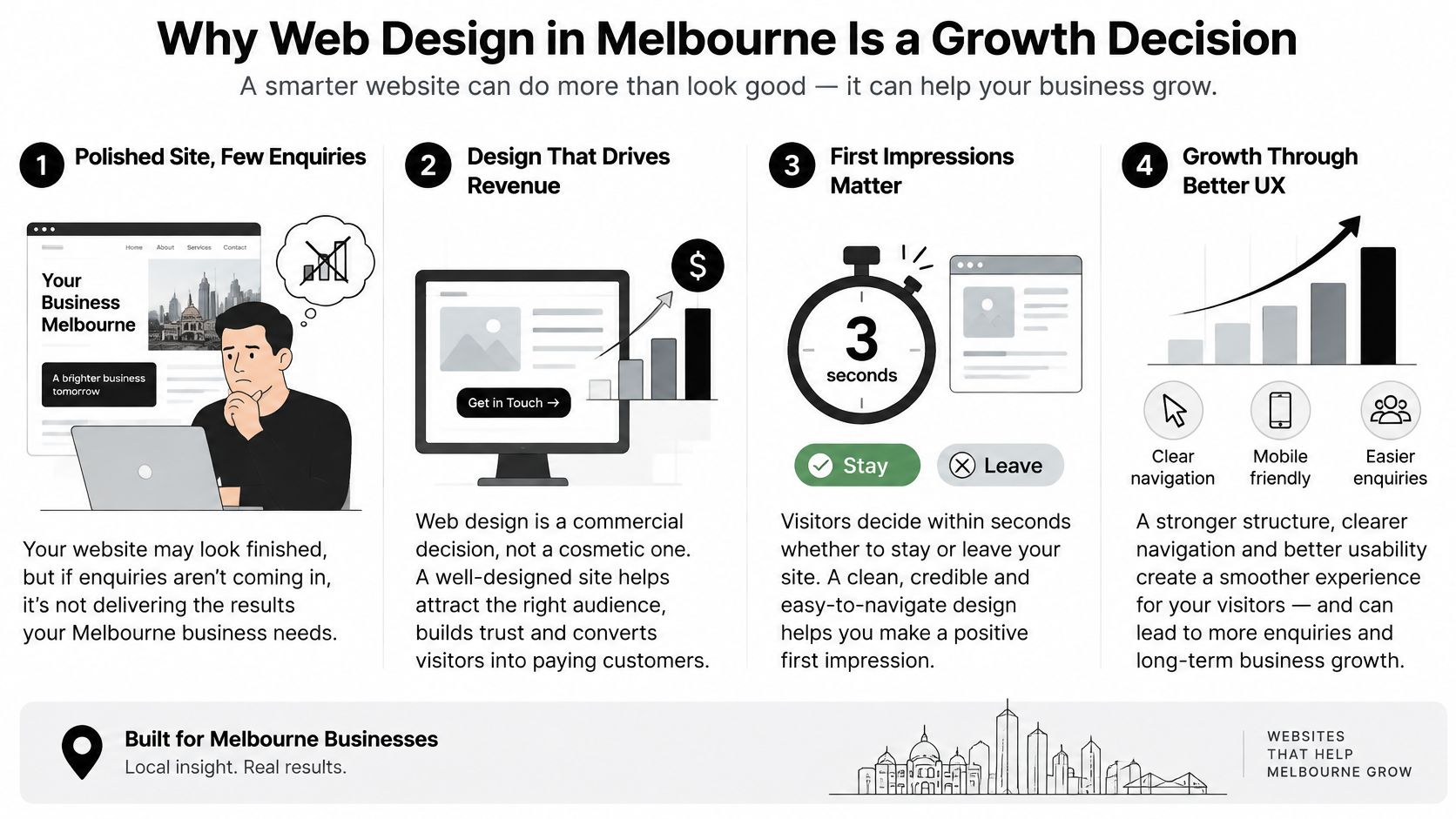
A useful website acts like a salesperson who doesn't clock off. It welcomes visitors, explains what the business offers, answers common questions and guides people towards an enquiry or purchase. If the site makes visitors work too hard to understand the offer or complete a task, a beautiful homepage won't fix the problem.
That matters because Australian customers are already online, and many are using phones to get there. In 2024, 99% of Australian adults had used at least one device to access the internet in the previous six months, up from 90% in 2019. 95% used a mobile phone to access the internet, and 85% had bought goods or services online in that period, according to the ACMA's summary of Australian internet use. For Melbourne retailers and service businesses, that makes a fast, easy-to-use mobile experience a basic requirement, not a decorative extra.
What a growth-focused site needs to do
The business goal should shape the design. A retailer might need to help people compare products and check out with confidence. A local service business may need to explain its service area, answer practical questions and generate qualified calls. In both cases, the journey should make the next action obvious.
Before commissioning a build, decide what success means for your business. It might be a completed purchase, a qualified enquiry, a booked consultation or a call from a customer who understands the service and price range. Track that outcome, rather than relying on a vague feeling that the website looks more modern.
Practical rule: If visitors can't tell what you offer, who it's for and what to do next, start with the message and page structure before polishing colours or animations.
The same commercial lens applies to search. If people are finding your business through Google, the page needs to answer the specific reason they searched, not just look presentable. For a broader perspective on the business value of SEO, consider how a website can support visibility and customer discovery over time.
The core decisions are straightforward: choose the right type of website, select a platform that suits the business, specify the conversion and measurement features, agree on a disciplined project process, and vet agencies on ownership and outcomes. Getting those decisions right makes the site easier to maintain and gives future marketing a stronger place to send potential customers.
The Main Types of Websites Melbourne Agencies Build
Start by identifying the website's job. A site designed to sell products has different requirements from one designed to generate phone enquiries. Matching the build to the job keeps the project focused and gives you a sensible way to evaluate results.
Service and lead-generation websites
A brochure or service website suits businesses such as tradies, dentists and professional service providers. Its job isn't just to list services. It should help a visitor understand what's offered, where the business operates and how to book or get in touch.
A lead-generation website is built around enquiries, often from paid campaigns. It may use dedicated landing pages, a short form, clear calls to action and call tracking. The useful outcome is a qualified enquiry, not a large tally of form fills from people who aren't a fit.
For a tradie buying Google Ads, that might mean a landing page focused on a particular service and service area, with a clear call option and a form that asks only for useful details. A more considered build can also support Google Ads for plumbers by giving each campaign a relevant page to land on.
Ecommerce and content-led websites
An ecommerce store on Shopify or WooCommerce needs well-organised collections, useful product pages, a reliable checkout and the integrations needed to handle stock, fulfilment and customer communications. Its clearest success measure is a sale, but owners should also pay attention to product discovery and checkout friction.
A content-driven website suits publishers and larger organisations that need to organise substantial information. Its navigation, categories and search function should help visitors locate the right material without requiring them to understand the organisation's internal structure.
The opportunity for an owned site remains substantial. In 2021–22, 50.7% of Australian businesses operated their own website or app, and 30% received orders via the internet. The latter figure was 32% in 2024–25, according to the Australian Bureau of Statistics' data on business technology and innovation. A social profile or marketplace can help customers discover a business, but an owned website gives the business more control over brand presentation, customer journeys and its long-term search presence.
When you're weighing a bespoke WordPress build, this guide to the benefits of tailored WordPress websites offers a useful way to think about customisation in relation to the business's needs. Whatever the site type, define success before design starts. A booked job, a sale and a qualified enquiry are different outcomes, and each needs a journey designed around it.
WordPress vs Shopify for Melbourne Businesses
WordPress with WooCommerce and Shopify can both support ecommerce. The better option depends on how the business works, what the team needs to manage and how much technical responsibility it wants to carry. Don't choose based on a platform's popularity or a developer's preference alone.
WordPress is a flexible content management system. A custom theme and carefully built plugins can support distinctive layouts, complex content and integrations suited to the business. Custom Gutenberg blocks can give a marketing team reusable page components, so staff can create and update pages without rebuilding each layout from scratch. That flexibility comes with a trade-off: the owner and development team need a plan for updates, backups, security and plugin compatibility.
Shopify is a hosted ecommerce platform. Its managed environment suits product businesses that want to focus on their catalogue, merchandising and sales without managing their own server infrastructure. The app ecosystem can add functionality, but every app should earn its place. Too many overlapping tools can create extra cost, slow pages or complicate support.
| Decision Factor | WordPress (with WooCommerce) | Shopify |
|---|---|---|
| Ownership and control | Flexible control over code, hosting choices and data, with more responsibility for maintenance. | Hosted platform with a managed environment, with platform rules and features shaping what's possible. |
| Design flexibility | Strong fit for bespoke themes, custom layouts and tailored Gutenberg blocks. | Offers themes and custom development for brand-specific storefronts and shopping journeys. |
| Content and blogging | Suits content-heavy sites and publishing workflows that need flexible page structures. | Supports store content, though complex editorial needs may call for additional planning or integrations. |
| Maintenance | Requires a clear approach to updates, backups, security and plugin management. | Hosting is managed, but the store still needs app, theme and integration oversight. |
| Ecommerce depth | WooCommerce can be extended to meet tailored business requirements. | Built for online retail, with a broad ecosystem for store operations and custom development. |
| Best fit | Businesses that value content control, custom development and flexibility. | Product businesses that want a hosted store and a commerce-centred workflow. |
When custom development earns its keep
For a WordPress project, custom development is most useful when the site needs a specific content model, a bespoke integration or a workflow that generic plugins don't handle well. A WordPress developer in Melbourne should be able to explain what will be custom, what will use an existing tool and why. If you're looking for a WordPress developer, ask how the work will be documented and handed over, not just how it will look.
On Shopify, custom development can go beyond theme edits. The GraphQL Admin API is Shopify's primary API for most apps, and it can read and write products, orders, customers, inventory and metafields, as described in Shopify's API documentation. That can support custom merchandising or operations workflows where an off-the-shelf app isn't a good fit. For a more complex store, discuss the likely development and support needs with a Shopify developer in Melbourne.
Before choosing, compare the catalogue, content needs, integrations and appetite for ongoing maintenance. An agency that works across both platforms can recommend based on those factors rather than forcing every business into the same setup. For Shopify content planning, it's also useful to consider how page content matches search intent, so product and collection pages answer the questions customers bring to them.
Conversion Features Your Website Actually Needs
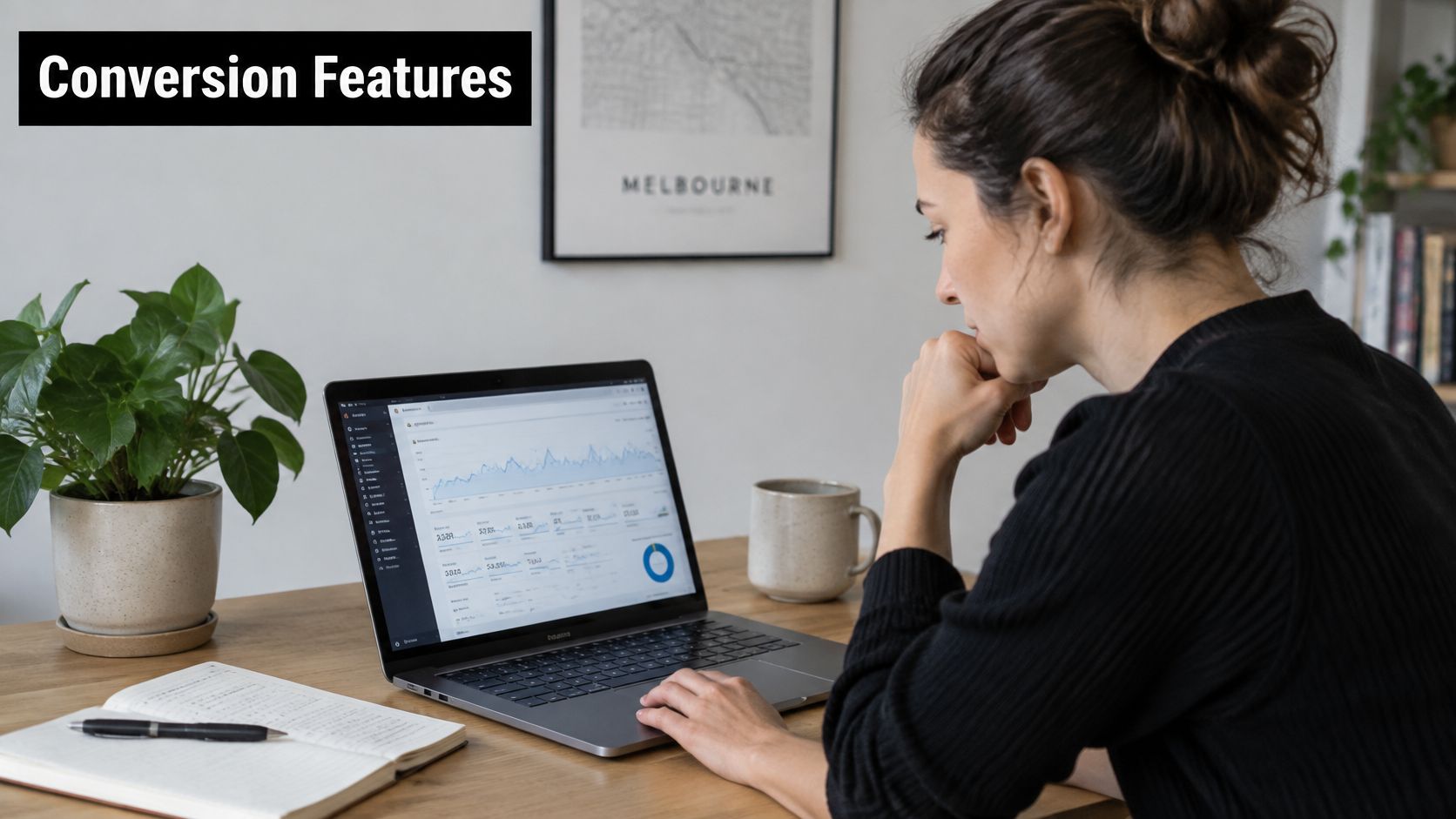
A shopper on a phone reaches checkout, then abandons it because the page is slow or asks for details they have already provided. A prospective client may leave a service site for a different reason: an unclear offer, a buried phone number or a form that takes too long to complete. Conversion features should remove these points of friction and make it possible to measure what happens next.
Make performance and usability part of the build
Google's Core Web Vitals assessment uses three thresholds: LCP of 2.5 seconds or less, INP of 200 milliseconds or less, and CLS of 0.10 or less. These are measured at the 75th percentile of real-user data. Set performance requirements before development and include them in acceptance testing, rather than treating speed as a post-launch tidy-up.
Check the elements that commonly slow a page down: oversized hero images, render-blocking JavaScript, unnecessary tracking scripts and heavy theme components. On Shopify, review whether each app earns its place. On WordPress, audit plugins and avoid loading scripts across the whole site when only one template needs them. Test representative product, collection, landing and checkout-entry pages on mobile, then review field data as well as lab results.
Phone users need readable text, clear navigation and buttons they can tap comfortably. Make calls to action specific. Keep forms short, and don't ask people to enter information the business already has.
Measure the path from visit to sale
A tracking setup should connect marketing activity to outcomes the business can act on. Agree on the events and reporting before launch, then test each one.
- Google Tag Manager: Keep tags organised with consistent names, and document what is active.
- Google Analytics events: Track useful actions such as product views, add-to-cart events, form submissions and purchases. Test that each event fires correctly.
- Meta Conversions API: Where appropriate, configure server-side event sharing alongside browser tracking, with consent and privacy controls considered from the outset.
- Call tracking: Attribute calls to the campaigns and pages that generated them, then check whether they became qualified leads or customers.
Accessible design also affects whether people can complete a task. Check colour contrast, heading order, keyboard navigation and form error messages. Before signing off, ask the agency to demonstrate its tests, name the tools it uses and explain how results will be reported.
Here's a walkthrough to consider while planning an analytics setup:
Put speed, mobile usability, clear calls to action, accessible forms and tested analytics into the scope. Ask how the agency will measure the journey from visit to enquiry or sale. Without that measurement, you can't tell whether the features are improving results.
How a Professional Web Design Project Runs
A good build doesn't begin with a mood board. It starts by agreeing what the website must accomplish and what the project includes. A defined process helps the client give useful feedback and helps the team catch missing content or requirements before they become expensive changes.
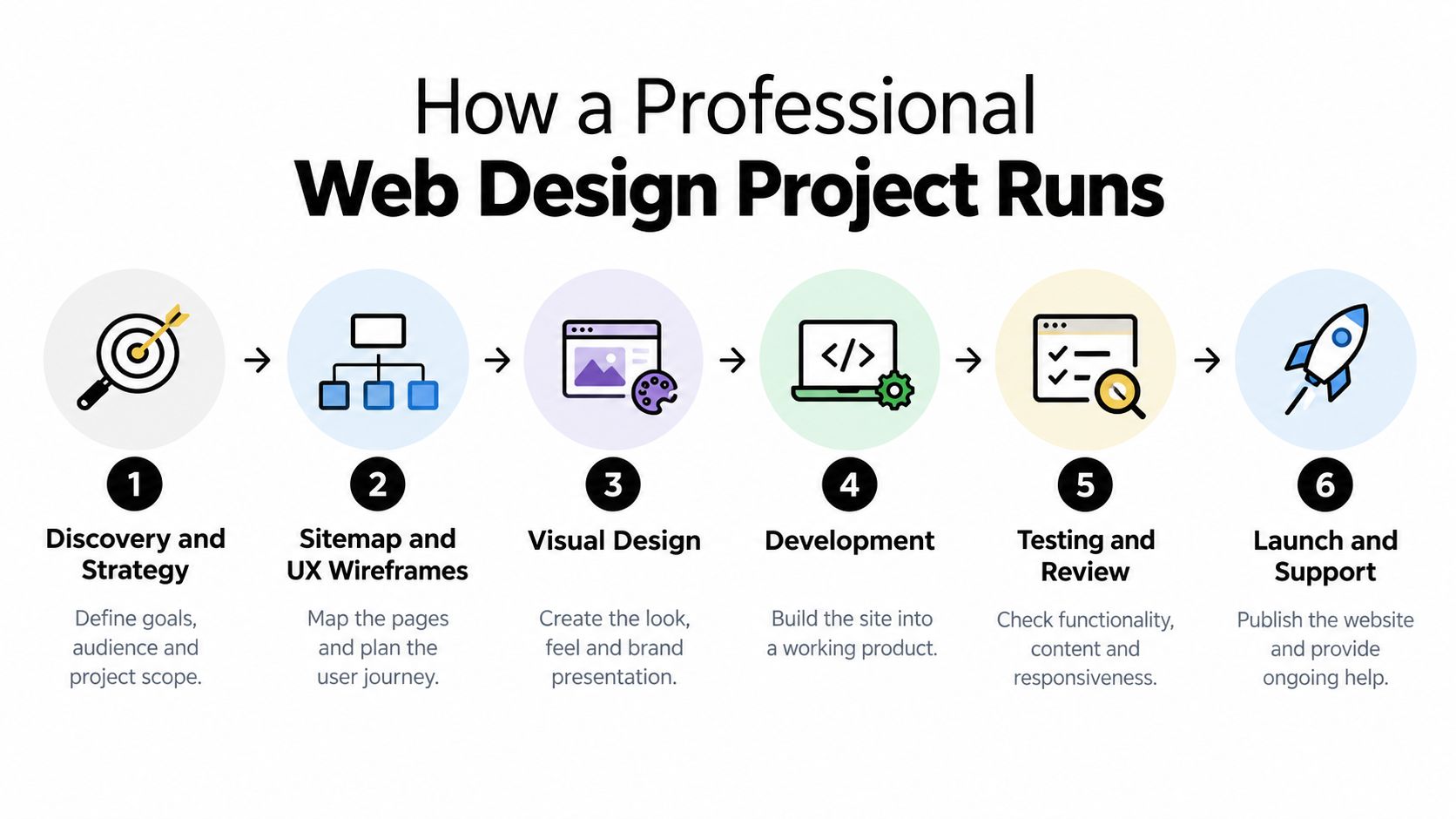
From strategy to development
Discovery and strategy clarifies the audience, business goals, existing marketing activity and scope. Bring examples of the customers you want to reach, your current website and any operational requirements, such as stock feeds or booking integrations.
Sitemap and UX wireframes map the pages and the paths visitors will take. At this stage, the team can spot missing product information, confusing navigation or separate landing pages needed for paid traffic. Client feedback matters here. Late changes to the structure can ripple into design and development.
Visual design establishes the site's look and brand presentation, often in a tool such as Figma. Review the design against real content and likely user tasks, not just a homepage screenshot. If you have brand guidelines, product photography or existing campaign assets, provide them before the visual work is underway.
Development turns the approved designs into a working WordPress or Shopify site. Ask how the team will handle integrations, reusable page components, responsive behaviour and the handover. For WordPress, that might include custom Gutenberg blocks. For Shopify, it could involve theme work or a separate custom app.
Testing, launch and care
Content loading and on-page SEO bring the site's copy, product data, titles and page structure together. A build can stall here when content isn't ready or product details arrive in inconsistent formats. Agree who supplies and approves each item before the project reaches this stage.
Testing and review should cover forms, checkout entry points, integrations, mobile layouts, accessibility basics and tracking. If the site uses analytics or automation, review what data is collected, how consent is handled and whether sensitive information is being passed unnecessarily.
Launch and support includes publishing the site, checking the live experience and agreeing how post-launch issues will be handled. A responsible handover should cover access, key accounts, training and ongoing support arrangements.
A project plan that names decision-makers, client inputs and approval points is more useful than a confident promise to work it all out as you go.
Before signing, ask for the stages in writing and identify who is responsible for content, approvals, testing and launch. A build often loses momentum when scope keeps moving or feedback arrives late. Preparing those inputs early helps the team spend its time building the right thing.
How to Choose a Web Design Agency in Melbourne
A portfolio is a starting point, not proof that an agency understands your business. Look for work that resembles your needs: ecommerce builds for product businesses, and lead-generation sites for service providers. Then ask how the agency made decisions and how it checked whether the finished site worked.
Ask who owns the essentials. Your business should know who controls the domain, website files, hosting, analytics accounts and advertising accounts. If access or ownership is unclear, get the arrangement documented before work begins.
Ask how outcomes are measured. For ecommerce, ask how the team will connect product discovery, checkout behaviour and sales reporting. For lead generation, ask how it plans to assess lead quality, not just form volume. If paid campaigns are part of the picture, check whether it can distinguish traffic from valuable outcomes.
Ask what support includes. A quote should set out what's covered after launch, how changes are handled and how ongoing fees work. Ask for a clear breakdown of design, development, integrations and any recurring platform or support costs.
Be cautious if an agency skips discovery, presents a generic template as bespoke work or insists on proprietary hosting without explaining what happens if you leave. A glossy portfolio won't tell you whether the agency will give your team control of its accounts or produce a useful handover.
Look past traffic and portfolio polish
The mobile ecommerce benchmark discussed above points to a practical question: will the agency measure the quality of visits by device, not just celebrate traffic? Ask how it will compare enquiries, purchases and revenue across the customer journey. A mobile visitor may browse products and complete a purchase later on another device, so a simple visit count won't tell the whole story.
If you want a partner for both the build and the campaigns that send customers to it, Alpha Omega Digital is a Melbourne-based agency that designs and develops WordPress and Shopify websites and manages Google Ads and Meta campaigns. That combined setup can help the team test landing pages and campaign traffic against the business's goals, rather than treating the website and advertising as unrelated tasks.
Use the conversation to test how the team thinks. A capable agency should be able to explain trade-offs in plain language, say when a feature isn't necessary and show how it will evaluate the site after launch. That matters more than a promise that the design alone will solve every marketing problem.
Your Next Steps for a Website That Earns Its Keep
Before you contact an agency, write down the website's primary job. Decide whether it should sell products, generate qualified enquiries, support bookings or organise content. Then choose a platform based on your operational needs, specify the conversion features and tracking you expect, and ask for a project process that names responsibilities and ownership.
A short pre-brief makes the first conversation more useful:
- Business goals: Explain what the site needs to achieve and which customer action matters most.
- Budget and scope: Set a realistic budget and describe the pages, products, integrations or campaigns involved.
- Reference sites: Share examples you like, and explain what works for your customers rather than asking for a direct copy.
- Access and assets: Gather relevant logins, brand files, product information and existing analytics details.
- Content readiness: Note what's ready, what needs writing and who will approve it.
Alpha Omega Digital is based in Melbourne and also works with businesses in Sydney, Brisbane, Newcastle, Perth, Adelaide, Darwin and Hobart. If you've already got a website and a paid advertising budget of at least $3,000 a month, you can apply for a free month of paid ads management through the contact page.
Start with the Alpha Omega Digital contact page when you're ready to discuss the project. Bring your goals, current site and the questions you want answered about measurement, platform choice and ownership.
Alpha Omega Digital builds and improves WordPress and Shopify websites, with Google Ads and Meta campaign management for businesses that want their marketing and website working towards the same outcomes. If you're planning a Melbourne website project or reviewing a store that isn't converting as well as it should, visit Alpha Omega Digital to discuss your next steps.
Alpha Omega Digital
Read more insights from our team on web design, paid ads, and growth strategy.