From clicks to customers is where most stores either make money or waste traffic. Over the years building and marketing Shopify and WordPress sites from Melbourne, I've seen the same pattern again and again. The stores that grow aren't always the prettiest. They're the ones that remove friction, track properly, and make buying feel easy.
That matters even more in Australia because ecommerce is serving a mainstream audience, not a tiny online-first niche. A useful benchmark is that 92.3% of Australians aged 16 to 64 were internet users in 2023, which means your site has to work for a broad mix of users, devices, and connection quality. If your homepage is cluttered, your product pages are vague, or your checkout is annoying, you're not just losing a few picky users. You're leaking sales across a very large and very mixed audience.
I also think too many guides separate web development, paid ads, and analytics as if they live in different worlds. They don't. If you run Google Ads without a solid landing experience, your CPC gets expensive fast. If your Meta ads are strong but your mobile product page is weak, creative won't save you. If GA4, GTM, and Meta Conversions API aren't configured properly, you end up making decisions off half-broken data.
That's why these ecommerce website best practices need to work together. They're not random tips. They're the practical fixes we use on real builds to improve how stores sell.
If you're also exploring ways to boost retail sales with AI, that can help at the margins. But the basics below still do most of the heavy lifting.
1. Optimised Product Pages with High-Quality Imagery and Video
I've seen this play out plenty of times on Shopify and WooCommerce builds. The ads are working, traffic is landing, and the product itself is solid. Then the product page asks the customer to fill in the blanks. One flat image. Thin copy. No video. No scale. No proof the item will look, fit, or work the way they expect. That's where conversion rate starts leaking.
Your product page has to do the work an in-store salesperson would normally handle. It needs to answer obvious questions fast, reduce hesitation, and give paid traffic a clear path to buy. That matters even more if you're spending on Google Shopping, Performance Max, Meta prospecting, or retargeting, because every click costs money. Weak product pages don't just hurt UX. They drag down ROAS.

What strong product pages actually include
The best-performing product pages I work on usually cover a few basics with discipline:
- Clear product title: Say what the item is in plain language.
- Visible pricing and stock status: Put core buying information where shoppers expect it.
- Useful image gallery: Show multiple angles, close-up details, packaging, scale, and real-world use.
- Short product video: Demonstrate movement, texture, fit, setup, or key features.
- Decision-focused copy: Include materials, dimensions, sizing, compatibility, shipping, returns, and care instructions.
The trade-off is simple. Richer product pages take more effort to produce, especially across a large catalogue, but they usually reduce pre-sale questions and improve conversion quality. I'd rather help a client build a repeatable template for their top sellers first than spread mediocre content across 500 SKUs.
For visual categories like apparel, beauty, furniture, and homewares, one polished hero shot is rarely enough. Shoppers want proof. They want to see how the fabric sits, how the finish reflects light, how big the item looks in a real setting, or how a product works when someone uses it. A short, honest demo often does more than another paragraph of marketing copy.
On the build side, consistency matters as much as creativity. In Shopify, that often means structured product templates and metafields so every SKU includes the same high-value content blocks. In WordPress and WooCommerce, it means setting up the CMS so content teams can add specs, FAQs, and media without breaking the layout. The platform changes the workflow. The conversion principle stays the same.
A practical test I use is blunt. If a customer has to email support to ask about sizing, materials, compatibility, delivery timing, or what the product looks like from another angle, the page is still undercooked.
Lifestyle imagery still has a place. It can raise perceived value and help the brand feel more credible. But it needs to support the sale, not replace the information a buyer needs to make a decision. I've audited plenty of stores where the campaign photography looked great in a pitch deck and did very little to help someone choose the right variant.
2. Mobile-First Responsive Design and Fast Page Loading
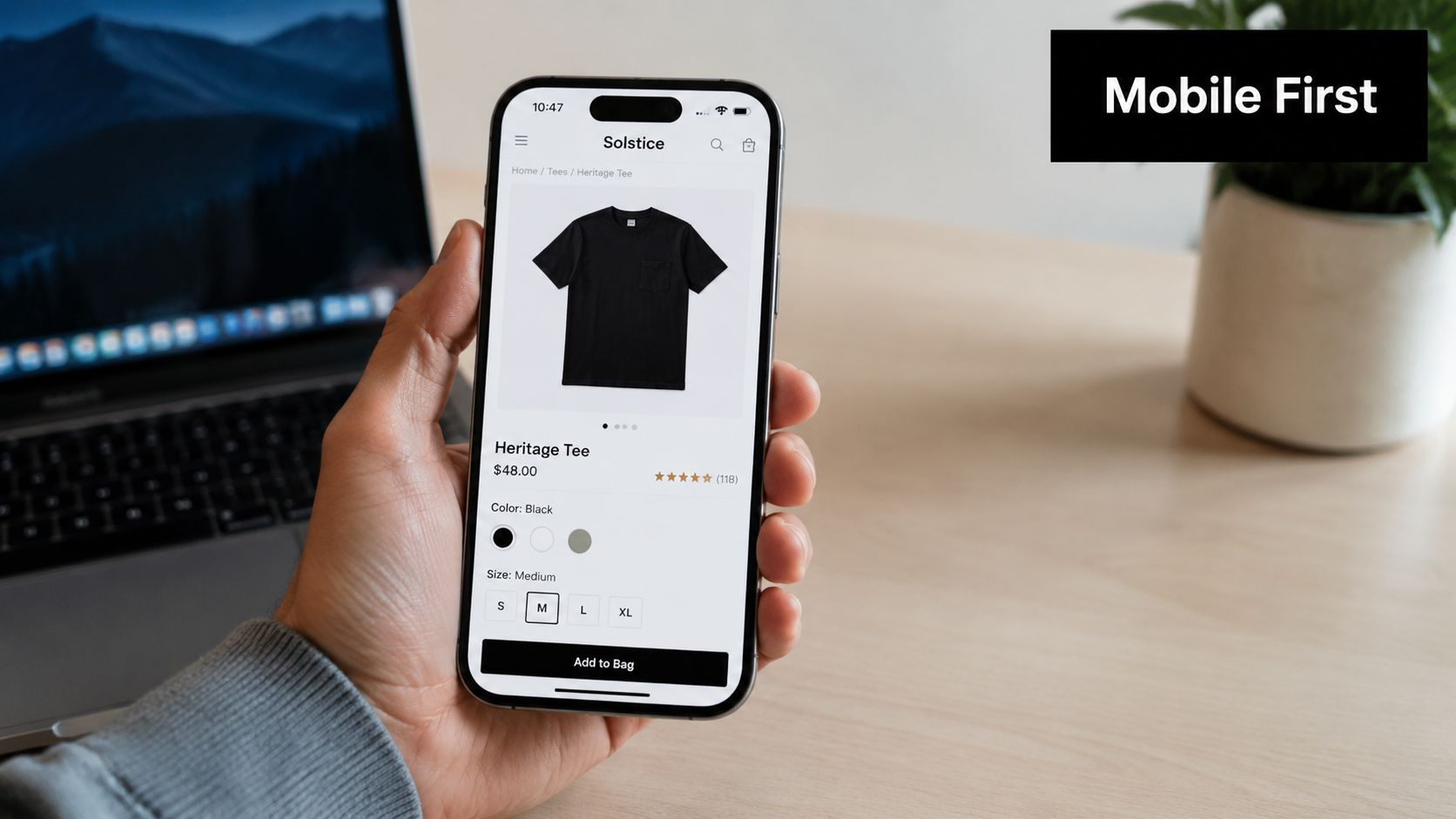
I've lost count of how many times a store looked polished in a boardroom review, then fell apart the moment we clicked through from a Meta ad on an actual phone. The hero image pushed the buy button below the fold. A pop-up covered half the screen. Variant selectors were cramped. On a desktop, nobody noticed. On mobile, the problems were obvious within seconds.
That gap matters because ecommerce traffic is rarely as tidy as a design mock-up. For Melbourne clients, we're often dealing with a mix of iPhones, older Android devices, patchy mobile connections, and paid traffic coming in cold from Google Shopping or Instagram. If the site is slow or awkward on a handset, ad costs rise, bounce rates climb, and attribution gets messy fast.
What usually slows stores down
The same issues keep showing up in Shopify and WordPress audits:
- Oversized images: Campaign assets uploaded straight from a shoot, far larger than the template ever displays.
- App and plugin creep: Extra tools for reviews, bundles, tracking, popups, chat, and promos, all adding scripts across the site.
- Heavy interactive elements: Sliders, animations, autoplay video, and discount overlays that look impressive but delay usable content.
- Theme leftovers: Old code, duplicate libraries, and tracking snippets from past agencies or freelancers.
- Weak hosting and caching: A common problem on WooCommerce builds that were set up cheaply, then expected to handle growth.
Page speed affects more than user patience. It changes how efficiently paid traffic converts, how well product pages rank, and how trustworthy the store feels on first load. If layout shifts while someone is trying to tap size or add to cart, that session starts with friction and usually ends without a sale.
What I fix first
I don't start with abstract performance scores. I start with the parts that improve both usability and revenue.
- Compress and control media: Use WebP where it makes sense, size images to the template, and stop loading giant files on mobile.
- Cut script weight: Remove dead apps, load tools only where they're needed, and defer anything non-critical.
- Simplify templates: Clear hierarchy, readable type, obvious tap targets, and buy-box elements that appear quickly.
- Test on real devices: Browser emulators miss too much. Actual phones expose lag, clipping, sticky-header issues, and broken gestures.
- Check tracking while optimising: Speed fixes can break events if nobody verifies GA4, Meta, and Google Ads after the changes.
That last point gets missed all the time. A faster site is only useful if analytics still records product views, add-to-carts, and purchases properly. At agency level, development, media buying, and reporting have to work together. Otherwise you improve load time, lose event accuracy, and make optimisation harder.
There's also a risk trade-off here. The more apps, scripts, and payment or fraud tools you stack onto a store, the easier it is to hurt speed. Some of those tools are still worth keeping. The job is to choose the ones that protect margin without bloating the experience, especially if you're also tightening operations with practical ecommerce fraud prevention tips.
A strong mobile build gives paid campaigns room to work. If you're sending traffic from branded search, Performance Max, or Meta prospecting, site speed and mobile usability shape ROAS just as much as the creative does. That's why some growing brands need a partner like digital marketing agency Melbourne that can handle the Shopify or WordPress build, the media layer, and the tracking setup in one connected system.
3. Simplified Checkout Process and Multiple Payment Options
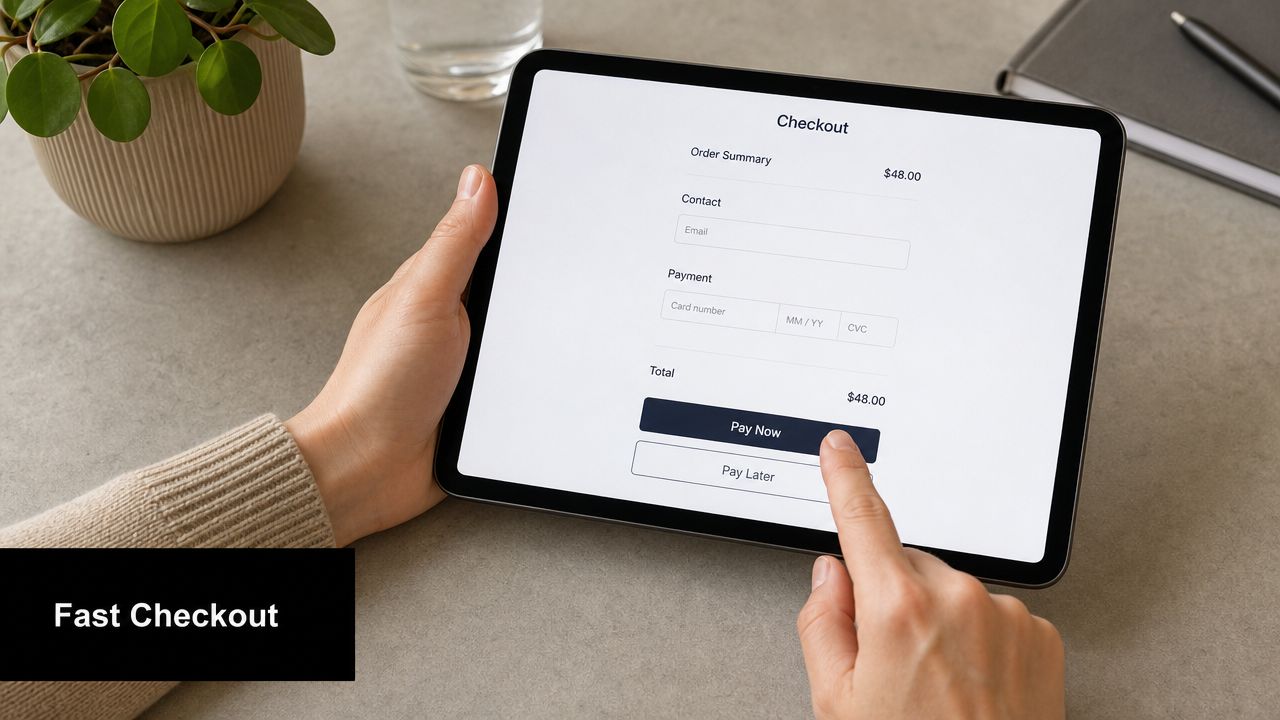
Checkout is where stores expose every bad decision they made earlier. Hidden shipping costs, forced account creation, messy coupon fields, weird payment errors, tiny tap targets. It all shows up there.
Australian retail data has been pointing in the same direction for a while. Australia's official ecommerce reporting says 9 in 10 Australian shoppers now use online channels, and purchasing frequency is higher when retailers provide fast, low-friction checkout and delivery experiences. That lines up with what I see in real accounts. People don't need a magical checkout. They need one that feels predictable.
Checkout friction that kills conversions
These are the usual offenders:
- Forced account creation: Let people buy first. Invite them to create an account later.
- Late shipping surprises: Surface costs and delivery expectations earlier.
- Too many fields: Ask for what you need, not everything you can collect.
- Weak payment choice: Give shoppers familiar options that suit the market.
- Distracting checkout design: This isn't the place for banners, upsells everywhere, and visual noise.
I'd rather see a plain checkout that works than a customised one loaded with gimmicks. Shopify's native checkout usually beats over-engineered alternatives for that reason.
Good checkout design doesn't feel impressive. It feels uneventful.
You should also be thinking about fraud and chargebacks while simplifying the flow. Cleaner UX and better risk controls can coexist. If that's a concern for your store, these ecommerce fraud prevention tips are worth reviewing.
For brands investing in Google Ads or Meta, checkout quality matters twice. You pay to earn the click, then your site decides whether that money turns into revenue. That's why a lot of ecommerce businesses come to us for both dev work and campaign management through our ecommerce marketing agency services instead of splitting the job across disconnected suppliers.
4. Trust Signals, Social Proof, and Review Management
People don't trust your store just because you launched it. They trust it when the site answers their concerns before they have to ask.
This became even more important after online buying accelerated in Australia. During the pandemic, Australia Post reported that 4.4 million households shopped online in 2020, including 1.3 million new online shoppers, while online purchases rose 57% year-on-year. That wave brought in plenty of customers who were less experienced online, which means trust signals, clear returns information, and plain-language reassurance matter more than many brands realise.
The trust elements I won't leave out
On most stores, I want these visible without digging:
- Verified reviews or customer feedback
- Clear returns and refund policy
- Shipping and delivery information
- Secure payment indicators
- Real contact details and business identity
- Product-specific proof, not just homepage testimonials
A generic “trusted by thousands” banner doesn't do much unless the page itself backs it up. Product reviews, customer photos, FAQs, and transparent policy links do more work.
What works better than polished hype
I'd take a believable four-star review with specifics over a wall of suspiciously perfect praise. When reviews mention fit, quality, delivery experience, or how the item compares to expectations, they reduce uncertainty. That's its primary function.
This is also where good content structure helps. On Shopify, that might mean metafields powering review summaries, shipping callouts, and returns tabs. On WordPress development projects, it might mean custom fields or Gutenberg blocks that let the client team maintain trust content without touching code.
If your store also relies on paid social, these trust assets often improve ad performance too. Strong on-site proof gives warmer traffic the final push after the click. That's one reason brands looking for a best Facebook ads agency often end up needing landing page and product-page fixes at the same time.
5. Strategic Use of High-Converting CTA Buttons and Form Optimisation
CTA buttons get overanalysed in isolation. Colour matters less than clarity. Placement matters more than both.
On ecommerce sites, the issue usually isn't whether the button is green or black. It's whether the page has earned the click. If users are still confused about sizing, shipping, inclusions, or returns, no button copy is going to rescue the sale.
Where CTAs usually go wrong
I see three recurring problems:
- Competing actions: Add to cart, wishlist, compare, finance, share, and chat all fighting in the same area.
- Weak visual hierarchy: The primary action doesn't stand out.
- Premature urgency: The site pushes “Buy Now” before it has answered obvious objections.
A cleaner layout usually wins. One dominant action. Supporting reassurance nearby. Minimal distraction.
Field note: If every element is shouting, none of them are converting.
For stores with lead-gen components, especially high-ticket products or made-to-order services, forms need the same discipline. Ask only for what the team will use. If your Google Ads campaign is optimised for contact form submissions, every extra field can lower intent completion.
Small changes that often help
- Use direct copy: “Add to cart” and “Buy now” are usually better than brand-invented phrases.
- Repeat key CTAs lower on long pages: Especially after reviews, FAQs, or specs.
- Keep support text close: Shipping, returns, or payment reassurance near the button reduces hesitation.
- Make mobile sticky CTAs sensible: Helpful on long product pages, annoying when badly implemented.
At this point, design, CRO, and paid media intersect. If a product page has weak CTA hierarchy, Google Shopping traffic often underperforms. If a landing page form is clunky, search campaigns for high-intent terms get expensive. That's why brands running serious spend often need both a Google Ads agency and a dev team that can implement conversion fixes.
6. Personalisation and Dynamic Content Based on User Behaviour
Personalisation gets oversold. Most stores don't need fancy AI before they've fixed basics like navigation, speed, and trust. But simple dynamic content can absolutely help when it supports buying behaviour.
The best personalisation feels useful, not creepy. Recently viewed items, relevant complementary products, location-aware delivery messaging, and cart reminders are practical. Random product widgets with no logic behind them just create more noise.
Personalisation that earns its place
I've seen the cleanest wins come from:
- Recently viewed products: Especially on stores with larger catalogues.
- Related product logic: Accessories, bundles, refills, or matching items.
- Location-aware messaging: Delivery expectations or click-and-collect options where relevant.
- Returning visitor cues: Continue where you left off, saved cart, or category recall.
For Australian ecommerce, logistics-related personalisation matters more than many global guides admit. The local advice I agree with most is that product pages should foreground delivery windows, click-and-collect, returns, and stock availability before visual polish or promotional content. That's especially true when shipping times and fulfilment uncertainty can block a purchase.
Don't personalise the wrong thing
I'm cautious with aggressive popups, dynamic discounts, and over-segmented homepage experiences. They can make the site feel erratic. If every user sees a different message and your reporting is messy, it becomes hard to know what's helping.
Clean analytics and tag setup are essential. If you want to personalise based on user behaviour, you need confidence in your events, audiences, and attribution. Proper GTM, GA4, and Meta Conversions API installation aren't side jobs. They're the plumbing behind smarter ecommerce decisions.
7. Strategic Email Marketing and Automation Sequences
Email still does serious work for ecommerce stores, but only when the timing and message make sense. Batch-and-blast promos aren't a strategy. They're just noise with a send button.
I treat email as part of the site experience, not a separate channel. If someone browses, adds to cart, purchases, or drops off after a category page, each of those actions creates an opportunity for a useful follow-up. The automation should feel like continuity, not pressure.
The automations I'd set up before getting fancy
For most stores, the core sequence stack is straightforward:
- Welcome flow: Introduce the brand, set expectations, and guide first purchase.
- Browse abandonment: Helpful for considered purchases or larger catalogues.
- Cart abandonment: Best when it reminds, reassures, and clarifies delivery or returns.
- Post-purchase flow: Order support, care tips, review request, then cross-sell later.
- Win-back campaigns: Bring past customers back with relevance, not desperation.
The quality of these flows depends on the website. If product pages are weak, the emails have to work too hard. If the checkout is clunky, abandoned-cart emails become a band-aid for a site problem.
What better ecommerce emails usually do
- Mirror what the user viewed: Product image, variant, and relevant category.
- Answer likely objections: Shipping, fit, care, compatibility, or returns.
- Use cleaner creative: Too many ecommerce emails look like a discount warehouse flyer.
- Respect timing: Fast enough to stay relevant, not so fast that it feels robotic.
For Shopify stores, native integrations make this easier. For WordPress and WooCommerce, it often needs more careful setup across plugins, CRM, and event tracking. Either way, if you're paying to acquire traffic, email automation is one of the few channels you fully control after the click.
8. SEO Optimisation for Product Discovery and Organic Traffic
A lot of ecommerce SEO work misses the pages that make money.
I've audited stores across Shopify and WooCommerce where the blog was getting attention, but collection pages were thin, product variants were creating duplicate URLs, and key products were buried three clicks deep. That setup makes organic growth harder than it needs to be. The pages with purchase intent should do the heavy lifting first.
The work usually starts with structure. Category pages need clear themes, useful copy, sensible filters, and URLs search engines can crawl without getting trapped in parameter mess. Product pages need original descriptions, clean metadata, strong imagery context, and schema that helps search engines understand what's on the page.
Where ecommerce SEO usually wins
The gains tend to come from a small set of fundamentals done properly:
- Category architecture: Group products in a way real shoppers use, not just how inventory is stored in the backend.
- Product page uniqueness: Replace supplier copy with content that answers real buying questions.
- Internal linking: Connect collections, product pages, guides, and FAQs so authority flows to commercial pages.
- Technical setup: Configure canonicals, XML sitemaps, structured data, crawl rules, and faceted navigation carefully.
- Index control: Decide which filtered pages deserve visibility and which ones should stay out of the index.
Faceted navigation is where a lot of stores come unstuck. The UX team wants filtering flexibility. The SEO side wants crawl control. Both are right. On Shopify, that often means being realistic about what the platform handles natively versus what needs app or theme support. On WordPress and WooCommerce, you get more control, but you also get more ways to create index bloat if the setup is sloppy.
SEO and conversion usually pull in the same direction. Better category copy helps rankings and helps shoppers narrow their options. Cleaner product information improves relevance and reduces hesitation. Faster templates support visibility and make paid traffic more efficient too.
For Melbourne ecommerce brands, local intent can also matter. If the business offers showroom visits, click and collect, or location-based service, organic search should support that commercial model. In those cases, your store build, local signals, and technical setup need to work together. That's where a technical SEO agency Melbourne team with development capability is more useful than a content-only provider.
9. Retargeting and Paid Advertising Campaigns for Maximum ROAS
A Melbourne retailer can spend a week refining ad creative, increase budget on Friday, and still waste money by Monday because the retargeting logic is blunt. I've seen it plenty of times. Someone viewed one product, got chased around Instagram with the same stale ad, then bounced again because the offer, message, and landing page did not match where they were in the buying cycle.
Retargeting works when it follows intent.
A product viewer usually needs a reminder, stronger product context, or a reason to return. A cart abandoner often needs confidence on shipping, returns, delivery times, or payment options. A past customer should see replenishment, complementary products, or a bundle that fits what they already bought. Pushing all three audiences into the same campaign usually drags ROAS down and hides where the problem sits.
The ad account and the store have to work together. On Shopify, that often means keeping product feeds clean, making sure collections map properly into campaign structure, and checking apps are not breaking event tracking. On WordPress and WooCommerce, the extra flexibility can help, but only if the tracking setup is disciplined and the product data is consistent across the site, Merchant Center, and Meta catalog.
Before scaling spend, I want the measurement stack checked properly:
- GTM configured cleanly for ecommerce events
- GA4 purchases, add to carts, and key funnel actions verified
- Meta CAPI set up alongside browser events
- Product feeds reviewed for title, image, pricing, and availability accuracy
- Ad message matched to the landing page experience
Weak tracking creates expensive confusion. A campaign can look like a winner in-platform while the store tells a different story through assisted conversions, low average order value, or poor new-customer quality.
Retargeting also has a frequency problem. If the audience pool is small and the budget is too high, the same people see the same ad too often. That hurts performance fast. In those cases, broadening the audience, rotating creative sooner, or reducing spend is usually smarter than forcing delivery.
Google Shopping, Performance Max, branded search, dynamic product ads, and catalog campaigns can all produce strong returns. They also expose every weakness in the site. If the page loads slowly, the product data is messy, or the offer is unclear, paid traffic gets more expensive than it needs to be.
Retargeting should bring back warm prospects and help them convert. It should not carry the whole sales process on its back.
10. Analytics, Testing, and Data-Driven Continuous Optimisation
A lot of ecommerce businesses redesign too early and test too little. They change the theme, rewrite everything, add apps, and then have no idea which change helped or hurt.
The stores that improve steadily tend to be less dramatic. They track properly, identify friction, test smartly, and keep the winners. That sounds boring. It's also how real compounding growth usually happens.
What should be measured properly
At minimum, I want confidence in these areas:
- Product views
- Add to cart events
- Checkout steps
- Purchases
- Traffic source quality
- Creative and landing page alignment
If you're running Google Ads and Meta ads, event quality becomes critical. The business is making budget decisions off that data. Broken attribution creates fake confidence in weak channels and false negatives in good ones.
Testing priorities that actually matter
I'd test these before cosmetic ideas:
- Homepage clarity
- Collection page usability
- Product page hierarchy
- Delivery information placement
- Checkout friction points
- Mobile CTA visibility
This is also where developer capability matters. If your team can't implement test variants cleanly, testing turns into endless mockups and opinions. Whether you're on WooCommerce or Shopify, practical experimentation depends on execution.
For businesses scaling on Shopify, custom tracking, app integrations, and storefront improvements often need proper dev support. If that's your setup, working with experienced Shopify developers in Melbourne makes the analytics and CRO side much easier to act on.
10-Point Ecommerce Best Practices Comparison
| Item | Implementation complexity | Resource requirements | Expected outcomes | Ideal use cases | Key advantages |
|---|---|---|---|---|---|
| Optimized Product Pages with High-Quality Imagery and Video | Medium–High, design, media integration, templating | Professional photography/video, dev time, CDN/storage | Higher conversions, lower returns, improved SEO | Product catalogs, high‑value or visual products | Builds trust, richer product understanding, higher AOV |
| Mobile-First Responsive Design and Fast Page Loading | High, front-end refactor + performance tuning | Front‑end developers, hosting/CDN, device testing | Faster loads, better rankings, higher conversions | Mobile-dominant traffic, paid campaigns | Improved UX, lower bounce, Core Web Vitals compliance |
| Simplified Checkout Process and Multiple Payment Options | Medium, payment integrations and UX flow | Payment gateways, dev, PCI compliance, testing | Reduced cart abandonment, higher conversion rate | Stores with high checkout drop-off, mobile shoppers | Streamlines purchase, meets diverse payment preferences |
| Trust Signals, Social Proof, and Review Management | Low–Medium, integrations and moderation | Review platforms, community management, moderation | Increased trust and conversion, richer SEO content | New brands, competitive categories, trust-sensitive purchases | Enhances credibility, reduces purchase hesitation |
| Strategic Use of High-Converting CTA Buttons and Form Optimization | Low–Medium, design + A/B testing | UX/UI design, testing tools, analytics | Higher CTRs and form completion rates | Lead capture, landing pages, ad funnels | Big conversion uplift from small, testable changes |
| Personalization and Dynamic Content Based on User Behavior | High, data, segmentation, dynamic rendering | Tracking, recommendation engine/AI, privacy controls | Higher AOV, conversion, retention | Repeat customers, large catalogs, segmented audiences | More relevant experiences, improved LTV and engagement |
| Strategic Email Marketing and Automation Sequences | Medium, setup of sequences and segmentation | ESP (e.g., Klaviyo), content, list growth, analytics | High ROI, cart recovery, increased repeat sales | Ecommerce with repeat buyers, lifecycle marketing | Automated revenue channel, excellent ROI and ownership |
| SEO Optimization for Product Discovery and Organic Traffic | Medium–High, technical + content work | SEO specialists, content writers, dev resources | Sustainable organic traffic, lower long‑term CAC | Long‑term growth, markets with search demand | Builds authority, attracts high‑intent traffic over time |
| Retargeting and Paid Advertising Campaigns for Maximum ROAS | Medium–High, tracking + campaign ops | Ad budget, media buyers, creatives, tracking infra | Immediate traffic and sales, measurable ROAS | Scaling growth, promotions, abandoned‑cart recovery | Fast, scalable results with precise audience targeting |
| Analytics, Testing, and Data-Driven Continuous Optimization | Medium, setup + ongoing experimentation | GA4/GTM, A/B testing tools, analysts, heatmaps | Incremental, compounding conversion improvements | Continuous optimization programs, CRO initiatives | Evidence-based decisions, identifies high-impact changes |
Your Action Plan Where to Start Today
If all of this feels like a lot, narrow the focus. Don't try to fix your entire store in one sprint. Start with the parts of the buying journey that most directly affect revenue.
My first two priorities are usually mobile experience and checkout. Those are the fastest places to find friction because they affect almost every visitor. If the site is clunky on mobile or confusing at the final step, everything else gets harder. Your SEO works harder than it should. Your Google Ads cost more than they should. Your Meta campaigns bring in traffic that never had a fair shot of converting.
After that, tighten product pages. Add stronger imagery, clearer specs, obvious delivery and returns information, and CTA placement that makes sense. If you sell across Australia, remember that fulfilment clarity matters. People want to know when they'll get the item, what it costs to ship, whether stock is available, and what happens if it's not right. Those details often move the needle more than another homepage refresh.
Then fix your tracking. GA4, GTM, Meta pixel, Meta Conversions API, Google Ads conversion actions, feed quality. This part isn't glamorous, but it's the difference between making decisions from evidence and guessing based on platform noise. Once that foundation is stable, testing becomes useful. You can identify whether a product page change improved add-to-cart rate, whether a checkout tweak improved purchase completion, or whether a feed optimisation helped Shopping campaigns.
This is also why I don't separate development from marketing when working with ecommerce brands. Shopify development, WordPress development, paid ads, SEO, and analytics all feed the same outcome. More profitable sales. A cleaner build supports faster load times and better UX. Better UX improves conversion and ad efficiency. Better analytics tells you where to invest next. It's one system.
If you're looking for a marketing agency Melbourne businesses can work with on both build and growth, Alpha Omega Digital is one option in that category. The agency is based in Melbourne and works with ecommerce and service businesses across Australia, including Sydney, Brisbane, Perth, Adelaide, Darwin, Hobart, and Newcastle. The useful part for ecommerce brands is that the work doesn't stop at web design. It can include WordPress development, Shopify development, Google Ads, Meta ads, and conversion-focused implementation in the same workflow.
If you've got a project in mind, get the basics right first. Make the site easy to use. Make delivery and returns obvious. Reduce checkout friction. Track properly. Then scale traffic into a store that's ready for it.
And if you're a business with a paid ads budget of at least 3k a month, I'd love to offer you a low-risk deal. Get a month of paid ads management free. Apply through the contact page and we can see if it's a fit.
If you need help from Alpha Omega Digital, the practical starting point is simple. Get your ecommerce site audited across UX, speed, tracking, and paid traffic readiness, then fix the highest-friction pages first. If you're running at least 3k a month in paid ads budget, apply through the contact page to claim a month of paid ads management free.
Alpha Omega Digital
Read more insights from our team on web design, paid ads, and growth strategy.