A Melbourne retailer once asked me why their ads weren't working. The answer had very little to do with the ads and everything to do with the system behind them, from hosting costs to checkout flow to tracking that matched real sales.
That's why any serious conversation about EC2 Pricing AWS should never stay trapped inside DevOps. For ecommerce brands and service businesses, infrastructure choices flow straight into page speed, tracking quality, ad efficiency, and profit.
From Code to Conversions My Journey as a Melbourne Marketer
I didn't start in marketing by dreaming about ad accounts and dashboards. I started by pulling websites apart, rebuilding templates, fixing broken forms, and trying to work out why one site felt smooth while another felt clunky and expensive to run.
That path turned into a broader lesson. A business doesn't grow because one channel is “good”. It grows because the website, hosting, tracking, offers, creative, and follow-up all pull in the same direction.
Why isolated fixes usually fail
I've seen business owners obsess over one lever at a time. They'll ask about EC2 pricing AWS, or Google Ads, or Meta ads, as if each lives in its own separate box. In practice, they don't.
A slow WordPress build hosted on the wrong stack hurts conversion rate. Poor tracking ruins your Google Ads decisions. A weak product page wastes Meta traffic. Missed calls make good campaigns look bad because the lead never gets counted or answered.
Practical rule: Don't buy traffic before you've built somewhere worth sending it.
That's especially true for ecommerce. My core category of client has long been online stores, not law firms, not generic corporate sites. A Shopify store with clumsy navigation, messy variants, and weak measurement will burn budget fast. A WordPress store with bloated plugins and no proper event setup does the same.
The Melbourne lens I bring to every project
Working as a marketing agency Melbourne businesses can sit down with has shaped how I look at every build. Local brands don't need abstract theory. They need practical trade-offs.
If you're in Melbourne running Shopify, WordPress, Google Ads, Meta ads, GTM, Google Analytics, and a local SEO push at the same time, the primary job is coordination. It's making sure your WordPress design supports your paid search intent. It's making sure your Shopify design doesn't break product feed quality. It's making sure your Meta Conversions API setup is feeding cleaner signals back to the ad platform.
Here's the playbook I wish someone had handed me earlier:
- Build the foundation first so your site loads cleanly, reads clearly, and converts.
- Instrument everything properly with GTM, GA4, Meta events, and server-side thinking where needed.
- Drive qualified traffic through Google Ads, Google Shopping, Meta ads, and local SEO.
- Capture every lead with forms, phone tracking, and automation that doesn't sleep.
- Review cost at the infrastructure layer because hosting, region selection, and software stack all shape business performance.
Why EC2 pricing matters to marketers too
A lot of agencies skip this entirely. I don't. If a client is running WordPress, custom landing pages, feeds, apps, or heavy catalogue content, AWS decisions can affect margins in ways often overlooked.
For example, a Linux t3.large in us-east-1 is priced at $0.0832 per hour, or about $60.74 per month when running continuously, while the same instance on Windows is $0.1072 per hour, and adding SQL Server Web lifts it to $0.2656 per hour, which is a 218% increase over the Linux baseline according to this AWS EC2 pricing breakdown. That's not trivia. That's the difference between lean infrastructure and avoidable overhead.
For many businesses, the better question isn't “what does EC2 cost?” It's “what kind of growth system am I funding, and what hidden waste sits underneath it?”
Your Digital Foundation A High-Converting Website
A few years ago, I watched an ecommerce brand pour money into ads while its site stifled the sale. The targeting was fine. The offer was solid. But the mobile menu was clunky, product pages buried the key details, and checkout felt harder than it needed to be. Traffic was not the problem. The website was.
That lesson sticks. Before paid traffic can do its job, the site needs to turn attention into action.
I treat a website like the digital equivalent of a well-run storefront. People need to know where they are, what you sell, why they should trust you, and what to do next. If any of that is unclear, ad spend gets wasted and lead quality usually drops with it.
Start with structure, not theme customisation
The strongest builds usually begin in Figma, not inside WordPress or Shopify. That applies whether the job is a brochure site for a local service business or a catalogue-heavy ecommerce store.
A proper design phase forces the right conversations early. What should a first-time visitor see above the fold? How quickly can they reach a service page, collection page, or enquiry form? What proof matters most. Reviews, case studies, delivery details, financing options, or trust badges? Those decisions shape conversion rates long before development starts.
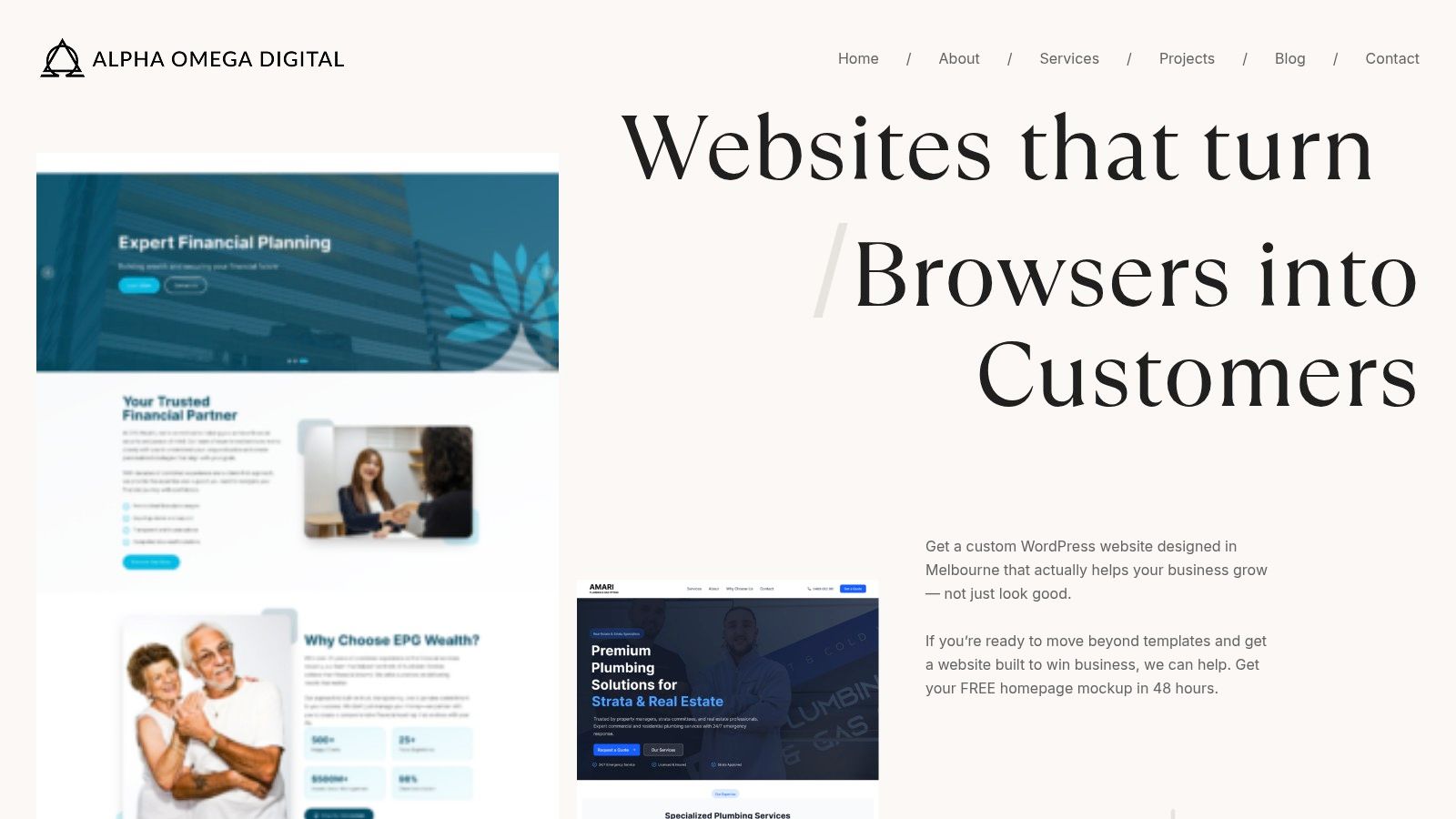
Themes have their place. I use them when speed matters and the business is still validating an offer. But once a company wants tighter control over landing pages, content blocks, templates, integrations, and tracking, the shortcuts start to show.
WordPress versus Shopify in the real world
This decision gets oversimplified online, and that usually leads to expensive rebuilds later.
WordPress suits businesses that need flexibility. I recommend it often for service brands, content-led businesses, and hybrid models that need lead generation, SEO content, location pages, and custom page layouts alongside ecommerce. It gives teams more control over how pages are structured and how content is published.
Shopify suits businesses where selling products is the priority. Product management is cleaner, checkout is proven, and the operational side is usually easier for store owners to run day to day. For fast-moving retail brands, that simplicity has real value.
The trade-off is straightforward.
| Platform | Best fit | Watch out for |
|---|---|---|
| WordPress | Content-heavy brands, service businesses, hybrid ecommerce, custom CMS needs | Plugin bloat, poor hosting choices, inconsistent dev quality |
| Shopify | Pure ecommerce, fast rollout, stable checkout, streamlined catalogue management | Theme limitations, app dependency, custom logic needing deeper development |
I have seen service businesses choose Shopify because it looked simpler, then struggle to build flexible landing pages for ads and local SEO. I have also seen product businesses choose WordPress, then spend too much time managing commerce features that Shopify handles better out of the box.
Platform choice should match the business model, not the latest trend.
Cost matters, but conversion economics matter more
Australian businesses often ask what a site costs before they ask what the site needs to produce. I get it. Budget is real. But a cheaper build that converts poorly is usually the more expensive decision.
For Shopify builds in Australia, pricing varies widely depending on catalogue complexity, design requirements, integrations, and custom functionality, as discussed in this discussion of Shopify development costs in Australia. That range exists because a basic starter store and a serious growth asset are two very different projects.
For my clients, the better question is usually this: will the site support stronger conversion rates, better tracking, cleaner campaign data, and easier iteration once traffic starts coming in?
If the answer is no, the build is not finished.
What I check before any serious ad spend starts
When I audit a website before launch, I am not looking for cosmetic polish alone. I am checking whether the site can support growth across ads, SEO, analytics, and lead capture without becoming a bottleneck six weeks later.
Here's what matters:
- Offer clarity. The homepage and key landing pages should explain the business fast, especially on mobile.
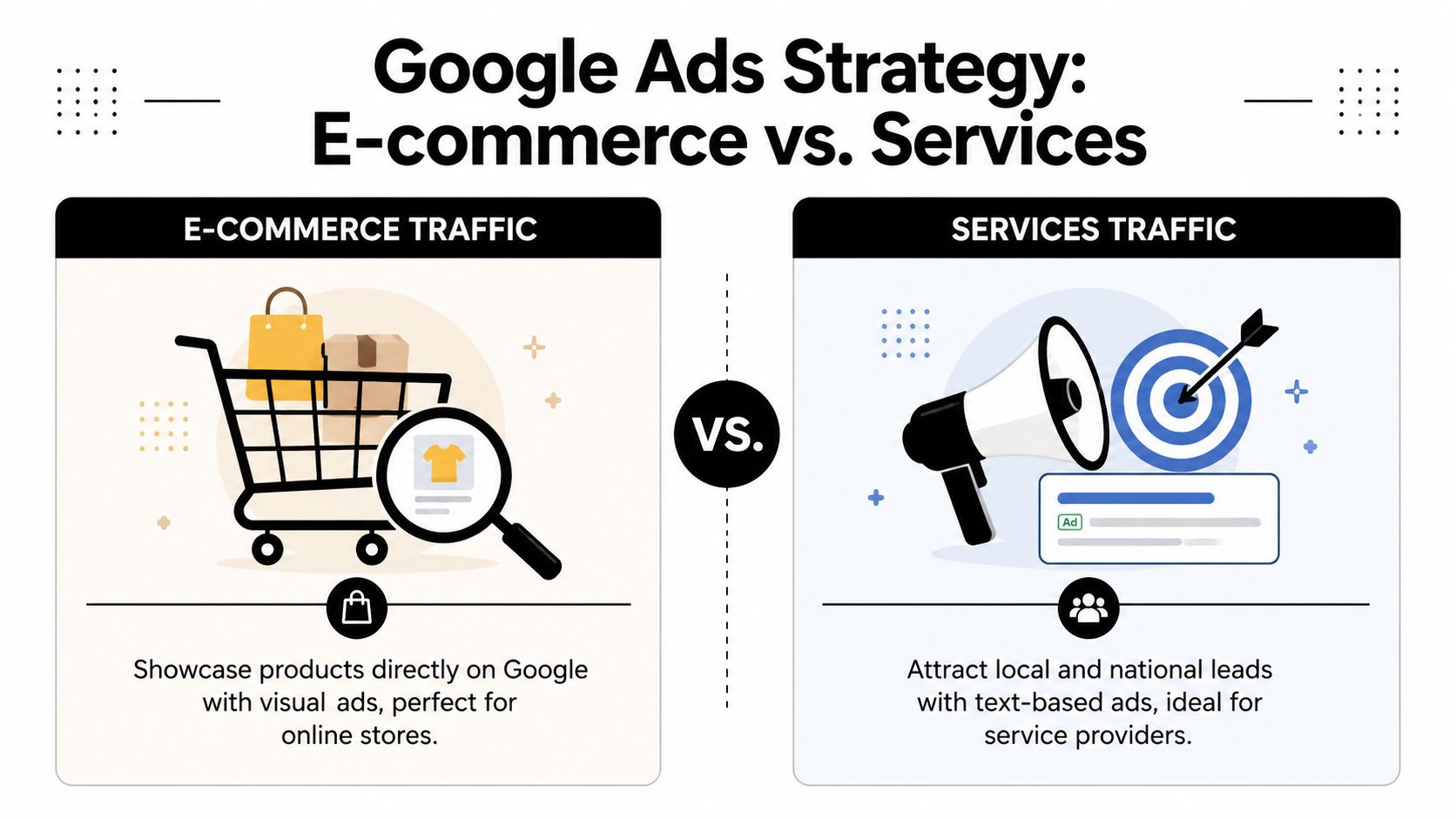
- Intent match. Service traffic and ecommerce traffic need different page types, layouts, and calls to action.
- Friction points. Navigation, forms, filters, and checkout steps should help people move forward without second-guessing.
- Trust signals. Reviews, guarantees, FAQs, delivery details, case studies, and contact information should appear where buying decisions happen.
- Tracking readiness. GTM, GA4, event planning, and platform pixels should be considered during the build, not patched in after campaigns go live.
- Editing flexibility. The CMS should let the team update content, launch landing pages, and test offers without calling a developer for every small change.
A high-converting site makes the next step obvious.
That standard applies whether the business is chasing online sales, booked appointments, quote requests, or qualified phone calls. From a marketing agency perspective, the website is not a standalone design job. It is the foundation that connects development, paid media, analytics, and lead capture into one system that can grow revenue.
Driving Traffic with Google Ads for Ecommerce and Services
Once the site is ready, paid traffic starts making sense. Many businesses either scale sensibly or waste money very quickly.
Google Ads works differently depending on whether you're selling products or generating enquiries. That sounds obvious, but plenty of accounts are structured as if all traffic behaves the same way.
Ecommerce and service campaigns need different architecture
For ecommerce, I care about feed quality, product titles, imagery, margins, and whether the account should lean harder on standard Shopping or PMAX.
For service businesses, I care about keyword intent, suburb targeting, landing page alignment, form friction, and whether calls or contact form submissions are the main conversion action.
A useful primer on Google Ads for ecommerce can help frame the basics, especially if you're trying to understand campaign types before spending serious budget.
PMAX versus Google Shopping
I don't treat this as a religious debate. It's a decision based on control, feed maturity, creative assets, and tracking confidence.
PMAX can work well when:
- the product feed is clean
- conversion tracking is trustworthy
- you have strong creative assets
- you're comfortable giving Google more automation room
Standard Shopping often works better when:
- you want clearer query control
- you need cleaner search term insight
- your catalogue has mixed margins
- you're troubleshooting spend or trying to isolate product groups
If your Google Shopping ads not spending budget, I usually check feed approval issues, weak product data, bid strategy mismatch, low search demand, or a campaign structure problem before touching budget.
Campaign priority and buyer intent
Campaign priority in Google Ads matters most when you're segmenting catalogue intent. I prefer clean segmentation rather than clever-but-fragile account structures.
For ecommerce brands, one common pattern is separating broader search capture from tighter product groups with stronger commercial intent. For dropshipping, I'm stricter. Product pages need to overcome trust issues fast, and feed quality has to carry more weight because the business doesn't have much room for friction.
Field note: Google Shopping ads for dropshipping fail more often because the store looks interchangeable, not because the ad platform is broken.
For service-based businesses, priority looks different. Search intent and lead quality matter more than product visibility. If I'm running campaigns for a trade business, I want the ad copy, landing page, form, and call tracking all pulling toward one action. That's the difference between a nice-looking account and an account that books jobs.
A practical example sits in this approach to Google Ads for plumbers, where local service intent needs tighter control than a broad ecommerce campaign.
How much budget should you spend on Google Ads
There isn't a universal number that makes sense for every advertiser, so I won't pretend there is. The right answer depends on search demand, margin, sales cycle, geography, and how good the website is at turning visits into revenue or enquiries.
What I do tell clients is this:
- Start where data can accumulate. Too little budget often creates noise, not insight.
- Match budget to offer quality. More spend won't rescue weak pricing or poor landing pages.
- Separate testing from scaling. New campaigns need room to learn, but they also need guardrails.
- Watch the conversion path. If contact form submissions matter, optimise around qualified enquiry actions, not vanity clicks.
Google Ads for service businesses
Service businesses need a different mindset from ecommerce operators. The target isn't cart activity. It's commercial intent.
That means:
- landing pages built for one service at a time
- suburb or city relevance where needed
- GTM and Google Analytics configured around lead actions
- call tracking where phone calls matter
- form setups that don't ask for too much too early
Google ads for contact form submissions, PPC for tradies, and what budget to spend on Google Ads all connect. If the form is clumsy or the page loads badly on mobile, campaign optimisation gets distorted.
A good account doesn't just buy traffic. It buys the right next step.
Mastering Meta Ads for Consistent Growth
Businesses quit Meta ads too early all the time. They launch a few creatives, watch results wobble, then declare Facebook and Instagram dead.
That's usually not a platform problem. It's a process problem.
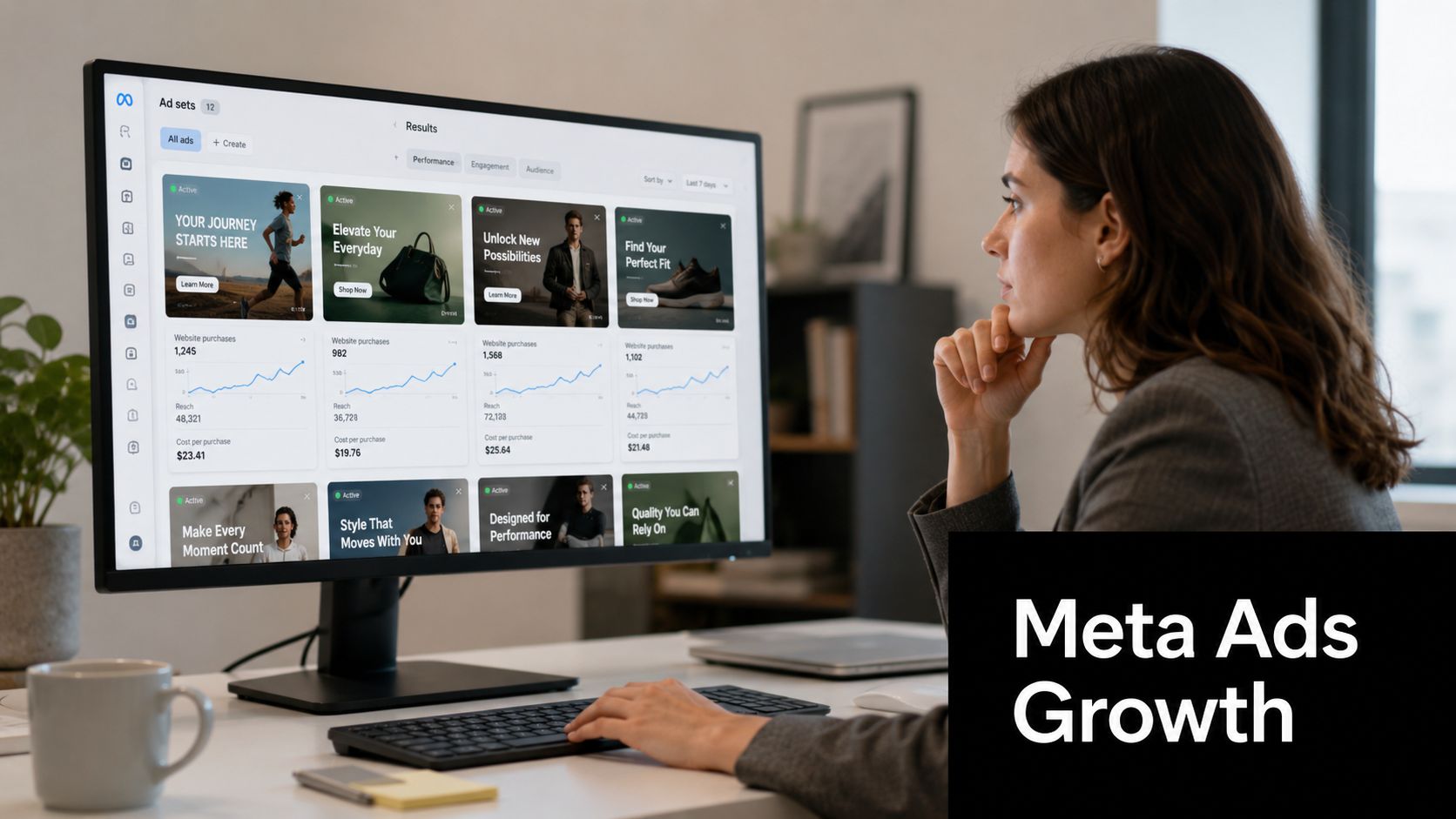
Most advertisers don't really test creative
A proper Meta ads creative testing process isn't throwing ten random posts into an ad set and hoping one sticks. It's controlled variation.
I like testing around a few specific dimensions:
- Hook angle. Problem-first, benefit-first, offer-first, or proof-first.
- Format choice. Static image, short-form video, UGC style, or founder-led talk-to-camera.
- Message depth. Quick punchy pitch versus fuller education.
- Landing alignment. The ad promise has to match the page it sends traffic to.
When a campaign struggles early, I don't rush to kill the whole channel. I check whether the creative, audience, offer, or tracking is the weak point.
Why patience matters in Facebook ads
A lot of businesses run Meta for a short burst, get nervous, and stop before the account has any meaningful pattern to work with. That's one reason I often say Facebook ads, don't quit too early.
Consistency matters because Meta is sensitive to signal quality. If your site tracking is messy, your event setup is inconsistent, or your creative testing is chaotic, the platform doesn't get clean feedback.
That's also why serious advertisers invest in the technical layer, especially Conversions API installation for Meta and setting up Meta Conversion API properly. Browser-only tracking leaves too many gaps. If you want cleaner reporting and stronger optimisation signals, server-side support matters.
For businesses exploring specialist support, it's worth seeing how a team positions itself as a best Facebook ads agency or runs niche campaigns like Facebook ads for electricians. The strategy should feel specific, not copy-pasted.
Shops, feeds, and the buying path
For ecommerce, I want Meta connected to the catalogue properly. That includes Instagram Shop and Facebook Shop setup, product feed hygiene, and landing pages that continue the same message the ad started.
If your store is on Shopify, that often extends into Shopify API work when the standard setup isn't enough. If your site is WordPress with WooCommerce, the focus shifts more toward plugin quality and event reliability.
Here's a simple way I frame Meta success:
| Stage | What often goes wrong | What fixes it |
|---|---|---|
| Creative | Bland assets, weak hooks, same angle repeated | Structured testing and clear offer positioning |
| Tracking | Incomplete events, browser-only reliance | Better event mapping and Conversions API support |
| Landing page | Mismatch between ad and page | Message continuity and simpler next step |
Later in the cycle, I also care about how to measure success Facebook ads. Not just platform-reported outcomes, but whether the traffic turns into real sales, qualified leads, repeat buyers, or booked jobs.
A solid walkthrough helps if you want to sharpen the fundamentals:
Mastering Facebook ads is mostly about discipline
The businesses that win on Meta aren't always the loudest brands. They're usually the most organised.
Marketing your business equals consistency. The brand that keeps learning usually beats the brand that keeps restarting.
That applies whether you're running a broad ecommerce prospecting campaign or a local lead generation campaign through a specialist Facebook Meta ads agency. The platform rewards operators who test, learn, and stay in the game long enough to refine the machine.
The Technical Backbone Analytics APIs and Custom Code
When ads platforms disagree with your backend and your website data doesn't line up, decision-making gets messy fast. Most businesses then start guessing.
The answer isn't another dashboard. It's better architecture.
Your truth engine starts with clean instrumentation
I think of Google Tag Manager, Google Analytics, the Meta Conversions API, and backend platform data as one measurement system. Not separate tools. One system.
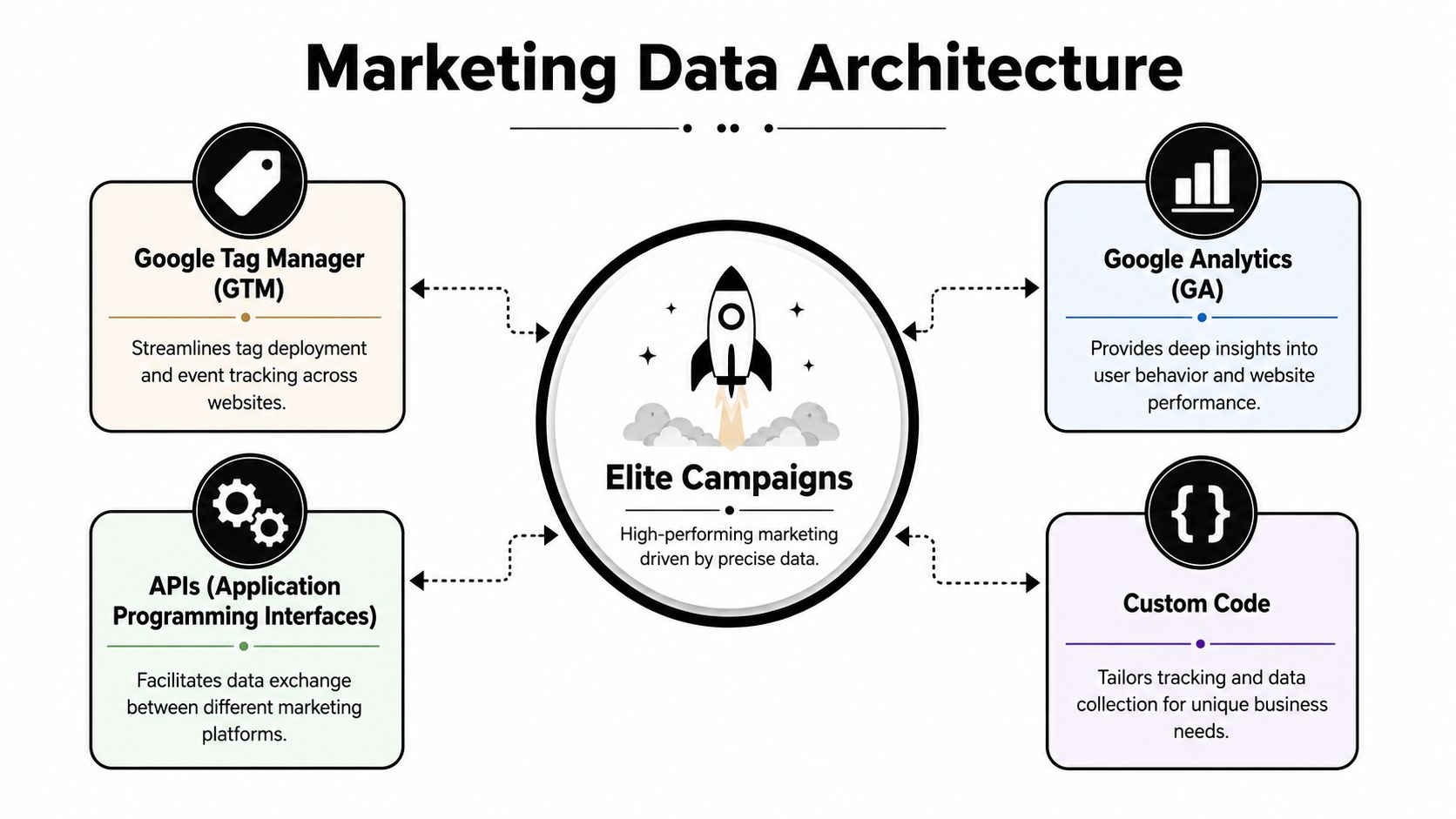
If GTM is messy, GA4 gets messy. If GA4 is messy, Google Ads optimisation suffers. If Meta events are incomplete, paid social reporting becomes harder to trust. If your store platform isn't passing data cleanly, all of it degrades.
That's why setting up Google Tag Manager containers properly matters. It's also why GTM and Google Analytics should be planned around business actions, not vanity metrics.
Where custom development starts paying off
This is the layer where generic templates run out of road.
For Shopify, custom work often appears in:
- building custom Shopify apps using Shopify CLI
- extending workflows via the Shopify developer API
- feed or checkout-adjacent logic
- customized event handling
- operational tools that improve fulfilment or merchandising
For WordPress, it often appears in:
- building custom blocks in Gutenberg
- cleaner admin experiences for content teams
- landing page systems that don't depend on bloated page builders
- custom post types and reusable conversion sections
Businesses searching for shopify developer api, shopify development partners, wordpress web developer, wordpress developers, or wordpress website developer are usually dealing with this exact shift. They've outgrown off-the-shelf setups.
Cost and infrastructure are part of the same conversation
When ecommerce systems become more customized, hosting and cloud cost matter more. Australian businesses often underestimate that. In Australia, basic ecommerce development typically starts from AUD $10,000 to $25,000, while advanced or enterprise platforms can range from AUD $80,000 to $250,000+ depending on complexity and features like custom workflows or integrations, based on this Australian ecommerce development cost overview.
That's one reason I don't separate development strategy from infrastructure strategy. If you're hosting workloads on EC2, region and instance choices shape operating costs. According to Usage AI's EC2 pricing overview, EC2 pricing depends heavily on five variables: instance type, AWS region, operating system, pricing model, and coverage. The same source notes that US East regions like us-east-1 are about 5–20% cheaper than AU regions such as ap-southeast-2, and that a t3.large in ap-southeast-2 costs about $0.095 per hour, or roughly $69 per month, versus $0.0832 per hour, or about $61 per month, in us-east-1.
For Australian businesses, that's not a tiny footnote. It affects margin decisions around catalogue-heavy sites, WordPress stacks, and custom ecommerce infrastructure.
If you're trying to review usage more practically, a guide on Server Scheduler's EC2 right sizing is worth a look. It helps frame the operational side of choosing instances that suit the workload instead of overpaying for headroom you don't use.
Clean data beats clever opinion. If your measurement stack is wrong, optimisation turns into storytelling.
The backend should support marketing, not fight it
The strongest setup feels boring in the best possible way. Events fire correctly. Products sync cleanly. Forms pass useful data. Ads platforms receive accurate signals. The CMS doesn't create chaos every time someone updates a page.
That's where technical work stops being “developer stuff” and becomes a growth asset. It's also where a true ecommerce marketing agency differs from a team that only touches creative or only touches code.
Winning Your Neighbourhood with Local SEO
Paid traffic is useful. Local SEO compounds.
For businesses that serve suburbs, cities, or tight service areas, local search is often the cleanest source of high-intent enquiries. It catches buyers who are already looking for the service, already nearby, and usually much closer to action than a cold social media click.
Start with your Google Business presence
Your Google My Business, now called Google Business Profile, does more heavy lifting than many websites.
If I'm helping a local operator improve visibility, I start with the basics:
- service categories that match the business
- consistent contact details
- quality photos
- accurate service areas
- a useful business description
- regular updates and posts
- review generation built into follow-up
A neglected profile tells Google and the customer the same thing. This business isn't organised.
What local SEO really looks like in practice
As a practical checklist, local SEO usually needs four layers working together.
- On-page relevance. Your service pages need suburb, city, and intent relevance without sounding forced.
- Technical cleanliness. The site should be crawlable, fast enough, and easy to use on mobile.
- Location authority. Local mentions, citations, and relevant backlinks still help build confidence.
- Review momentum. Businesses with a healthy review habit look active and trustworthy.
For Melbourne businesses, I also care about whether location pages are useful. Thin duplicate pages rarely help. A proper local landing page should reflect the service, area nuance, trust cues, and a clear enquiry path.
Why local SEO supports paid ads
Businesses often miss the bigger opportunity; strong local SEO lowers pressure on paid channels because the brand already appears in the places buyers expect to see it.
If someone clicks a Google ad, then later searches your brand and suburb, your local presence should reinforce the decision. If someone finds your Google Business Profile first, your website should finish the sale. The channels should support each other.
A business looking for specialist help from an SEO agency Melbourne should expect that joined-up thinking, not just a list of keywords.
The local search habits that usually win
I've found the businesses that dominate local search tend to be the ones doing ordinary things consistently:
| Habit | Why it matters |
|---|---|
| Publishing useful service pages | Helps Google understand what you do and where you do it |
| Collecting reviews steadily | Builds trust with both searchers and the platform |
| Keeping business details consistent | Reduces confusion across listings and citations |
| Refreshing photos and profile content | Signals that the business is active |
That's true for tradies, clinics, beauty businesses, local retailers, and service companies alike. If you want to be the obvious local choice, the signal needs to be repeated in your website, your profile, your reviews, and your broader web presence.
Our Secret Weapon The 24/7 Automated Lead Catcher
One of the most painful problems in lead generation is also one of the simplest. The phone rings, nobody answers, the customer moves on.
I've seen this hurt tradies, hairdressers, beauty therapists, dentists, restaurants, and medical practices. They'll spend money on Google Ads or Meta, enquiries will come in after hours or during busy periods, and the lead vanishes because the team is already flat out.
The missed-call problem most owners underestimate
A trades client once had solid demand but inconsistent lead handling. During the day they were on-site. In the evening they were with family. Weekends were patchy. The ad campaigns weren't the issue. Response coverage was.
So we set up a custom number through Twilio and built the lead flow around the business rather than around office hours.
The result wasn't just call forwarding. It became a proper front door.
What the automated setup actually does
The system can:
- answer calls 24 hours a day
- handle common first-line questions
- route leads based on service type
- book appointments into a calendar or Calendly
- support follow-up logic when the owner can't answer immediately
It never gets sick. It never gets tired. It doesn't forget to ask the next question.
For businesses where calls drive revenue, that changes the economics of every campaign. A click becomes more valuable when the enquiry has a better chance of being answered and booked.
If you're trying to build a lead capture system with tighter follow-up logic, workflow design matters just as much as ad setup. The lead journey needs to continue after the first contact, not end at a missed ring.
Call tracking makes the ad account smarter
I also like pairing this setup with call tracking platforms such as CallRail or GoHighLevel. Not because tools are exciting, but because attribution gets clearer.
For PPC call campaigns, that clarity helps answer questions like:
- which campaign drove the call
- which keyword theme brought the lead in
- which landing page created the enquiry
- whether the lead happened during business hours or outside them
The ad isn't the whole funnel. If nobody answers, the funnel is broken.
For service businesses, especially those relying on PPC for tradies, this becomes a practical edge. The campaign can keep working after the business closes for the day. And for categories where response speed matters, that can save thousands in lost business over time, even if the owner never sees each near-miss individually.
Let's Build Your Growth Engine Together
A lot of business owners come to me after trying the piecemeal approach. One freelancer built the site. Another agency ran Google Ads. Someone else set up tracking. On paper, every piece looked fine. In practice, leads were patchy, reporting was messy, and nobody could explain why sales were up one month and flat the next.
Steady growth usually comes from doing the ordinary parts well, then connecting them properly.
That means a strong website, a clear offer, clean tracking, sensible campaign structure, local search visibility, and follow-up that catches demand when it appears. It also means treating technical decisions, including ec2 pricing aws, as part of the business model rather than a side topic for developers alone. Infrastructure choices affect speed, reliability, margins, and what it costs to support growth.
What a complete system looks like
For most ecommerce and service businesses, a working growth engine includes:
- a conversion-focused site on WordPress or Shopify
- custom development when off-the-shelf themes or apps start creating limits
- Google Ads built around buyer intent, not vanity traffic
- Meta campaigns managed with disciplined testing and clear creative angles
- GTM, GA4, and Conversions API set up to improve attribution
- local SEO that supports branded and non-branded demand
- phone and form capture systems that stop leads from leaking out
When one of those parts fails, the rest of the system gets harder to judge. Ad performance looks weaker than it is. Sales teams question lead quality. Reporting stops matching reality. Budget decisions get made on bad information.
Practical agency work has to connect the whole stack
Business owners need a team that can work across strategy, build, media buying, and measurement without treating each one like a separate job. I've seen too many campaigns struggle because the agency only handled ads and ignored the page speed issue, broken form logic, weak offer positioning, or missing conversion events.
That kind of support often includes:
- WordPress development
- WordPress design
- Shopify development training for internal teams that need clarity
- building custom Shopify apps with Shopify CLI
- Google Shopping ad setup for beginners and growing stores
- PMAX versus Google Shopping decisions based on margin and catalogue structure
- Google Ads for service businesses
- Google Tag Manager container setup
- Conversions API installation for Meta
- Facebook ad campaign management and creative testing
- Google Ads budget planning
- local SEO
- Google Business Profile management
- call tracking software selection for PPC call campaigns
If you're evaluating partners, searches like web design Melbourne and Google Ads agency exist because businesses want execution, not just advice. They want someone who can connect the moving parts into a system that produces enquiries, sales, and clearer reporting.
A final practical note for Australian businesses
If you're building backlinks, prioritising Australian websites often makes more commercial sense than chasing random international placements. Relevance matters. Local context matters. For many Melbourne and broader Australian businesses, authority in the right market does more for rankings and trust than a scattered link profile.
The same idea applies to support. Good strategy should travel across channels and cities when the fundamentals are right.
If you're a business with a paid ads budget of at least 3k a month, I'd love to offer you a low risk deal. Get a month of paid ads management FREE. Apply now through the contact page.
If you want a partner that understands web development, paid ads, analytics, ecommerce systems, and local growth together, Alpha Omega Digital is based in Melbourne and works with businesses across Sydney, Brisbane, Newcastle, Perth, Adelaide, Darwin and Hobart. If you've got a project in mind and want a practical growth engine instead of disconnected tactics, get in touch through the contact page.